Link Requirements to an Electronics Project
Linking requirements to an electronics project enables you to view requirements alongside your design project and establishes a clear traceability path from high-level system requirements down to electronic designs.
To connect your requirements to an Altium design project:
- first link the specification containing the requirements to a block,
- and then link that block to an electronics project.
Blocks represent elements of your system—such as subsystems, boards, or functional units.
Assign a Specification to a Block
To assign a specification to a block, go to the Blocks module, select or create a block, open the Requirements tab, and choose the specification from the Assign Specifications drop-down.
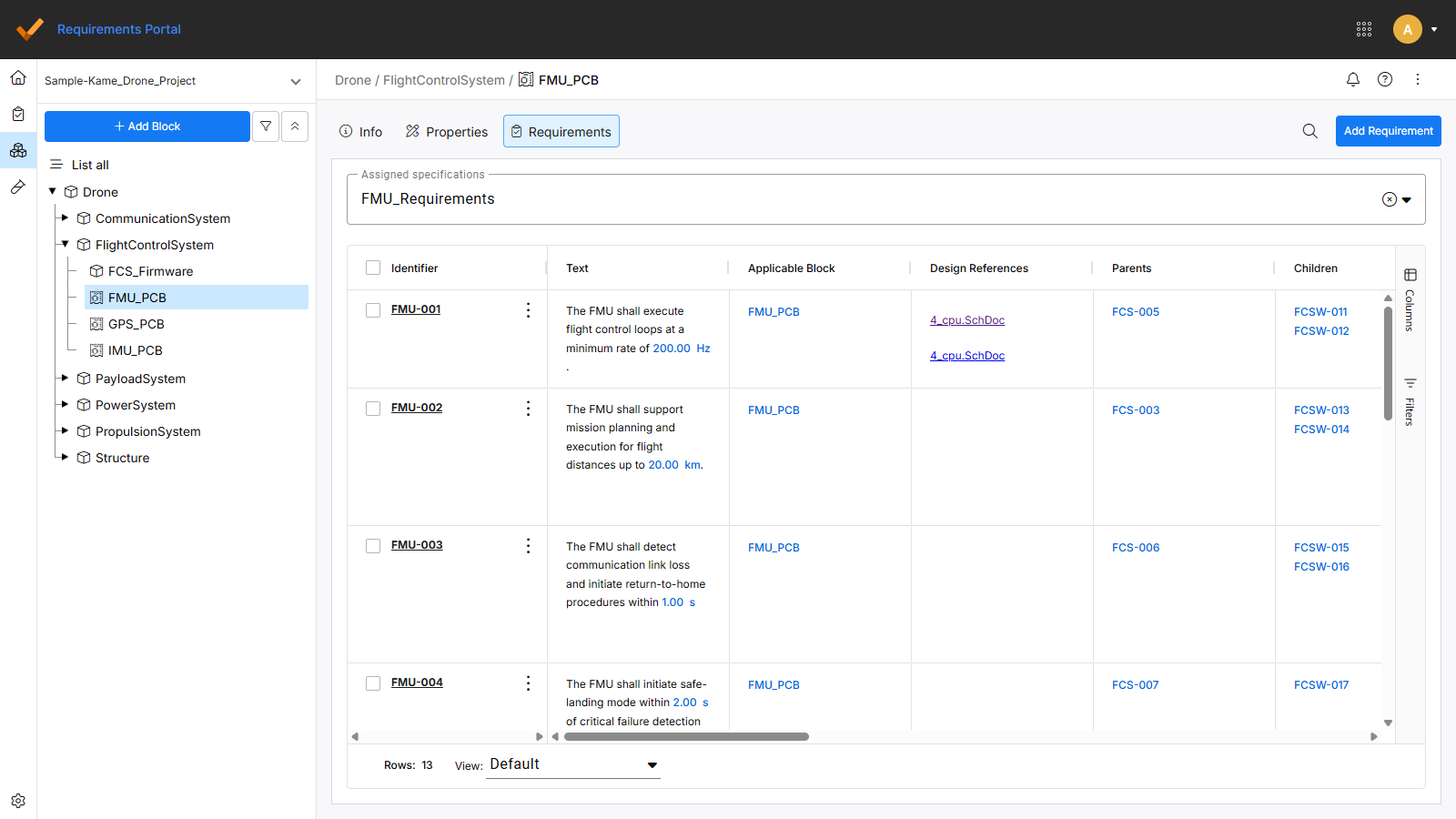
When you create a new project in Requirements Portal, a specification and a block with the same name as the project are created, and a link between them is established by default.
Link a Block to an Electronics Project
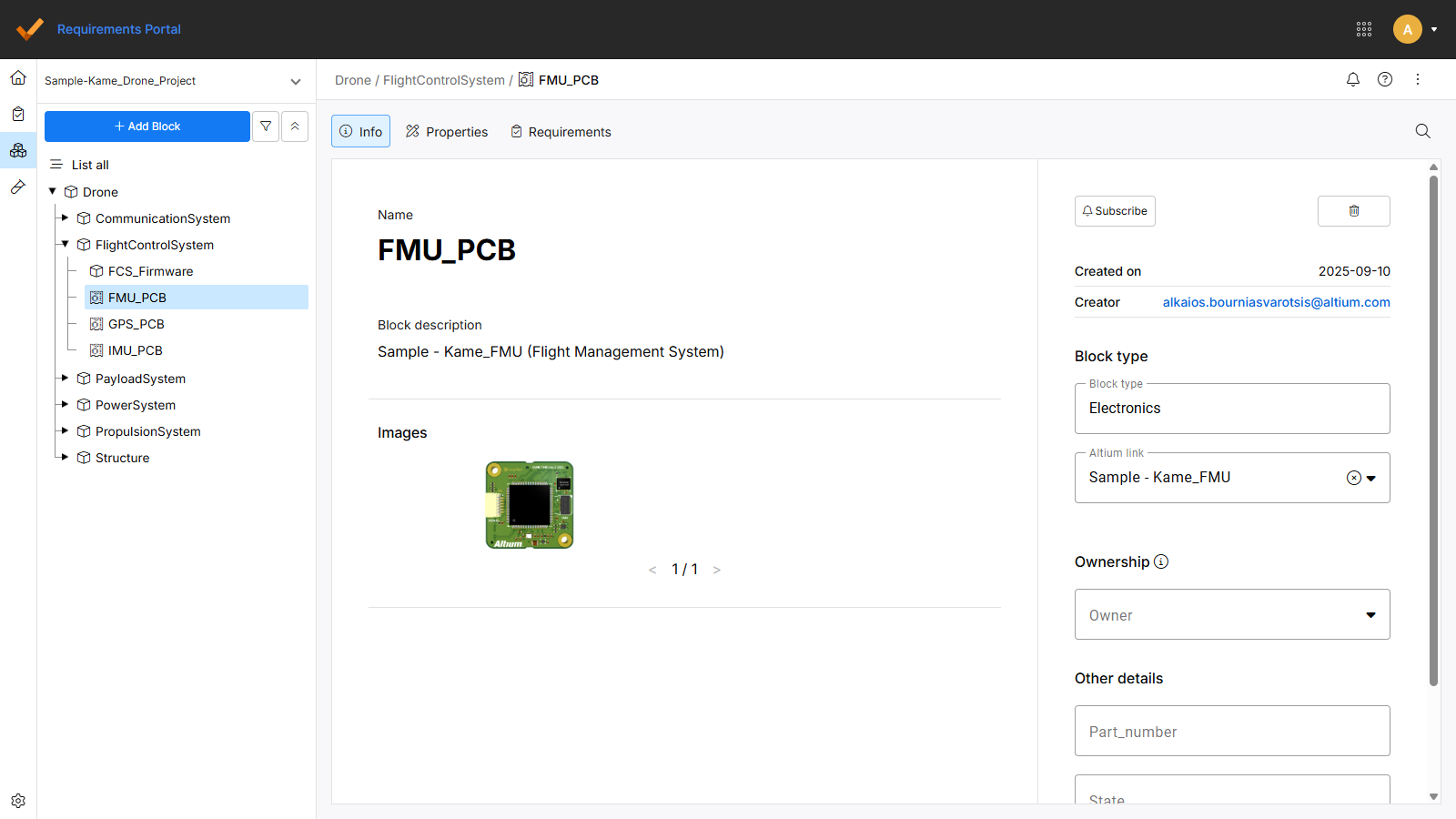
To link a block to an Altium project, go to the Info tab of the selected block, set the Block Type to Electronics, and select the design project from the Altium Link tab.
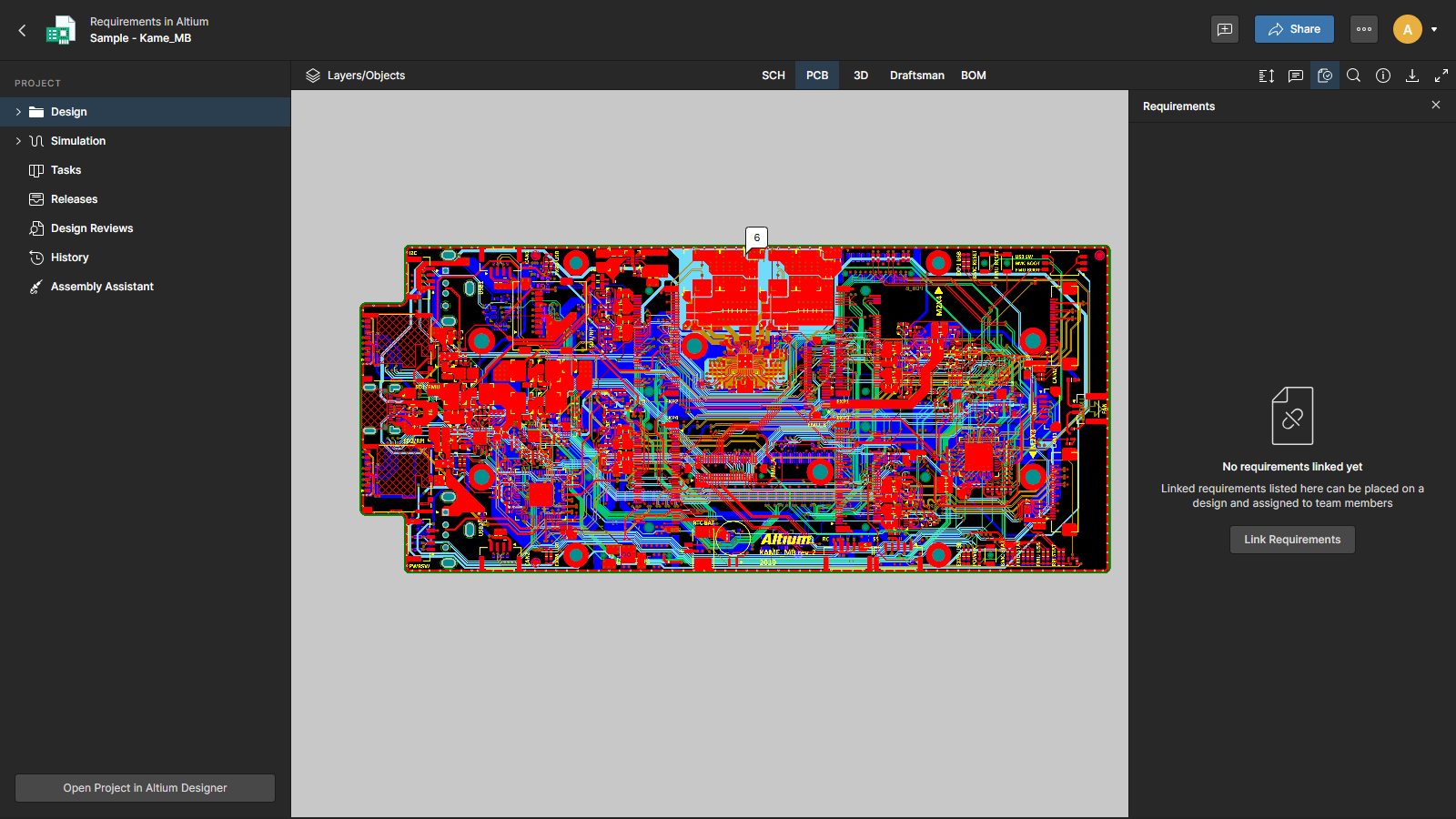
You can also link an electronics block to a design project directly through Altium Designer or the web viewer. Open the Requirements tab, select Link Requirements, and choose the project and block from the list.
See also Working With the Requirements and Requirements in a Design for more information.