


Quick Start
/ Activating Your License
Completed
Sign In To Save Your Progress
Click if you find this content useful
Quick Start
Activating Your License
Step 1
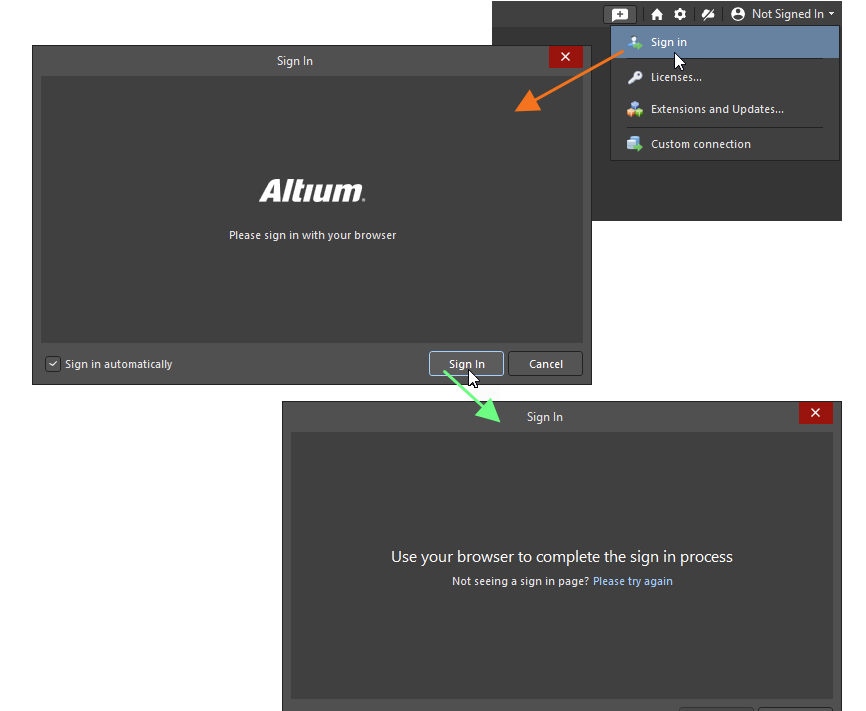
After launching Altium Designer for the first time, sign in using your Altium account. Once signed in, the software will detect and activate your educational license automatically if one is available for your account.
Step 2
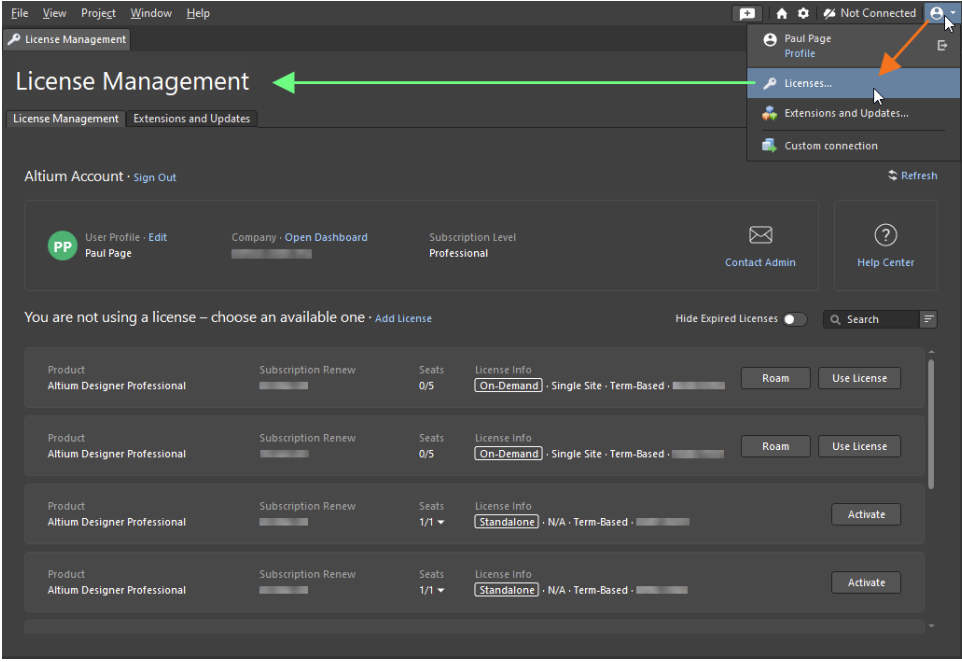
To confirm that your license is active, open Altium Designer and check the licensing status from the top menu. If the license is not activated, click on the "use license" button.
If you experience issues such as a missing or expired license, ensure you are signed in with the correct account and that your educational access is still valid.
