Welcome, Guest

Sign in to learn, create, and do more with the product you love.

News & Updates

Filters:
Tag
Embedded thumbnail for Coming Soon: Export 3D-MID Tracks as Centerline Curves
New in Altium Designer 25
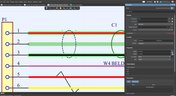
Coming Soon: Export 3D-MID Tracks as Centerline Curves

Coming Soon: 3D-MID Track-to-Centerline Export allows you to export conductive tracks on 3D substrates as precise centerline curves within STEP files—enabling seamless integration with advanced 5-axis manufacturing processes. Explore more upcoming upgrades on our Coming Soon page.

Embedded thumbnail for Advanced xSignal and Impedance Control Techniques - Recording Preview
New in Altium Designer 25
Advanced xSignal and Impedance Control Techniques - Recording Preview

This webinar recording explores advanced xSignal and impedance control techniques in Altium Designer 25. It covers defining xSignals, managing impedance profiles, differential pairs, and delay tuning—all essential for high-speed PCB design. Full recording you find here: April 2025 COM Webinar Recording.

Embedded thumbnail for Coming Soon: Embedded 3D Models for Harness Designs
How-To's
Coming Soon: Embedded 3D Models for Harness Designs

Coming soon: the Embedded 3D Models for Harness Designs feature will automatically include Parasolid-format 3D models in your harness layout drawings. This improves integration with MCAD CoDesigner, enabling seamless synchronization between electrical and mechanical design domains. To see more upcoming upgrades, visit our Coming Soon page.

Embedded thumbnail for Make Smarter Design Decisions with Signal Analyzer by Keysight
New in Altium Designer 25
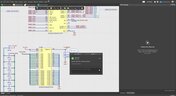
Make Smarter Design Decisions with Signal Analyzer by Keysight

Discover how to simplify your workflow and boost design confidence with Signal Analyzer by Keysight—a complete extension available right inside Altium Designer 25. This whitepaper shows you how to analyze impedance, delay, and insertion/return loss without ever leaving your design environment.

Blog
Printed Electronics: The Future of Flexible and Cost-Effective Circuit Design

This article explores the rise of printed electronics as a lightweight, flexible, and cost-effective alternative to traditional PCB design. It highlights key benefits like reduced manufacturing costs, sustainability, and new design possibilities—especially in wearables, medical devices, and automotive applications. 

Embedded thumbnail for Unveiling 86% Task Time Efficiency in Altium Designer 25
Altium Designer's 25 Quantitative Benefits
Unveiling 86% Task Time Efficiency in Altium Designer 25

Watch how Altium Designer 25 saves time on PCB visualization. This short video shows a side-by-side comparison of the same task done in Altium Designer 25 vs. an external CAD tool—revealing big time and click savings. A great teaser to highlight the value of the unified design environment and promote the Benefit Calculator.

Embedded thumbnail for AGND vs PGND: Proper Net Tie Connections in Power Regulator PCB Design
How-To's
AGND vs PGND: Proper Net Tie Connections in Power Regulator PCB Design

What’s the difference between AGND and PGND — and when should you use a net tie? Zach Peterson breaks down proper PCB layout for buck converters, grounding best practices, and why component placement matters in switching regulator designs.

Blog
New Routing Possibilities with Ultra HDI

Explore how Ultra HDI technology is redefining PCB design. This article breaks down the benefits and manufacturing considerations of Ultra HDI, and how it enables next-level routing density and miniaturization in advanced electronics.

Blog
3D-MID in Focus: Principles, Processes, and Practical Use

This article introduces 3D-MID (Mechatronic Integrated Devices), a technology that integrates circuitry into 3D plastic structures to reduce size, weight, and complexity. It explains the production process, use cases, and benefits of 3D-MID in sectors like automotive, medical, and consumer electronics.

Embedded thumbnail for  Students at Monash UAS Fly Higher with Altium Solutions to Power Their Autonomous Drone Technology
Altium Stories
Students at Monash UAS Fly Higher with Altium Solutions to Power Their Autonomous Drone Technology

Discover how the Monash Uncrewed Aerial Systems team leverages Altium Designer, MCAD CoDesigner, and Altium 365 to develop custom drone boards for critical humanitarian missions.

Blog
Eliminate EMI and Signal Integrity Issues in Multi-Board PCB Designs

Ensure signal integrity and minimize EMI in complex electronics. Our new article explains how to address electromagnetic interference and signal integrity challenges in multi-board PCB designs, offering practical strategies and layout considerations for reliable system performance.

Embedded thumbnail for Say Goodbye to Disjointed Workflows: Unified Product Design in Altium Designer 25
New in Altium Designer 25
Say Goodbye to Disjointed Workflows: Unified Product Design in Altium Designer 25

Check an overview of how Altium Designer 25 unifies Multi-Board and Harness Design into a seamless, efficient workflow for faster, error-free product development.

Embedded thumbnail for From Concept to Reality: Updated 3D-MID Demo in Altium Designer 25
New in Altium Designer 25
From Concept to Reality: Updated 3D-MID Demo in Altium Designer 25

A walkthrough of the new 3D-MID capabilities in Altium Designer 25. Covers setting up a 3D PCB document, component placement on curved surfaces, routing with grids and sketches, exporting for LDS manufacturing, and generating a 3D pick-and-place file.

Embedded thumbnail for Take 66% of Your Time Back with Custom Pad Stack in Altium Designer 25
Altium Designer's 25 Quantitative Benefits
Take 66% of Your Time Back with Custom Pad Stack in Altium Designer 25

This video demonstrates the measurable productivity gains of using the Custom Pad Stack tool in Altium Designer 25. It compares a detailed QFN-32 footprint customization process across versions, showing a significant reduction in time and mouse clicks—2 min 5 sec vs. 6 min 2 sec, and 45 vs. 116 clicks.

Blog
Mastering Component Templates in Altium Designer 25

Our new article by Dario Fresu explains how Component Templates in Altium Designer 25 Pro improve design consistency, reduce errors, and streamline collaboration. It highlights practical benefits like standardized naming, faster component creation, and scalability across projects. Includes examples of using templates with Altium 365™ to simplify complex component setup.

Embedded thumbnail for PCB Stackups in Reverse?
How-To's
PCB Stackups in Reverse?

Watch our new tutorial on reverse PCB stackups — a unique approach that combines thin internal layers with thicker outer cores for specialized applications. Learn how to implement reverse stackups effectively in Altium Designer, understand key manufacturability constraints, and explore Rogers materials specifically suited for this technique.

Tag
Tracks on a finished PCB
Blog
Microstrip Ground Clearance: How Close is Too Close?

If you take a look at any guidelines for controlled impedance traces, you’ll clearly see that the trace width is calculated without any ground pour near the trace. However, most designers will state that unused areas on each PCB layer should be filled in with grounded copper pour. If you bring some ground pour near a microstrip, you’ve now formed a coplanar waveguide arrangement. So now the question becomes, how much microstrip to ground clearance do you need to ensure you’ve hit your impedance goals?

Blog
PCB Layout Guidelines for Switching Power Supplies and Regulators

In this article, I want to briefly focus on how power supplies and regulators are different, although this should already be clear to most designers. For a power supply and for a PCB with an on-board regulator, the switching regulator layout will be a major determinant of overall system performance. Therefore, we’ll largely look at some layout guidelines for switching power supplies in terms of regulator layout.

PCB Sharing - What Data You Can Share in Altium 365
Blog
PCB Sharing and What Data You Can Share in Altium 365

Altium 365 is giving design teams a new way to share and manage their design data. Most users are probably aware of project-level and component-level PCB sharing features, but sharing actually extends down to the level of individual files thanks to the managed content system within Altium 365. If you’ve ever wanted a single place to store and manage all of your design data, then Altium 365 is here to help you and your team stay organized.

Power Supply Components on PCB
Blog
How to Combat Power Supply EMI in Your PCB

Power supplies are one of those systems we all tend to take for granted. Everyone’s first task in power supply design is usually to ensure the voltage and current output reach the desired level, probably followed by thermal considerations. However, due to safety issues, EMC requirements, the use of higher PWM frequencies, and the need for smaller packaging, power supply EMI should be a major design consideration. With that being said, what are the major sources of power supply EMI, and how can power supply designers keep them in check?

Free footprint library resources
Blog
Leveraging the Free Footprint Community to Design at Lightning Speed

Designing footprints is a job most people hate. It’s tedious, time-consuming, and doesn’t result in much except, well, a footprint. Companies now realize this pain point and offering designers free, well-designed PCB footprints. Why would they spend their time doing this? In this article, we’re going to review some of the free offerings that exist within the PCB design community. Once you’re armed with this information, you will spend most of your time designing and routing boards instead of pulling your hair out creating footprints all day.

PCB Motherboard with Multiple Slots with RAM Memory Installed, and Other System Hardware
Blog
Designing for Multiple PCBs in the Same Project

The majority of our PCB designs sit as a single PCB under our Altium Designer projects. It sometimes happens that we have a single project that requires multiple PCBs with various stuffing options, but when it happens, a lot of us tend to get stuck. How do you handle the exact change across both projects? How do you guarantee those changes to be identical? This article will review an approach to managing multiple PCB designs within a single project, ensuring your single source of truth.

EMI and thermal challenges in 5G design
Blog
Designing 5G Devices

The next stage in the evolution of mobile telephony is here with the roll-out of 5G. The designer looking to incorporate functionality to handle 5G signals into their circuits will face some challenging issues. So, what’s so special about 5G?

PCB tracks
Blog
All About Your PCB Trace Length: How Long is Too Long?

The maximum PCB trace length you can place between two components depends on multiple factors, such as signaling protocol, component specification, losses in PCB laminate, and skew. With all this in mind, let’s look at where losses accumulate along the channel.

LDO
Blog
Using an LDO vs. Switching Regulator in Your PCB

For low power devices, we generally see two types of power regulators: a low dropout regulator (LDO) or a switching regulator. You can mix and match these at different points along your power bus, but there’s still the matter of choosing whether to use an LDO vs. a switching regulator in your designs. If you’ve ever wondered how these decisions are made and when to use each type of regulator, just know that there is more to this decision than simply looking at the input/output voltage/current.

Natural flux
Blog
What They Don’t Teach You About Fluxes

PCB fabrication is an extremely complex technological topic that deserves recognition as the most fundamental part of PCB engineering. Unless connectors, conductive adhesive, wire-bonding, or zebra-tape are used, in the modern electronics industry it’s always necessary to use some kind of flux during the soldering process to create an electric connection. In this article, we’ll discuss fluxes — what they are, what they are made of (yes, there is going to be a lot of chemistry, don’t be scared), how they should be used, and in what direction the industry is going.

PCB with ice for best cooling
Blog
Thermal Management for Integrated Circuits

As anyone who designs and builds electronic devices knows, the device will generate heat when it’s switched on. Wherever current flows through an impedance, energy losses will manifest themselves as heat. Integrated circuit packaging is getting smaller to meet the trend for more compact devices but at the cost of poorer thermal properties. This article describes the basic thermal management approaches to consider in your next designs. 

Blog
Anatomy of Latitude Part Two: "Thread with a Needle” in the context of energy

We continue to explore the magic of energy conversion in a PWM transducer. Why is it magic? Theoretically, in a PWM transducer this happens without losses, isn't that magic? A PWM transducer, like a tailor with scissors, cuts the “fabric of energy” into pieces, and then, like a sewing machine, stitches the pieces of energy into a dress - DC Magnitude. What is a constant component and how can we get it? Let's explore!

Pulse Width Regulation Module
Blog
Anatomy of Latitude Part One: Pulse Width Modulation (PWM) as a Result of the Evolution of Linear Systems

There are different techniques in the world of technology to achieve various goals, both final and intermediate. Some techniques are so successful that they are commonly used with high efficiency. Electronics is no exception. The greatest example is the use of Pulse Width Modulation (PWM) signals (energy), which is applied in any modern electronic device. To apply PWM effectively, it is necessary to understand the engineering difficulties that engineers faced in the past, and the thoughts and ideas that subsequently were combined into effective, complete PWM power solutions.

Electrolytic capacitor
Blog
What Influences Electrolytic Capacitor Lifespan?

If you speak with a bunch of design engineers, you might quickly form the opinion that the electrolytic capacitor has a particularly dubious reputation. A faulty electrolyte mix used in these types of capacitors led to premature device failures, and quite often, a “bit of a mess” was made to the PCBs on which they were soldered. However, despite the problem of the capacitor plague, this article is focusing on helping the designer understand how to get many more years of useful life from an electrolytic capacitor.

Elegant writing
Blog
Creating Elegant and Readable Schematics

A schematic drawing will not only tell your PCB design software what needs to connect where, but it also communicates the purpose of a circuit to other people. It’s easy to create a schematic, but it can be harder to make a helpful schematic that can be quickly and easily read and comprehended by the reader. In this guide, based on years of industry experience, we will show you how to improve your schematic layout so that your designs are elegant and readable.

Copper rings
Blog
Must Have Rapid Prototyping Tools

Suppose your job involves rapidly iterating designs or creating a wide variety of products for clients. In that case, there are some essential tools available that can save you a tremendous amount of time, bringing high engineering risk devices to completion successfully. Whether you’re working on internal projects or developing high mix devices for clients as a consulting or freelance firm, these indispensable tools will help you ship a higher quality product in less time. 

Tag
Multifunctional Pins
What's New in 22.6
多功能引脚

常见的现代IC均由多功能引脚组成。在最新版Altium Designer中,我们能够更加轻松、方便地处理此类元件。

Embedded thumbnail for Using Rooms in Rules
How to work with Rooms
Using Rooms in Rules

Rooms allow you to use rules on specific areas of your design. This helps immensely with properly defining trace widths and hole sizes for specific components. We’ll show you how easy it is to assign rules to specific rooms in the PCB.

Embedded thumbnail for Creating a Schematic Symbol: Dealing with Power Pins
How to create a Schematic Symbol
Creating a Schematic Symbol: Dealing with Power Pins

Multiple schematic symbols often require the use of multiple power and ground pins. We’ll show you the difference between hidden and visible power pins, and the various methods you can use to use them in your design however it works best for you.

Embedded thumbnail for Allowing Permanent Display of Some Layers
How-To's
Allowing Permanent Display of Some Layers

This video demonstrates how to permanently display some layers in the PCB using the View configuration panel.

Embedded thumbnail for Creating Rooms in the PCB
How to work with Rooms
Creating Rooms in the PCB

If you want to create a room manually in the PCB or have them generated for the Schematic, Altium Designer allows you to create custom rooms. We’ll show you how to hand draw different rooms, how to create rooms by defining them through the room definition, and how to have them generated for the schematic and pushed through to the PCB by the Engineering Change Order.

Embedded thumbnail for Creating a Schematic Symbol - Placing Designators and Comments
How to create a Schematic Symbol
Creating a Schematic Symbol - Placing Designators and Comments

Placing your designator or comments can be done automatically, but that doesn’t mean they’re visible. We’ll walk you through how to make them visible and position them correctly no matter what orientation your symbol is with automatic positioning.

Embedded thumbnail for Creating a Schematic Symbol: Adding Additional Parts
How to create a Schematic Symbol
Creating a Schematic Symbol: Adding Additional Parts

Altium Designer makes it easy to add additional parts to your schematic library. We’ll show you how through copying and configuring your new components through the Pin Editor and the properties panel.

Embedded thumbnail for Component Placement Control Using Rooms
How to work with Rooms
Component Placement Control Using Rooms

Rooms give you more control over how and where your components are placed in your PCB. We’ll show you how to use room properties to limit what is allowed in and out of a room using the room definition and custom queries.

Embedded thumbnail for How to work with Differential Pair Classes?
How to Work with Differential Pairs
How to work with Differential Pair Classes?

Modern boards can contain a large number of differential pairs. For convenience, they are combined into differential pairs classes. In this video, we'll walk you through how to create and apply a differential pair class. 

Embedded thumbnail for Adding Rooms from the Schematic
How to work with Rooms
Adding Rooms from the Schematic

Rooms can be added directly from the schematic sheet. From the schematic sheet they are pushed to the PCB. Here we'll look at the rooms and component classes generated by default in the schematic, how to add and configure rooms manually, and how to push them to the PCB.

Embedded thumbnail for How to Draw a Board Outline Using Coordinates
How-To's
How to Draw a Board Outline Using Coordinates

In this video, we cover how to draw a curve by using coordinates. This can be very helpful when creating a board outline.

Embedded thumbnail for Creating a Schematic Symbol: Mapping out the Component
How to create a Schematic Symbol
Creating a Schematic Symbol: Mapping out the Component

When creating a schematic symbol, one of your first tasks will be creating a component symbol. We’ll show you how to map out a component in the Schematic Library Editor by creating and configuring the component, adding pins, and creating graphics.

Embedded thumbnail for How and When to Use Rooms
How to work with Rooms
How and When to Use Rooms

Rooms are an extremely valuable tool within the Altium Designer PCB environment, but how and when do you use rooms? If you need to control component placement and layout, assign a specific design rule to a group of items, or if you have repeated channels that need similar layouts in your multichannel design, rooms can make it much easier.

22.5-2_Custom_Diff_Pair_Suffixes
What's New in 22.5
Custom Diff Pair Suffixes

Even more possibilities for creating differential pairs. Now you can use any postfixes to designate positive and negative net of a differential pair.

22.5-2_Custom_Diff_Pair_Suffixes
What's New in 22.5
自定义差分对后缀

更加有利于进行差分对创建。您现在可以使用任何后缀来指定差分对的正网络和负网络。

22.5-3_PCB_Health_Check_Monitor
What's New in 22.5
PCB Health Check Monitor

The condition of the PCB is under your control. A new intelligent feature that gives you confidence that your PCB is okay and complies with design rules.

Tag
Your search returns no results.