News & Updates

Blog
•
How I Improved My Collaboration Efficiency with Altium 365
Involving the whole team that will bring a product to completion early on in the development cycle is vital to efficient development. Design reviews with all the relevant parties are critical at each step of the design process, starting with high-level component selection, then through the schematic capture and PCB layout stages.



Blog
•
Countersink and Counterbore
Ergonomics and convenience are important issues when designing a printed circuit board and the device as a whole. A lot of Altium Designer tools are aimed at solving them. These include Countersink and Counterbore holes, which allow the use of various types of screws in the mounting holes of the board.


Blog
•
Migrating Data From Other Version Control Systems
The development of electronic devices always involves the release of many different types of files. And these files are not static - they change as the project progresses. When filling a project with data, a user creates new files, modifies outdated files that have become irrelevant. Managing project data is a separate task, especially for large developments where several participants with different specializations are involved in the process.



Blog
•
Properties Panel Tuning
High-speed PCBs often require tuning groups of tracks, both single and differential. Altium Designer includes powerful tools that allow you to solve such tasks quickly and with high quality. Study this document and achieve the desired result even faster.

Blog
•
Reflectionless Matching vs. Conjugate Matching: An Apparent Contradiction
There is one confusion related to impedance matching that comes up again and again, and it appears to be a fundamental confusion between reflection and power delivery. This leads to an apparent contradiction that arises when we try to generalize power delivery to wave reflection, despite the fact that the two were not meant to be related.


Blog
•
Properties Panel Routing
Routing is one of the most time-consuming stages of PCB design. Altium Designer has a large set of tools that allow you to do it as accurately and quickly as possible. This document will help you to learn how to manage your routing effectively and use it to its fullest extent.


Blog
•
Quarter-Wave Transformer Design For Real and Reactive Loads
RF systems operate with specific impedance values across entire interconnects, including on PCBs. Not all RF components are packaged in integrated circuits with defined impedances, so impedance matching circuits and line sections are needed to ensure signal transmission between different sections of an interconnect. One of these impedance matching techniques is the quarter-wave impedance transformer, which can be implemented as a printed trace with specific impedance.



Blog
•
Altium Designer 22.10 Update
We are happy to announce that the Altium Designer 22.10 update is now available. Altium Designer 22.10 continues to focus on improving the user experience, as well as performance and stability of the software, based on feedback from our users. Check out the key new features in the What's New section on the left side of this window!

Blog
•
Component Warpage Causes in a PCB
A staff member at a PCB manufacturer once explained to me that they thought we were having an issue with a package warping. Unfortunately, component warping can occur both in a PCB and in components. In this article, we'll give an overview of warpage in a PCB, specifically in the circuit board and in the components.
Blog
•
RF Signal Chain and Link Budget Basics
If you're designing a wireless IoT device, and you know how to calculate the link budget, you can reasonably estimate whether your signal will reach its destination and be read by the receiver. To calculate the link budget, the designer needs to know something about all other sources of gain and loss in the system. Once link budget is determined, the designer can judge whether some modification is needed in their RF signal chain.

Blog
•
Enhancing Signal Integrity in PCB Design: Key Considerations and Strategies
Looking to enhance signal integrity in your PCB designs? Check out our latest article by David Marrakchi, where he shares key strategies and best practices for achieving reliable high-speed designs.

Blog
•
Favorite Tools for BOM Review
Check out our article, where Lawrence Romine shares his top tools for conducting efficient Bill of Materials (BOM) reviews in PCB design. It highlights key features in Altium 365, Octopart, and ActiveBOM that help engineers avoid unsourceable components and streamline procurement.
Blog
•
Mastering EMI Control in PCB Design: How Signals Propagate in a PCB
As the first article in the "Mastering EMI Control in PCB Design" series from our new asset Dario Fresu, this piece explores signal propagation in PCBs, highlighting the crucial roles of impedance, dielectric materials, and trace geometry in maintaining signal integrity.
Blog
•
High-Speed PCB Design: Ensuring Signal Integrity, EMI Mitigation, and Thermal Management
Discover essential strategies for high-speed PCB design, focusing on signal integrity, EMI mitigation, and thermal management. Our latest article provides insights on managing crosstalk, optimizing grounding, and addressing thermal challenges to ensure reliable PCB performance.
Blog
•
Designing Micro-vias with Sintered Paste for Rigid-Flex Printed Circuit Boards
Designing microvias with sintered paste in rigid-flex PCBs offers enhanced electrical conductivity and mechanical strength, crucial for high-density applications. Our new article explores the benefits of sintered paste and provides essential design tips to optimize microvia performance and reliability.
Blog
•
Simple Strategies to Reach 10% PCB Cost Reduction
Our new article outlines strategies to achieve a 10% reduction in PCB costs by optimizing design and material choices, such as adjusting stack-up materials and hole sizes, using lower-cost parts, and considering single-sided assembly. These techniques help reduce expenses without sacrificing quality.

Blog
•
Say Goodbye to EDA Software Vendor Lock
Check how Altium 365 helps eliminate EDA software vendor lock by enabling multi-CAD support in the cloud. This allows users to work with different CAD file formats within a single platform, enhancing collaboration and reducing the need for additional licenses. This approach offers greater flexibility and is set to transform the industry.

Blog
•
The Ultimate Introduction to High-Speed Signal Integrity for PCB Designers
High-speed signal integrity is essential in PCB design to ensure data accuracy and system reliability. Key issues like impedance mismatches, crosstalk, and signal reflections need to be addressed through strategies such as controlled impedance traces, differential pairs, and suitable material choices. Check out our first article of the series about this topic.
Blog
•
Multi-Board PCB Signal Integrity: A Complete Guide
Our new article on signal integrity in multi-board PCBs covers essential aspects like connector pinouts, cable designs, and interconnect strategies. These factors ensure reliable performance in high-speed applications across industries such as military, aerospace, and AI.

Blog
•
Multi-CAD Support Will Be a Game Changer for Electronics Design Teams
Discover how multi-CAD support is transforming electronics design with Altium 365 by enabling seamless integration of diverse CAD file formats. This innovation addresses vendor lock-in issues, boosting collaboration, version control, and project management across different CAD tools.
Blog
•
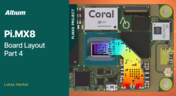
Pi.MX8 Project - Board Layout Part 4
We invite you to explore a new chapter in the PiMX8 Project, focusing on the final stages of PCB layout design for the Pi.MX8 compute module. This installment covers critical topics such as routing power planes and signal delay tuning, essential for ensuring proper functionality and performance.
Blog
•
How Thermoformed Flex PCB’s are Designed and Fabricated
Thermoformed flexible PCBs are specially designed and fabricated by heating and molding them into specific shapes, making them suitable for compact and complex applications like automotive dashboards and wearable devices. This process involves precise temperature control and careful handling to ensure durability and quality. Discover more from Tara Dunn's new article.
Blog
•
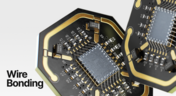
Boost Connection Integrity and Design Efficiency with Wire Bonding
Altium Designer's wire bonding feature enhances PCB design by supporting chip-up configurations for Chip on Board (CoB) designs. It offers easy validation of bond wiring in 3D views, ensuring accurate and efficient design processes. Check more about this feature on Altium's new feature page.
Blog
•
How High Frequency SMD Passives Work in a PCB Layout
High-frequency surface-mount device (SMD) passives like resistors and capacitors play a crucial role in PCB layouts, particularly in circuits operating above 1 GHz. Our article explores how these components function at high frequencies, their operational limits, and the importance of considering parasitic elements in design.

Blog
•
Essential DFM Tips for Aerospace Projects
Design for Manufacturing (DFM) is a crucial aspect of aerospace projects. This process ensures high-quality designs that meet the unique challenges of the aerospace industry, such as extreme conditions and stringent reliability standards. Learn more about essential DFM tips in our brand-new article.
Blog
•
Mechanics Meet Electronics Seamlessly in Multi-Board PCB Design
Curious about the intersection of mechanical and electrical design? Both are crucial in the PCB design process, especially for multi-board systems. Read our latest article to learn how ECAD and MCAD can address significant challenges during PCB preparation.
















Your search returns no results.


