Welcome, Guest

Sign in to learn, create, and do more with the product you love.

News & Updates

Filters:
Tag
What is Hybrid Beamforming?
Blog
What is Hybrid Beamforming?

In this article, we’ll look at beamforming implementation in an advanced method combining analog and digital techniques, known as hybrid beamforming. This method blends both digital and analog techniques to create multiple beams and thus reach multiple users with varying intensities. In the case of an RF imaging system or a radar system, hybrid beamforming in a MIMO technique also allows tracking of multiple targets with adjustable resolution.

Article preview
On-Demand Webinar
PCB Design in Altium Designer with Differential Data Transfer

Differential data transmission lines usage can be challenging for even experienced designers. First you need to be familiar with the concepts of differential data transmission, find out why it is used, and what the potential advantage for your signal. This webinar will help you determine what part of your designs need differential pairs implementations and how to create such pairs with a given wave impedance in Altium Designer.

Is your via impedance calculator accurate?
Blog
Why Most Via Impedance Calculators Are Inaccurate

The problem with every via impedance calculator that I have seen is simple: they are incomplete or totally wrong. The “incomplete” part refers to a lack of context; these calculators can roughly reproduce a well-known estimate from a legend like Howard Johnson in his Digital Design textbooks. However, these calculators never provide insight into what they are actually calculating, or where the calculated via impedance is accurate. Keep reading to see why these calculators get it so wrong, as well as the context surrounding via impedance.

Embedded thumbnail for How to Create an Interactive PDF of a Schematic Diagram
How-To's
How to Create an Interactive PDF of a Schematic Diagram

This video shows how to create an interactive PDF using the Smart PDF Wizard.

Embedded thumbnail for What is the Draftsman Document?
How to Work with Draftsman
What is the Draftsman Document?

Once your PCB layout is finished it’s time for review. This is where the Draftsman Document and Altium Designer’s Draftsman Editor comes in.

Blog
Buck Converter Simulation in Altium Designer

When designing high power circuits (usually very high voltage and/or current), you’ll need to create a regulator from scratch and place it in your PCB layout. It's also the case that you may want to model a real component using discretes in a simulation in order to qualify the system's expected operating regime. As part of buck converter design, you can easily run a buck converter simulation directly in Altium Designer’s schematic editor. Here’s how you can access these features in the newest version of Altium Designer. 

Embedded thumbnail for Adding Project Modules to a Multi-board Schematic
How to work with Multiboard
Adding Project Modules to a Multi-board Schematic

If you’re using multiple PCBs in your Multi-board design, Altium Designer allows you to add existing projects directly to your schematic with modules. We’ll show you how to quickly and efficiently add these projects to your Multi-board design.

PCIe 6.0 Overview
Blog
Overview of the PCIe 6.0 Standard

Just as you get used to PCIe 5.0, they decide to release another standard! The newest iteration of PCIe is Gen6, or PCIe 6.0. PCIe 6.0 brings a doubling of channel bandwidth through introduction of PAM-4 as the signaling method in high-speed differential channels. This signaling method is a first for PCIe, and it’s an important enabler of the doubled data rate we see in the current standard. In this article, I’ll run over the important points in the standard and what PCB designers can expect when designing these channels.

Embedded thumbnail for Checking for Creepage in High Voltage Designs
How-To's
Checking for Creepage in High Voltage Designs

High voltage devices have leakage currents that propage over the surface of the board. In such devices, it's important to consider not only the standard gap between the two topological elements, but also the shortest possible path between them, taking into account cut-outs and holes. With Altium Designer 20, you can check for creepage using the new creepage distance rule.

Embedded thumbnail for Creating BGA Footprints with the Footprint Wizard
How to create a PCB Footprint
Creating BGA Footprints with the Footprint Wizard

Altium Designer makes it easy to create a BGA footprint using our IPC compliant footprint wizard. We'll show you how easily you can create and modify a BGA footprint using the footprint wizard.

SPI vs. I2C For Memory Access
Blog
SPI vs. I2C: How to Choose the Best Protocol for Your Memory Chips

One of the common implementations of SPI and I2C in a PCB layout is as a protocol for reading and writing to an external Flash memory. Flash chips are a very common component in embedded systems and can offer high capacities of non-volatile memory up to Gb values. When choosing a memory chip, you'll want to match the application requirements and functionality with the bus speed you need for read and write operations in your memory chip. There is also the matter of the type of Flash memory you'll need to access (NOR vs. NAND).

On-Demand Webinar
Tips & Tricks: Board Shape Creation

Being able to design a board in your ECAD environment doesn’t mean that it is manufacturable in real life. You have to make sure your CAD representation won’t have any problems in the real world by taking some precautions. For example, there are certain areas that need to be free of components and have specified clearances like your board edge. This webinar will help you get acquainted with the creation and modification of your board shape so that you can ensure manufacturability.

Blog
Is There an SPI Trace Impedance Requirement?

There is no SPI trace impedance requirement? The reality is that SPI lines only start to need impedance control when the length of the interconnect becomes very long. And because there is no specific impedance requirement in the bus, you have some freedom in channel design and termination. So what exactly qualifies as “very long” and when is some termination method needed? We’ll break it down in this article.

Embedded thumbnail for How to Remove Unused Pad Shapes
How-To's
How to Remove Unused Pad Shapes

Unused pad shapes can cause distortion among other problems so it is best to exclude them from your designs. This video shows how to remove unused pad shapes.

Embedded thumbnail for Stackup Presets and Templates
How to work with Layer Stack Manager
Stackup Presets and Templates

In this video, we will learn how to apply predefined layer stacks to the board, as well as how to save the layer stack file as a template.

The Skin Effect and EM Fields
Blog
The Skin Effect, Current Density, and the Electromagnetic Field

During this year's AltiumLive CONNECT event, I recall receiving an interesting question about the skin effect and the distribution of current due to the presence of ground in coplanar transmission lines. In this article, we'll look at the electric field around a transmission line carrying a signal, and how this might be impacted by the skin effect.
Embedded thumbnail for Creating a PCB Footprint Assembly Drawing
How to create a PCB Footprint
Creating a PCB Footprint Assembly Drawing

If you need to create an assembly drawing of your PCB Footprint for your outjob files we can show you how in Altium Designer. We’ll walk through all the different options for your assembly drawing in your Draftsman document, how to create your assembly drawing and assign it designators.

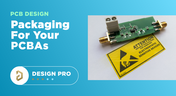
Packaging for your PCBAs
Blog
What You Need for PCB Packaging and Shipping

When you get your PCBA back from an assembler, you’ll notice the packaging materials used to pack and ship the PCBA. Those materials are specific to electronics, and if you build products on behalf of clients, it’s important to know the packaging materials used for packing and shipping electronics. In this article I’ll show the main set of materials and equipment used to package electronics assemblies.

Embedded thumbnail for Using the ActiveBOM
How-To's
Using the ActiveBOM

Using the ActiveBOM: The Bill of Materials (BOM) contains a list of all the components with their designators, part numbers, values, and other parameters. An ActiveBOM manages the mapping from the design component (part) to the part that is purchased. This video describes how to use the ActiveBOM document to create an up-to-date list of components needed for your project.

Embedded thumbnail for Using Back Drills in your Stackup
How to work with Layer Stack Manager
Using Back Drills in your Stackup

In this video, we will learn about Back Drilling technology, how to set up back drilling using the layer stack manager, and how to set up the Stub Length sizes for back drilling by specifying applicable nets using the Design Rules Editor.

Tag
Spreading Inductance
Blog
What is Spreading Inductance?

If you’re working with a high-speed digital component, there are some simple power integrity rules that should be followed. However, there is one quantity that is sometimes ignored when building a PDN impedance simulation: the spreading inductance of your plane pair. Here are some points designers should know about the spreading inductance of a plane pair.

PCB Design Basics for New Designers
Blog
PCB Design Basics for New Designers

In this article, I’ll present some design basics that every new designer should follow to help ensure their design process is successful. Some of these points may challenge the conventional view of how circuit boards are constructed, but they are intended to help balance low noise signaling, manufacturability, and ease of solving a layout.

Selecting Materials for High Voltage PCB Design and Layout
Blog
Selecting Materials for High Voltage PCB Design and Layout

High voltage PCBs are subject to certain safety and reliability concerns that you won’t find in most other boards. If your fabrication house specializes in high voltage PCBs and keeps materials in stock, they can likely recommend a material set, as well as a standard stackup you might use for certain voltage ranges and frequencies. If you need to choose your own materials, follow the tips below to help you narrow down to the right material set.

Via tenting in PCB Layout
Blog
When to Use Tented Vias in Your PCB Layout

There are some guidelines I see many designers implement as a standard practice, often without thinking about it. Some of these practices are misunderstood or implemented without best practices. Others are implemented without thinking about the potential problems. One of these is the use of tented vias, which is sometimes implemented in a PCB layout by default. Is this always the right practice?

Capacitive load termination
Blog
How to Impedance Match and Terminate Capacitive Loads

The idea of a purely capacitive load is something of a fallacy. Yes, capacitors exist, but all capacitors are non-ideal, and it is this deviation from a theoretical capacitance that determines how to impedance match a load that exhibits capacitive behavior. Let’s take a look at this important aspect of interconnect design and see what it really means to terminate a capacitive load.

Using Altium 365 Over Your Vanilla Version Control System
Blog
Using Altium 365 Over Your Vanilla Version Control System

There are all sorts of version control systems out there that people have been using with their PCB design software. As discussed in Why Use a Version Control System, we looked at different options ranging for local hard drive storage to sophisticated online revisioning systems. In this article we will be reviewing the differences between a standard VCS and Altium 365.

Why Use a Version Control System in PCB Design
Blog
Why Use a Version Control System in PCB Design

Version Control Systems (VCS) have been around for many decades within the software world but can be surprisingly new to some folks in the electronics design industry. This article will cover what a VCS is, what it does, and why you should be using one for your PCB design projects.

IPC 6012 Class 3 Annular Ring
Blog
Meeting Standards: IPC 6012 Class 3 Annular Ring

Designers often conflate leftover annular ring and pad sizes - they need to place a sufficiently large pad size on the surface layer to ensure that the annular ring that is leftover during fabrication will be large enough. As long as the annular ring is sufficiently large, the drill hit will not be considered defective and the board will have passed inspection. In this article, I'll discuss the limits on IPC-6012 Class 3 annular rings as these are a standard fabrication requirement for high-reliability rigid PCBs.

PCB fabrication notes
Blog
Decoding PCB Fabrication Notes

Sending a board out for fabrication is an exciting and nerve-wracking moment. Why not just give your fabricator your design files and let them figure it out? There are a few reasons for this, but it means the responsibility comes back to you as the designer to produce manufacturing files and documentation for your PCB. It’s actually quite simple if you have the right design tools. We’ll look at how you can do this inside your PCB layout and how this will help you quickly generate data for your manufacturer.

HDI PCB design and HDI PCB manufacturing process
Blog
Design Basics for HDI and the HDI PCB Manufacturing Process

As the world of technology has evolved, so has the need to pack more capabilities into smaller packages. PCBs designed using high-density interconnect techniques tend to be smaller as more components are packed in a smaller space. An HDI PCB uses blind, buried, and micro vias, vias in pads, and very thin traces to pack more components into a smaller area. We’ll show you the design basics for HDI and how Altium Designer® can help you create a powerful HDI PCB.

All About PCB Test Points
Blog
Is It Printed or a Component? All About PCB Test Points

Test points in your electronic assembly will give you a location to access components and take important measurements to verify functionality. If you’ve never used a test point or you’re not sure if you need test points, keep reading to see what options you have for test point usage in your PCB layout.

How to Design to a Differential Impedance Specification
Blog
How to Design to a Differential Impedance Specification

The concept and implementation of differential impedance are both sometimes misunderstood. In addition, the design of a channel to reach a specific differential impedance is often done in a haphazard way. The very concept of differential impedance is something of a mathematical construct that doesn’t fully capture the behavior of each signal in a differential trace. Keep reading to see a bit more depth on how to design to a differential impedance spec and exactly what it means for your design.

Product Lifecycle Management in Electronics Manufacturing
Blog
Product Lifecycle Management in Electronics Manufacturing

An effective product lifecycle management (PLM) solution will integrate the tools and processes employed to design, develop and manufacture a new device. This solution goes beyond engineering activities to include the project management, process control, and financial management of the end-to-end business processes. PLM solutions create this collaborative environment where product development can flourish, bringing additional benefits in efficiencies and transparent communications, breaking silos, and speeding up the development process.

Tight versus loose coupling
Blog
Should You Use Tight vs. Loose Differential Pair Spacing and Coupling?

In this article, we want to get closer to a realistic description of tight coupling vs. loose coupling in terms of differential pair spacing, as well as how the differential pair spacing affects things like impedance, differential-mode noise, reception of common-mode noise, and termination. As we’ll see, the focus on tight coupling has its merits, but it’s often cited as necessary for the wrong reasons.

Engineering Design Review Guide
Blog
How to Solve Your Engineering Design Review Challenges

You’ve possibly gone through plenty of engineering design reviews, both on the front-end of a project and the back-end before manufacturing. Engineering design reviews are performed to accomplish multiple objectives, and with many engineering teams taking a systems-based approach to design and production, electronics design teams will need to review much more than just a PCB layout and BOM. Today’s challenges with sourcing, manufacturability, reliability, and mechanical constraints are all areas that must be confronted in real designs

Tag
Embedded thumbnail for Precise Selection with PCB Filter
How to work with Selection
Precise Selection with PCB Filter

Narrowing down a precise and accurate selection of objects can be difficult on a crowded board. Learn about the PCB Filter panel, how to use it to create queries to select objects on the PCB, and how to create design rules from these queries.

Embedded thumbnail for Rigid-Flex Board Shape Design in MCAD
Working with MCAD CoDesigner extension
Rigid-Flex Board Shape Design in MCAD

The MCAD Codesigner allows you to design or edit your board shape in the MCAD environment and have it pushed back to Altium Designer. We’ll show you how to configure the board shape, rigid and flex regions, and mounting holes.

Embedded thumbnail for Design RF PCB: routing (any angle, arc)
RF PCB Design
Design RF PCB: routing (any angle, arc)

It is worth taking a responsible approach to the shape and size of the RF signal conductors. In this video we will cover some practical aspects of working with routing such nets in Altium Designer.

Embedded thumbnail for Component Placement in Rigid-flex PCB
Working with MCAD CoDesigner extension
Component Placement in Rigid-flex PCB

With the MCAD CoDesigner you can quickly add and move components from your MCAD tool and update the design automatically in Altium Designer. We’ll show you how to add a new component, move components, change a component’s region in MCAD, and update your design in Altium Designer.

Embedded thumbnail for Transmission lines (coplanar)
RF PCB Design
Transmission lines (coplanar)

The boards use transmission lines to carry high-frequency signals. In addition to microstrip lines, coplanar transmission lines with a ground reference polygon are often found on boards. Coplanar transmission lines propagate the same wave type as microstrip transmission lines, but the electromagnetic field is more concentrated near the conductor, so coplanar lines have lower losses at high frequencies, less dispersion, and less interference to adjacent circuits.

Embedded thumbnail for How to Reuse Board Shapes in MCAD
Working with MCAD CoDesigner extension
How to Reuse Board Shapes in MCAD

You can use the MCAD Co-designer panel to reuse your board shape or geometry in your PCB. We’ll show you how to use the MCAD Co-designer panel in Altium Designer and how to copy your board shape and geometry from your MCAD tool to Altium Designer.

Embedded thumbnail for Selection filter - Panel Properties and PCB
How to work with Selection
Selection filter - Panel Properties and PCB

Learn how to configure the types of selected objects using the Selection Filter. In addition, you will learn about the Post Selection Filter and its features.

Embedded thumbnail for PCB Origins During the ECAD MCAD Exchange
Working with MCAD CoDesigner extension
PCB Origins During the ECAD MCAD Exchange

Origins can vary from your MCAD tool and Altium Designer. With the MCAD Co-Designer panel Altium Designer can keep track of your origin point and make sure your design changes are exchanged correctly.

Embedded thumbnail for Global Editing Using Find Similar Objects
How to work with Selection
Global Editing Using Find Similar Objects

Editing multiple objects one by one can be a very time consuming process. Altium Designer makes this easy and efficient with the Find Similar Objects tool, which allows you to globally select and edit multiple objects at once.

Embedded thumbnail for Shaping the PCB in MCAD
Working with MCAD CoDesigner extension
Shaping the PCB in MCAD

Through the MCAD Co-designer in Altium Designer, you can collaborate with a mechanical engineer to shape the PCB in your MCAD tool and keep it updated in Altium Designer. We’ll show you how in Altium Designer and in your MCAD tool.

Embedded thumbnail for Cross Select Mode
How to work with Selection
Cross Select Mode

Cross Select Mode is a unique tool that allows for cross-selection of objects between the schematic and PCB thanks to the Altium Unified platform. This makes it easy to look for specific components, as well as take advantage of component placement tools.

Embedded thumbnail for Tools for Efficient Selection
How to work with Selection
Tools for Efficient Selection

Efficient selection tools can make a difference in how long and how clean your design can be. Learn how to utilize the Edit Select Menu tools in Altium Designer to take control over your layout.

Embedded thumbnail for Tools for Easily Selecting Objects in the PCB
How to work with Selection
Tools for Easily Selecting Objects in the PCB

Explore more than basic mouse movements by taking a look at the tools that Altium Designer has to offer for making selecting and moving objects in the PCB an easy task. This will increase your productivity and allow you to spend more time designing

Embedded thumbnail for How to Work with The Polygon Manager
Working with Polygons
How to Work with The Polygon Manager

It is important to have a high-level view of all polygons on the PCB design. The Polygon Manager lets you rename polygons, set their pour order, perform re-pouring or disable pouring on selected polygons, add/scope the polygon connection style and clearance design rules, and add polygon classes for selected polygons.

Embedded thumbnail for Assigning Impedance Profiles for Differential Pairs
How to Work with Differential Pairs
Assigning Impedance Profiles for Differential Pairs

When you assign an impedance profile to a differential pair you open up several options for control over your routes. We'll show you how to do just that, as well as how to fix errors that may pop up and how to create classes for differential pairs based on assigned impedance profiles.

Embedded thumbnail for How to Highlight or Select Net Connections in the PCB
How-To's
How to Highlight or Select Net Connections in the PCB

We’ll show you how to highlight net selections so you can easily track where connections are made. We’ll show you how to hide and show nets, and how to use the view configuration and PCB panels to view and highlight nets across your design, and how to assign net colors in both the PCB and the schematic.

Tag
Your search returns no results.