Welcome, Guest

Sign in to learn, create, and do more with the product you love.

News & Updates

Filters:
Tag
All About Box Build Assemblies
Blog
All About Box Build Assemblies

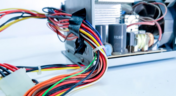
When you’re ready to manufacture a new device at production volume, there are many aspects of the product that must come together. The enclosure, cabling and connectors, embedded software/firmware, and of course the PCBA all have to be considered in totality. There is a quick way to get your product into a usable enclosure, complete with input power and cabling, and with a form factor that fits your PCBA. This overused route to a new product is a box build assembly. 

The Best Way to Review Your PCB Designs
On-Demand Webinar
The Best Way to Review Your PCB Designs

It is essential to ask questions and review the design approaches used with your team. Design reviews are essential in the design process, but they can be inconvenient for team members and lack traceability or history. To create the best designs, you need review methods that are as cutting edge as the boards you're making.

Ultra-HDI Technology is Not New
Blog
Ultra-HDI Technology is Not New

Printed circuit board fabricators have become skilled at manufacturing these technologies and also at understanding the reliability and producibility challenges associated with high-density-interconnect technology. Let’s look at where the PCB industry is at today. 

Embedded thumbnail for How to Control Routing in Altium Designer
How-To's
How to Control Routing in Altium Designer

The routing functionality in Altium Designer is constantly evolving. Check out this video to learn the basics of routing in Altium Designer. 

Embedded thumbnail for Polygon Creation
Working with Polygons
Polygon Creation

Learn how to create polygon pours to ensure proper copper distribution on your board.

Today's PCB Designers Are Driving Electronics Product Design
Blog
Today's PCB Designers Are Driving Electronics Product Design

What can the industry do to support PCB designers as they continue taking a more active role in product development? Here at Altium, there has been a progressive shift towards looking at the system level and creating tools that get designers more involved throughout the product development process. As the saying goes, over the wall engineering is over… today’s most successful products are built in a collaborative process.

Embedded thumbnail for Creating Guide Lines and Snap Points
How to use Snapping
Creating Guide Lines and Snap Points

Explanation of guides and snap points and how to create and use them.

Phased Array Antenna Design for 5G Applications
Blog
Phased Array Antenna Design for 5G Applications

As the 5G rollout progresses and researchers continue to discuss 6G, many new 5G-capable products operating in sub-GHz and mmWave bands are reaching the marketplace. Devices that will include a 5G-compatible front-end, whether small stations/repeaters or handheld devices, use phased arrays as high-gain antenna systems to provide high data throughput without losing range at higher frequencies.

Embedded thumbnail for Polygon Types and Parameters
Working with Polygons
Polygon Types and Parameters

Each board requires different copper geometries. Polygon types make sure you can create the perfect copper geometry for every need.

Embedded thumbnail for How to Define Different Clearance for Internal and External Layers
How-To's
How to Define Different Clearance for Internal and External Layers

If you need to define difference clearance values for your external and internal layers, the answer is with design rules. We’ll walk you through it in this short video. 

IPC - Vias
Blog
IPC - Vias

Via protection is an important part of modern PCB design. It provides additional benefits in PCB manufacturing and assembly, increasing the number of acceptable products.

Advantages of Using a Version Control System for Your Next Project
On-Demand Webinar
Advantages of Using a Version Control System for Your Next Project

Version control systems (VCS) have been around for a long time in the software world but can be surprisingly new to some folks in the electronics design industry. Version control tools are great for tracking and maintaining entire codebases without the old-school copying, pasting, zipping, and emailing steps many PCB designers use.

Power Integrity Analysis in Your PCB Design Software
Blog
Power Integrity Analysis in Your PCB Design Software

Power integrity problems can abound in modern PCBs, especially high-speed boards that run with fast edge rates. These systems require precise design of the PDN impedance to ensure stable power is always delivered throughout the system.

Embedded thumbnail for Setting Snap Distance and Axis Snap Range
How to use Snapping
Setting Snap Distance and Axis Snap Range

Learn more about what snap distance and axis snap range are and how to use them.

Embedded thumbnail for Polygon Editing
Working with Polygons
Polygon Editing

Editing existing polygons is crucial for optimizing your design. You can easily select polygons to edit, resize, combine, and more.

Schematic Compare
Blog
Schematic Compare

A design project doesn’t appear out of nowhere. The design process spreads over time, and project documents change. Schematic documents gradually become more complex, new functional blocks appear, and already finished parts can be modified and updated.

Embedded thumbnail for How to Open All Schematic Documents
How-To's
How to Open All Schematic Documents

This video shows how to open all your project's schematic documents at once.

Embedded Capacitance Materials Overview
Blog
Embedded Capacitance Materials Overview

Capacitance is your friend whenever you need stable power integrity, which is why there is so much focus on decoupling capacitors. While these components are important and they can be used to provide targeted power integrity solutions to certain components, there is one specialty material used to supercharge capacitance in your PCB stackup or package substrate. 

How To Import Libraries and Manage Components With Altium 365
Blog
How To Import Libraries and Manage Components With Altium 365

The problems you can experience with components and libraries are endless. These problems are the most significant source of design issues and the biggest reason behind respins, costing companies untold amounts of lost profit annually.
If you want to have a better understanding of how to use Altium 365 to maintain a strong and centralized library that is free of problems and headaches, you may want to consider attending this lecture.

Embedded thumbnail for Calculating Impedance in Altium Designer
Impedance calculation
Calculating Impedance in Altium Designer

This video covers how to calculate impedance in Altium Designer. This is especially important when dealing with high-speed designs. You want to make sure impedance is matched to avoid any reflections and maintain good signal integrity.

Tag
Blog
Avoiding Costly Delays: Essential Tips for PCB Designers

Efficient PCB design is crucial for avoiding costly delays in product development. This article offers practical tips and best practices for PCB designers to streamline their workflows, minimize errors, and ensure timely project completion.

Blog
Mastering EMI Control in PCB Design: Component Placement for EMC

In the second article of the "Mastering EMI Control in PCB Design" series Dario Fresu explores how effective component placement can reduce electromagnetic interference (EMI) in printed circuit boards. He highlights strategies such as board segregation and careful management of high-speed signals and their harmonics to ensure signal integrity and minimize emissions.

Blog
Signal Integrity Principles based on Altium Designer 24

Check out this article where Rafał Stępień dives into the essentials of maintaining signal integrity in high-speed digital systems. Discover key techniques like controlling signal reflections, reducing crosstalk, and designing differential pairs in Altium Designer 24 to ensure reliable and efficient PCB performance.

RSP Launch Cover
Blog
Launch of Requirements & Systems Portal in Altium 365

The Requirements & Systems Portal is now live in Altium 365! Engineers can write, manage, and verify requirements within the Altium 365 workspace. You can link your requirements directly to schematics and PCB designs to ensure all engineers are working with the latest data. Request access today!

Blog
Favorite Tools for BOM Review

Check out our article, where Lawrence Romine shares his top tools for conducting efficient Bill of Materials (BOM) reviews in PCB design. It highlights key features in Altium 365, Octopart, and ActiveBOM that help engineers avoid unsourceable components and streamline procurement.

Blog
Simple Strategies to Reach 10% PCB Cost Reduction

Our new article outlines strategies to achieve a 10% reduction in PCB costs by optimizing design and material choices, such as adjusting stack-up materials and hole sizes, using lower-cost parts, and considering single-sided assembly. These techniques help reduce expenses without sacrificing quality.

Blog
Say Goodbye to EDA Software Vendor Lock

Check how Altium 365 helps eliminate EDA software vendor lock by enabling multi-CAD support in the cloud. This allows users to work with different CAD file formats within a single platform, enhancing collaboration and reducing the need for additional licenses. This approach offers greater flexibility and is set to transform the industry.

Blog
The Ultimate Introduction to High-Speed Signal Integrity for PCB Designers

High-speed signal integrity is essential in PCB design to ensure data accuracy and system reliability. Key issues like impedance mismatches, crosstalk, and signal reflections need to be addressed through strategies such as controlled impedance traces, differential pairs, and suitable material choices. Check out our first article of the series about this topic.

Blog
Multi-Board PCB Signal Integrity: A Complete Guide

Our new article on signal integrity in multi-board PCBs covers essential aspects like connector pinouts, cable designs, and interconnect strategies. These factors ensure reliable performance in high-speed applications across industries such as military, aerospace, and AI.

Blog
Pi.MX8 Project - Board Layout Part 4

We invite you to explore a new chapter in the PiMX8 Project, focusing on the final stages of PCB layout design for the Pi.MX8 compute module. This installment covers critical topics such as routing power planes and signal delay tuning, essential for ensuring proper functionality and performance.

Tag
Embedded thumbnail for Improved Impedance Calculator
New in Altium Designer 20 Apr 29, 2020
Improved Impedance Calculator

The impedance calculator in the Layer Stack Manager now supports single and differential coplanar structures. This video shows how the impedance calculator has been improved with new coplanar transmission line structures, greater control over the dimensional properties of the physical structure, and modeling of Conductor Surface Roughness using Surface Roughness and Roughness Factor values. 

Embedded thumbnail for Propagation Delay Support
New in Altium Designer 20 Apr 27, 2020
Propagation Delay Support

In Altium Designer 20.0, you can now selectively monitor propagation delay along the whole connection or selected objects, such as tracks, pads, and vias.

Embedded thumbnail for New Routing Capabilities
New in Altium Designer 20 Apr 23, 2020
New Routing Capabilities

Advanced routing capabilities help you complete the most basic, as well as the most difficult, routing challenges. In Altium Designer 20.0, we’ve added intelligent control over pad entries that are capable of working with any combination of pad geometry as well as a new any angle routing mode that allows you to make beautiful traces that smoothly contours around obstacles.

Embedded thumbnail for New Length Tuning Engine
New in Altium Designer 20 Apr 21, 2020
New Length Tuning Engine

The tuning engine in Altium Designer has been redesigned and is now better than ever. Tuning sections can be picked up and moved to new locations on the track. What is truly remarkable is that the tunings are completely dynamic and change shape and fill patterns depending on the boundaries and surroundings.

Embedded thumbnail for How to Assign Names to Polygons
Working with Polygons Apr 3, 2020
How to Assign Names to Polygons

For some polygons, it is not always reasonable to use an automatically generated name so a custom name is needed. With a proper polygon name, you can quickly find the desired polygon in a list and correctly set the pour priority in relation to other polygons. By using unique names, you can create design rules that apply only to specified polygons.

Embedded thumbnail for How to Use View Mode in Altium Designer Without a License
How-To's Mar 16, 2020
How to Use View Mode in Altium Designer Without a License

In Altium Designer 20.0, you can use Altium Designer in Viewer mode when signed into your AltiumLive account and no active license is being used. The Altium Designer Viewer license can be used by anyone with an AltiumLive account and no other licenses or subscription is needed. The license can be activated from the License Management page. 

Embedded thumbnail for Any Angle Routing
New in Altium Designer 20 Feb 26, 2020
Any Angle Routing

With any angle routing in Altium Designer, you're able to expertly maneuver around obstacles on a densely populated board, routing deep into your BGA, eliminating the need for extra signal layers. With an intelligent obstacle avoidance algorithm, you're able to avoid obstancles using tangential arcs, making the most efficient use of your board real estate.

Embedded thumbnail for Schematic Dynamic Data Model
New in Altium Designer 20 Feb 26, 2020
Schematic Dynamic Data Model

Recompiling large schematics can take up a lot of time. This is why Altium Designer uses a new dynamic data model, which incrementally and continuously compiles in the background eliminating the need to perform a full design compile.

Embedded thumbnail for Time Based Matched Lengths
New in Altium Designer 20 Feb 26, 2020
Time Based Matched Lengths

High-speed digital circuits depend on signals and data arriving on time. If traces are improperly tuned, flight times vary and data errors can be abundant. Altium Designer 20 introduces the calculation of the propagation time on traces and provides synchronized flight time for high-speed digital signals.

Embedded thumbnail for Schematic Rendering
New in Altium Designer 20 Feb 25, 2020
Schematic Rendering

A smooth and fast schematic experience awaits thanks to DirectX in Altium Designer. This new implementation smoothes out zooming and panning, and also dramatically speeds up copy and paste functionality.

Embedded thumbnail for Properties Panel for Schematics
New in Altium Designer 20 Feb 24, 2020
Properties Panel for Schematics

In Altium Designer version 20.0, the Interactive Properties panel for schematics includes several functional improvements as well as productivity enhancements. The entire layout has been refined to optimize efficiency, icons and graphical previews have been improved, and there is now a smart parameters filter both for schematic lists and components. Dialogs for schematic properties, so beloved by our seasoned users, have returned stronger and better than ever.

Embedded thumbnail for Return Path Design Rule
New in Altium Designer 20 Feb 24, 2020
Return Path Design Rule

High-speed signals create electromagnetic fields that can cause cross-talk or data errors unless proper return paths are provided. Proper return paths allow noise currents to return to ground through a very low impedance, eliminating any problems. The new Return Path design rule monitors return paths and checks for a continuous signal return path on the designated reference layer above or below the signals targeted by the rule.

Embedded thumbnail for Sliding
New in Altium Designer 20 Feb 24, 2020
Sliding

Editing traces to improve signal integrity can be time consuming, especially when you have to edit individual arcs and serpentine tunings. Altium Designer 20 incorporates a new gloss engine and advanced push and shove capabilities to help speed up this process. which improves your productivity.

Embedded thumbnail for Creepage Distance Rule
New in Altium Designer 20 Feb 24, 2020
Creepage Distance Rule

This new design rule flags a violation when the creepage distance across non-conductive surface and edge regions of the board, between the targeted signals, is equal to or less than the specified creepage distance.

Embedded thumbnail for How to Place Lines on the Keepout Layer
How-To's Feb 24, 2020
How to Place Lines on the Keepout Layer

This video demonstrates how to place lines on the keepout layer.

Embedded thumbnail for How to Check for Missing Project Files
How-To's Feb 24, 2020
How to Check for Missing Project Files

This video shows how to check for files that are missing from a project. Many times users link to files, such as libraries or outputs, outside of their project folder. This becomes a problem when it's time to zip up and send out project files, as linked files cannot be accessed by others.

Tag
Your search returns no results.