News & Updates



Blog
•
Favorite Tools for BOM Review
Check out our article, where Lawrence Romine shares his top tools for conducting efficient Bill of Materials (BOM) reviews in PCB design. It highlights key features in Altium 365, Octopart, and ActiveBOM that help engineers avoid unsourceable components and streamline procurement.


Blog
•
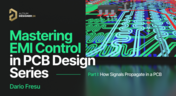
Mastering EMI Control in PCB Design: How Signals Propagate in a PCB
As the first article in the "Mastering EMI Control in PCB Design" series from our new asset Dario Fresu, this piece explores signal propagation in PCBs, highlighting the crucial roles of impedance, dielectric materials, and trace geometry in maintaining signal integrity.
Blog
•
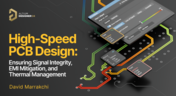
High-Speed PCB Design: Ensuring Signal Integrity, EMI Mitigation, and Thermal Management
Discover essential strategies for high-speed PCB design, focusing on signal integrity, EMI mitigation, and thermal management. Our latest article provides insights on managing crosstalk, optimizing grounding, and addressing thermal challenges to ensure reliable PCB performance.

Blog
•
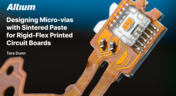
Designing Micro-vias with Sintered Paste for Rigid-Flex Printed Circuit Boards
Designing microvias with sintered paste in rigid-flex PCBs offers enhanced electrical conductivity and mechanical strength, crucial for high-density applications. Our new article explores the benefits of sintered paste and provides essential design tips to optimize microvia performance and reliability.


Blog
•
Simple Strategies to Reach 10% PCB Cost Reduction
Our new article outlines strategies to achieve a 10% reduction in PCB costs by optimizing design and material choices, such as adjusting stack-up materials and hole sizes, using lower-cost parts, and considering single-sided assembly. These techniques help reduce expenses without sacrificing quality.


Blog
•
Say Goodbye to EDA Software Vendor Lock
Check how Altium 365 helps eliminate EDA software vendor lock by enabling multi-CAD support in the cloud. This allows users to work with different CAD file formats within a single platform, enhancing collaboration and reducing the need for additional licenses. This approach offers greater flexibility and is set to transform the industry.


Blog
•
The Ultimate Introduction to High-Speed Signal Integrity for PCB Designers
High-speed signal integrity is essential in PCB design to ensure data accuracy and system reliability. Key issues like impedance mismatches, crosstalk, and signal reflections need to be addressed through strategies such as controlled impedance traces, differential pairs, and suitable material choices. Check out our first article of the series about this topic.


Blog
•
Should You Route Signals in Your PCB Power Plane?
I often get questions from designers asking about things like signal integrity and power integrity, and this most recent question forced me to think about some basic routing practices near planes and copper pour. "Is it okay to route signal traces on the same layer as power planes? I’ve seen some stackup guidelines that suggest this is fine, but no one provides solid advice." Once again, we have a great example of a long-standing design guideline without enough context.

Blog
•
The Anatomy of Your Schematic Netlist, Ports, and Net Names
Electronics schematics form the foundation of your design data, and the rest of your design documents will build off of your schematic. If you’ve ever worked through a design and made changes to the schematic, then you’re probably aware of the synchronization you need to maintain with the PCB layout. At the center of it all is an important set of data about your components: your schematic netlist. What’s important for designers is to know how the netlist defines connections between different components and schematics in a large project.

Blog
•
How to Compare PCB Manufacturing Services for Your Board
There are plenty of PCB manufacturing services you can find online, and they can all start to blend together. If you’re searching for a new service provider, it can be hard to compare all of them and find the best manufacturer that meets your needs. While experienced designers can spot bogus manufacturers from afar, there is always a temptation to go with the lowest priced, supposedly fastest overseas company you can find. However, there is a lot more that should go into choosing a PCB manufacturing service than just price.

Blog
•
Pi Filter Designs for Power Supplies
Pi Filters are a type of passive filter that gets its name from the arrangement of the three constituent components in the shape of the Greek letter Pi (π). Pi filters can be designed as either low pass or high pass filters, depending on the components used. The low-pass filter used for power supply filtering is formed from an inductor in series between the input and output with two capacitors, one across the input and the other across the output. Keep reading to learn more about their application in the PCB Design.
Blog
•
How to Design a Hybrid PCB Stackup
The first question that should come up when selecting materials and planning a stackup is: what materials are needed and how many layers should be used? Assuming you’ve determined you need a low-loss laminate and you’ve determined your required layer count, it’s time to consider whether you should use a hybrid stackup. There are a few broad situations where you could consider using a hybrid stackup with low-loss laminates in your PCB

Blog
•
Efficient Battery Power Supplies
Batteries offer a great power source for electrical devices that need to be mobile or located somewhere where connection to a mains electricity supply or other power source is impossible. The biggest problem with battery power is the expectation of users that the device will operate for significant periods with the need for recharging or replacing the batteries. This demand is placing the onus on the designer to improve efficiency and reduce power demand to meet this need.

Blog
•
What Target Impedance Should You Use in Your PDN?
A number of us on this blog and in other publications often bring up the concept of target impedance when discussing power integrity in high-speed designs. Some designs will be simple enough that you can take a “set it and forget it” approach to design a functional prototype. For more advanced designs, or if you’re fine-tuning a new board that has existing power integrity problems, target impedance is a real consideration that should be considered in your design.

Blog
•
An Overview of Dual Power Supply Design
Dual power supplies are circuits that generate two different output voltages from a single input source. The simplest method of generating dual output voltages is to use a transformer with two taps on the output winding. Bespoke transformers can have any voltage ratio depending on the number of windings in each part of the output side of the transformer.

Blog
•
Overlapping Planes in Your Mixed-Signal PCB Layout
With digital boards that are nominally running at DC, splitting up a power plane or using multiple power planes is a necessity for routing large currents at standard core/logic levels to digital components. Once you start mixing analog and digital sections into your power layers with multiple nets, it can be difficult to implement clean power in a design if you’re not careful with your layout.

Blog
•
Follow Mixed Signal PCB Design Guidelines With the Best CAD Tools
High-speed digital PCBs are challenging enough to design, but what about mixed-signal boards? Many modern systems contain elements that operate with both digital and analog signaling, and these systems must be designed to ensure signal integrity in both domains. Altium Designer has the layout and signal integrity tools you need to ensure your mixed-signal PCB design does not experience interference and obeys important design standards.

Blog
•
Get Ready for WiFi 7 under the 802.11be Standard
Just as WiFi 6 and 6E are starting to hit the market and new chipsets become available, WiFi 7 is in the works under the 802.11be standard. While this technology still has not hit the market, I would expect more inquiries for experimental systems, evaluation modules, and surface-mountable modules to come up once the first chipsets become available. Now is the time to start thinking about these systems, especially if you’re developing evaluation products to support WiFi 7.

Blog
•
What Goes Into Rugged Electronics Design?
Rugged electronics need to take a punch mechanically, but there is more that goes into a rugged system than being able to survive a drop on the pavement. This is as much about enclosure design as it is about component selection and manufacturing choices. Mil-aero designers often use the term “harsh environment” to describe a number of scenarios where an electronic device’s reliability and lifetime will be put to the test. If you want to make your next product truly rugged, it helps to adopt some of their strategies in your PCB layout.

Blog
•
PCB Testing 101: Important Methods and Metrics
There are many quality checks used to ensure a design will be manufacturable at scale and with high quality, but a lot of this can happen in the background without the designer realizing. No matter what level of testing and inspection you need to perform, it’s important to determine the basic test requirements your design must satisfy and communicate these to your manufacturer. If it’s your first time transitioning from prototyping to high-volume production, read our list of PCB testing requirements so that you’ll know what to expect.

Blog
•
Using SDRAM vs. DDR RAM in Your PCB Design
Embedded computers, vision devices, DAQ modules, and much more will all need some memory, whether it’s a Flash chip or a RAM module. Normally, something like a Flash memory chip or a small eMMC module would not be used for temporary storage as the device requires constant rewrites. Instead, if you happen to need a volatile memory solution, you would go for static (SRAM) or dynamic RAM (DRAM). If you need to decide which type of memory to use in your board, keep reading to see some of the basic design guidelines for SDRAM vs. DDR memory modules.

Blog
•
PCB Ground Plane Best Practices in Your Multilayer Stackup
Using a PCB ground plane in a stackup is the first step towards ensuring power and signal integrity, as well as keeping EMI low. However, there are some bad myths about ground planes that seem to persist, and I’ve seen highly experienced designers make some simple mistakes when defining grounds in their PCB layouts. If you’re interested in preventing excess emissions and ensuring signal integrity in your layout, follow these simple guidelines for implementing a PCB ground plane in your next board.

Blog
•
Using an LDO vs. Switching Regulator in Your PCB
As much as we’d like, the power we supply to electronics isn’t always stable. Real power sources contain noise, they might exhibit power instability, or they dropout unexpectedly. Thankfully, we have power regulators to help prevent some of these problems. For low power devices, we generally see two types of power regulators: a low dropout regulator (LDO) or a switching regulator. You can mix and match these at different points along your power bus, but there’s still the matter of choosing whether to use an LDO vs. a switching regulator in your designs.


Your search returns no results.


