News & Updates

NEW
Blog
•
Ultra HDI Is Changing What “Assembly-Friendly” Looks Like
As component pitch decreases, even small manufacturing variations can consume a significant portion of the available design margin. This article explains how tolerance stacking, solder paste deposition, inspection limitations, and rework challenges can affect assembly reliability in Ultra HDI designs.

NEW

Blog
•
How Design Review Automation Saves Hours (and Headaches) Per Project
Design review automation helps teams spend less time managing feedback and more time improving the design. This article explores how centralized comments, structured checklists, action tracking, and approval workflows can make reviews faster, more consistent, and easier to close.

Blog
•
Comparing Flex and Rigid-Flex PCBs: When to Use What?
This article compares flex and rigid-flex PCBs across key design and manufacturing considerations, including cost, bend radius, impedance, and assembly complexity. It explains how choosing the right construction early can help reduce design risks and ensure better manufacturability.


Blog
•
The Security and Speed of Cloud-Based Electronics Design for Engineering Teams
Security shouldn't be the reason your engineering team slows down. This article explores how cloud-based design platforms can turn secure access, governance, and IP protection into an enabler of faster collaboration rather than another development bottleneck.


Blog
•
PCB Assembly Outputs
The right PCB assembly outputs turn a finished design into a buildable product. This article covers the essential manufacturing files and DFA considerations that help ensure assemblers have the information they need for accurate, reliable production.


Blog
•
Holistic Engineering Management in Electronic Design
This webinar explores how engineering leaders can gain greater visibility and control across complex electronic design workflows. Discover how connected processes and centralized design data help teams reduce risk, improve collaboration, and deliver projects on time.

Blog
•
PCB Design Variants: Managing Multiple PCBA Versions
Product variations often require different component populations, alternate parts, or configuration settings while keeping the underlying PCB design unchanged. This article explains how structured variant management keeps these differences organized and ensures each configuration has the correct BOM and manufacturing outputs.


Blog
•
8 Common DFM Problems PCB Design Rules Catch Before Fab
Preventing DFM problems starts before fabrication not during the fab review. This article covers eight common PCB manufacturing issues and the design rules that help engineers identify and resolve them early.


Blog
•
What is a Multi-CAD Environment? Advantages and Best Practices
Different CAD tools shouldn't mean disconnected teams. Learn how Multi-CAD workflows help engineers review designs, collaborate across disciplines, and catch mechanical or sourcing issues before they become costly redesigns.


Blog
•
Deliver Production-Ready Multiboard PCBs Faster with Manufacturing-Driven Design
This article explores how manufacturing-driven design can help teams validate multiboard products before they reach the factory. It highlights how early checks of interconnects, harnesses, mechanical fit, sourcing, and manufacturing data can reduce late-stage changes and accelerate production readiness.

Blog
•
Mastering Component Templates in Altium Designer 25
Our new article by Dario Fresu explains how Component Templates in Altium Designer 25 Pro improve design consistency, reduce errors, and streamline collaboration. It highlights practical benefits like standardized naming, faster component creation, and scalability across projects. Includes examples of using templates with Altium 365™ to simplify complex component setup.
Blog
•
Wire Harness Design Guide for Development and Manufacturing
Designing a wire harness goes far beyond just connecting components—it’s about ensuring manufacturability, reliability, and compliance. This article walks you through the entire process, from initial design to production, helping you streamline development and avoid common pitfalls.

Blog
•
Preparing for Medical Device Cybersecurity Assessments
Explore the key considerations and best practices for conducting cybersecurity assessments in medical device development. This article outlines how to identify potential threats, evaluate risks, and ensure compliance with evolving industry standards.
Blog
•
Harness Complexity, Design with Simplicity
Harness Design in Altium Designer simplifies managing PCB interconnections, ensuring reliable performance and streamlined manufacturing. With logical connectivity tools, harness layout drawing, and manufacturing-ready documentation, it keeps your designs efficient and organized—all within a unified design environment. Perfect for automotive, aerospace, and industrial applications.

Blog
•
Getting Started with NVMe and the Raspberry Pi 5
Our new article guides you through enhancing your Raspberry Pi 5's performance by setting up NVMe SSD storage using an expansion HAT. It covers the benefits over traditional MicroSD cards, including improved speed and reliability, and provides step-by-step instructions for installation and configuration.

Blog
•
Why Human Error Is Electronics Design Cybersecurity's Biggest Weakness
Human error is a leading cause of cybersecurity breaches—even in electrical engineering. Our article explores how everyday design and collaboration habits can create vulnerabilities, and what engineers can do to build safer, more secure workflows.
Blog
•
From Concept to Production: A Modern Approach to Wire Harness Engineering
Discover how modern wire harness engineering is evolving to meet the growing complexity of electrified systems. This whitepaper explores best practices, intelligent automation, and ECAD-MCAD collaboration to improve efficiency and reduce errors. Download now to stay ahead in an increasingly connected world.
Blog
•
Transforming RF Design with Ultra HDI
Ultra-HDI technology is transforming RF design by enabling finer line widths, improved signal integrity, and more compact, high-performance boards. Our brand-new article explores its advantages over traditional methods and the benefits of integrating flexible circuits.

Blog
•
Boost Your PCB Testing Efficiency with Testpoint Manager
Testpoints are essential for efficient PCBA testing and debugging. Our latest whitepaper dives into testpoint optimization, fault detection, and automated testing strategies, along with a full tutorial on using Testpoint Manager in Altium Designer. Discover how to streamline your testpoint assignments and improve measurement accuracy!

Blog
•
Top 5 Hidden Challenges of Cable Harness Design in Electronic Products
Krishna Sundaram explores the hidden challenges of cable harness design, from routing complexity to mechanical constraints and manufacturability. Learn how to design a robust and efficient harness.

Blog
•
Ultra HDI: It’s Not Just Buzzword
Ultra-HDI technology is transforming PCB design, enabling unprecedented miniaturization and performance. In this article, explore what sets Ultra-HDI apart from traditional HDI and how it’s shaping the future of electronics.

Blog
•
Cloud PCB Design: 5 Cloud Security Myths Debunked
This article addresses common misconceptions about cloud security in PCB design. It explains how modern cloud platforms, such as Altium 365, often provide superior security compared to traditional on-premises solutions. Key features like advanced infrastructure, granular access controls, and compliance with stringent regulations ensure the protection of valuable design data.

Blog
•
Renesas and Altium Announce Introduction of Renesas 365, Powered by Altium
Last week, Renesas Electronics and Altium proudly announced the introduction of Renesas 365, Powered by Altium—a first-of-its-kind industry solution designed to streamline electronic system development, from silicon selection to system lifecycle management. Renesas 365 will be demonstrated at Embedded World, Booth 5-371, from March 11-13 in Nuremberg, Germany.
Blog
•
DFM/DFA Requirements in Systems Engineering
Learn how integrating DFM and DFA principles into systems engineering ensures manufacturable, cost-effective PCB designs by optimizing CAD, CAM, and requirements management in our new article by Javier Alcina.
Blog
•
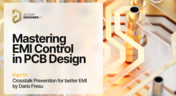
Mastering EMI Control in PCB Design: Crosstalk Prevention for better EMI
Crosstalk control is essential for better EMI performance. Learn effective design techniques to reduce interference in the final installment of this series by Dario Fresu.

Blog
•
Best Practices for Electronics Project Management - Part 2
Part 2 of this series covers essential project management techniques for electronics design teams. Rafał Stępień discusses effective data organization, revision control, and collaboration strategies to improve efficiency and minimize errors.



On-Demand Webinar
•
Jun 12, 2025
Proactive Lifecycle Management: Preventing Obsolescence Before It Hits


On-Demand Webinar
•
Apr 23, 2025
Collaborative Design Review: Ensuring Quality from Schematics to Supply Chain

On-Demand Webinar
•
Apr 22, 2025
From Prototype to Production: Optimizing BOM Costs Without Compromising Quality with Part Analytics


On-Demand Webinar
•
Apr 9, 2025
Component Selection in Altium Designer: Making Data-Driven Decisions with Data Integrations
On-Demand Webinar
•
Mar 25, 2025
Unlocking the full potential of your design team with Altium's enterprise solution

On-Demand Webinar
•
Jan 24, 2024
Discover How Altium Designer 24 Revolutionizes Team Dynamics in PCB Design


