Welcome, Guest

Sign in to learn, create, and do more with the product you love.

News & Updates

Filters:
Tag
NEW
Embedded thumbnail for Import and Export with Modern Mechanical Models
How-To's
Import and Export with Modern Mechanical Models

We have expanded mechanical integration by adding support for SOLIDWORKS 2024 and SOLIDWORKS 2025 part models when importing 3D bodies into the design environment. This enhancement allows designers to work with the latest mechanical models created in SOLIDWORKS without the need for additional conversions or workarounds.

NEW
Blog
Introducing Octopart Discover: From Part Search to Solutions Discovery

Octopart has announced Octopart Discover, a new platform that shifts electronic component search toward system-level solution discovery. The tool connects design intent with relevant options, enabling engineers to evaluate tradeoffs and identify the best-fit solutions more efficiently.

NEW
Embedded thumbnail for How to Input Via Delay in Altium for DDR Routing
How-To's
How to Input Via Delay in Altium for DDR Routing

In this video, we tackle a real viewer question about DDR3 routing across multiple PCB layers and show how via delay can silently eat into your skew margin before you’ve even finished routing, using Altium’s default 10-layer stackup as a reference.

NEW
Blog
How to Choose the Right Components for Your BOM

A strong BOM can make the difference between smooth production and costly delays. Discover a practical approach to choosing components that stay available, meet compliance requirements, and keep your project on schedule.

Embedded thumbnail for Clearly Show Jumper Wires in Your Harness Designs
How-To's
Clearly Show Jumper Wires in Your Harness Designs

Support has been improved so that jumper wires connecting two cavities within the same connector are now properly shown in Layout Drawings, making the connector wiring easier to understand during documentation and review.

Blog
From Scattered Requirements to Confident Product Development

See how the Requirements Portal transforms disconnected requirements into a single, live source of truth that engineers can trust at every stage of a project! Real customer stories in the article prove it’s already helping teams cut down on rework and bring products to market faster.

Embedded thumbnail for Why Datasheet PCB Guidelines Are Often Wrong
How-To's
Why Datasheet PCB Guidelines Are Often Wrong

Watch our brand-new video where we tackle the persistent issue of outdated PCB design guidelines still found in datasheets and application notes from major semiconductor manufacturers. Drawing on viewer comments, real-world datasheet examples, and insights from industry experts, we examine why recommendations such as splitting analog and digital ground planes (an approach rooted in the 1980s) continue to circulate despite their potential to cause EMC failures, signal integrity problems, and costly redesigns.

Blog
What is the Best PCB Design Tool For Students?

Students need PCB software that’s intuitive, affordable, and useful for building real skills. This article compares the strengths and weaknesses of leading design tools, from hobbyist platforms to industry-standard software.

Embedded thumbnail for Keep Your Harness Designs in Sync with Library Updates
How-To's
Keep Your Harness Designs in Sync with Library Updates

The "Update From Libraries" feature has been enhanced to provide broader support for harness-related objects across both Wiring Diagrams and Layout Drawings. With this expansion, a wider range of harness components such as connectors, wires, splices, and associated attributes can now be synchronized directly with their corresponding library definitions.

Blog
What Is Collaborative Engineering?

Collaborative engineering is all about breaking down silos so electrical, mechanical, and sourcing teams can work as one with shared data and real-time updates. This article shows how that approach helps you spot issues early, reduce rework, and get products out the door with fewer surprises.

Embedded thumbnail for How to Set Up Flex PCB Materials in Altium
How-To's
How to Set Up Flex PCB Materials in Altium

Discover how to set up flex and rigid-flex PCB materials in Altium with the Layer Stack Manager. In this tutorial, you’ll follow the key steps for defining polyimide cores, adhesive layers, coverlay, and stiffeners helping you build accurate, production-ready rigid-flex PCB designs.

Blog
Bend Reliability: How Trace Geometry and Materials Impact Flex Lifespan

Focused on durability under repeated mechanical stress, this piece details how routing strategy, copper thickness, adhesive systems, and bend radius selection determine flex lifespan. Engineers will find actionable recommendations for reducing strain concentration and improving long-term performance in high-cycle applications.

Embedded thumbnail for How Benchmark Unifies Hardware Development with the Altium Platform
Altium Stories
How Benchmark Unifies Hardware Development with the Altium Platform

Discover our latest customer success story and see how Benchmark streamlined hardware development using the Altium Platform. By leveraging a unified environment with real-time data, synchronized ECAD-MCAD workflows, and built-in collaboration tools, their engineering teams eliminated manual handoffs, improved cross-domain visibility, and accelerated project delivery while staying perfectly aligned.

Blog
PCB Design Process: The EDA Design Approach

Dive into how a modern EDA workflow transforms PCB design by linking electrical, mechanical, and manufacturing requirements from idea to final release. With constraint‑driven integration, you can cut down on respins and bring better boards to market faster.

Embedded thumbnail for ESP32-S3 Design Deep Dive: Power, RF, and Layout Best Practices
How-To's
ESP32-S3 Design Deep Dive: Power, RF, and Layout Best Practices

Explore our detailed design review of a custom ESP32-S3 PCB. This four-layer board is built around the ESP32-S3 microcontroller chip (not the standard module) and includes an integrated LiPo charging circuit, USB-C with data line protection, NCP voltage regulators, and a ceramic chip antenna with a properly tuned impedance matching network.

Blog
Getting Started for Mechanical Engineers

Explore our collection of MCAD Collaboration walkthroughs, where you’ll discover how to synchronize mechanical constraints and keepouts, maintain traceability with advanced history and revision control, and streamline electromechanical connectivity through harness synchronization. These topics and many more are covered in this article.

Embedded thumbnail for Working as One for What Matters Most | How Benchmark Unifies Engineering Teams
Altium Stories
Working as One for What Matters Most | How Benchmark Unifies Engineering Teams

See how Benchmark Electronics uses Altium’s collaborative hardware development platform to unify its electrical, mechanical, and software engineering teams. By replacing manual processes, disconnected tools, and siloed workflows with a shared workspace, Benchmark unlocked a new way of working.

Blog
Are Your ECAD Tools Holding Back Engineers’ Productivity?

The article highlights that productivity issues often stem from tool limitations rather than engineer effort, especially as project complexity grows. ECAD tools that offer clear version control, cross-discipline integration, and workflow awareness are key to sustaining efficiency.

Embedded thumbnail for PCB Design Tips to Improve RF Power Amplifier Layout
How-To's
PCB Design Tips to Improve RF Power Amplifier Layout

Take a deeper look at RF power amplifier PCB design as we expand on our original 6 GHz RF signal generator tutorial with an in-depth design review. Discover essential layout optimization techniques such as switching regulator routing, feedback loop placement, stitching via implementation, and effective copper balancing.

Tag
PCB Layout for an BGA
Blog
How to Start an FPGA PCB Layout For Your Embedded System

FPGAs come in quad or BGA packages that can be difficult to floorplan, especially with the high number of I/Os often implemented in these components. FPGAs offer a lot of advantages in terms of their reconfigurability, but they can require a lot of effort to layout and route without headaches. If you’ve never worked with an FPGA in your PCB layout, we have some guidelines that can help you get started.

2-port VNA on a 3-port Network
Blog
How to Get 3-port S-parameters From a 2-port VNA Measurement

S-parameters are fundamental quantities in signal integrity, and an ability to understand them from measurement or analysis is very important. If you have a 3-port network, like a power divider or circulator, it may appear that you must use a 3-port VNA to measure these S-parameters. It is always acceptable to measure between two ports, but you need to know what exactly it is you are measuring. In this article, we’ll look at the relationship between the true 3-port S-parameters with a 2-port measurement.

Fab and Assembly Crash Course
Blog
A Day in the Life of the PCB Manufacturing Process

Before implementing design for manufacturing, it is important to understand the underlying process behind producing a physical PCB. Regardless of the various technologies present in each facility, a large majority of industry-leading manufacturers follow a specific set of steps to turn your design from a drawing in a CAD application into a physical board. In this article, we'll cover the basics that designers need to know as part of our crash course series on PCB manufacturing.

What Are the Main Skew Sources in a PCB?
Blog
Addressing Skew Sources in High Speed PCBs

If you compile a list of skew sources, you'll see that fiber weave-induced skew is only one entry on a long list of skew sources. We'll look at this list of possible skew sources below, and we'll see how they affect the operation of your PCB. From the list below, we'll see that some of these issues with skew are not simply solved by paying attention to the fiber weave construction in a PCB substrate.

Ground Below SMPS Inductors
Blog
Should Ground Be Placed Below Inductors in Switching Regulators?

We love answering questions from our readers and YouTube viewers, and one of the recent questions we received relates to EMI from switching elements in a switching regulator is "Should a cutout be placed below the inductor in a switching regulator circuit?". Despite the variations in inductors and their magnetic behavior, there are some general principles that can be used to judge the effects of placing ground near inductors in switching regulator circuits. We’ll look at some of these principles in this article

Alternative Pins
Blog
Altium Designer 22.6 Update

We are happy to announce that the Altium Designer 22.6 update is now available. Altium Designer 22.6 continues to focus on improving the user experience, as well as performance and stability of the software, based on feedback from our users. Check out the key new features in the What's New section on the left side of this window!

Top 5 Questions Regarding Stack Up
Blog
SAP (Semi-Additive PCB Process) – Top 5 Questions Regarding Stack Up

This Semi-Additive Process is an additional tool in the PCB fabricators' toolbox that enables them to provide feature sizes for trace width and spacing that are 25 microns, (1 mil) and below depending on the fabricators' imaging equipment. This provides much more flexibility to breakout out tight BGA areas and the ability to shrink overall circuit size and/ or reduce the number of circuit layers in the design. As the PCB design community embraces the benefits of this new printed circuit board fabrication technique, there are of course many questions to be answered.

Three ways to manage your BOM costs
Blog
Improving Supply Chain Success with BOM Management

It’s no secret that component shortages have become more frequent this year. In fact, countries around the world are losing billions in revenue due to supply issues. Having the right components on hand is more crucial than ever as availability, obsolescence, counterfeit products and environmental non-compliance risks continue to grow. Fortunately, many shortages can be avoided by introducing proactive supply chain practices.

Length Tuning Impedance
Blog
What is the Impedance of Length-Tuning Structures?

Do length-tuning structures create an impedance discontinuity? The answer is an unequivocal “yes”, but it might not matter in your design depending on several factors. Applying a length-tuning structure is equivalent to changing the distance between the traces while meandering. Therefore, you will have a change in the odd-mode impedance of a single trace. The question then becomes: does this deviation in trace impedance in a length tuning structure matter?

Designing the Next-Generation Electronics
Blog
A-SAP™ – What do you need to know?

The continued miniaturization of both packaging and component size in next-generation electronics is becoming harder and harder to work around and presents a significant challenge for both PCB designers and PCB fabricators. To effectively navigate the constraints of the traditional subtractive-etch PCB fabrication processes, PCB designs require advanced PCB fabrication capabilities while pushing the limits of finer feature size, higher layer counts, multiple levels of stacked micro vias and increased lamination cycles.

Pin-package and Via Delay Values
Blog
Pin-Package Delay and Via Delay in High Speed Length Tuning

Take a look at the inside of some integrated circuit packages, and you’ll find a number of wires bonded to the semiconductor die and the pads at the edge of the component's package. As a signal traverses makes its way along an interconnect and into a destination circuit, signals need to travel across these bond wires and pads before they are interpreted as a logic state. As you look around the edge of an IC, these bond wires can have different lengths, and they incur different levels of delay and contribute to total jitter.

6-Layer PCB Design
Blog
6-Layer PCB Design Guidelines

Once you’ve run out of room on your 4-layer PCB, it’s time to graduate to a 6-layer board. The additional layer can give you room for more signals, an additional plane pair, or a mix of conductors. How you use these extra layers is less important than how you arrange them in the PCB stackup, as well as how you route on a 6-layer PCB. If you’ve never used a 6-layer board before, or you’ve had EMI troubles with this stackup that are difficult to solve, keep reading to see some 6-layer PCB design guidelines and best practices.

Altium Designer Interface
Blog
Altium Designer 22.5 Update

We are happy to announce that the Altium Designer 22.5 update is now available. Altium Designer 22.5 continues to focus on improving the user experience, as well as performance and stability of the software, based on feedback from our users. Check out the key new features in the What's New section on the left side of this window!

Are Hybrid PCB Stackups Reliable?
Blog
How Reliable is Your Hybrid PCB Stackup?

PCB stackups often incorporate slightly dissimilar materials that could pose a reliability problem. Hybrid PCBs are one case where the PCB stackup will include different materials, typically a standard FR4 laminate and a PTFE laminate for RF PCBs. Designers who want to take the lead on material selection when designing their hybrid stackups should consider these factors that affect reliability. As with any PCB stackup, make sure you get your fabricator involved in the manufacturing process early to ensure reliability problems do not arise during production.

Monte Carlo vs Sensitivity Analysis
Blog
Monte Carlo Simulation vs. Sensitivity Analysis: What’s the Difference?

In a previous article about circuit simulation and reliability, I looked at how Monte Carlo analysis is commonly used to evaluate circuits that are subject to random variations in component values. Sensitivity analysis is a bit different and it tells you how the operating characteristics of your circuit change in a specific direction. Compared to a Monte Carlo simulation, sensitivity analysis gives you a convenient way to predict exactly how the operating characteristics will change if you were to deliberately increase or decrease the value of a component.

Tag
Embedded thumbnail for How to Use a Courtyard Layer for the Component Boundary
How-To's
How to Use a Courtyard Layer for the Component Boundary

In this video, you will see how to use the courtyard layer as a component boundary.

Embedded thumbnail for Creating High-speed Signal Classes with xSignals
How To Work with High-Speed Projects
Creating High-speed Signal Classes with xSignals

You can create, configure, and utilize xSignals in Altium Designer to make your design process more efficient and effective. We’ll show you how to do it manually, using the more comprehensive Create xSignals command, and using the xSignal wizard.

Embedded thumbnail for MCAD CoDesigner Overview
Working with MCAD CoDesigner extension
MCAD CoDesigner Overview

The MCAD CoDesigner in Altium Designer allows for seamless design transfer between the Electrical and Mechanical designers. In this overview, we’ll show you how to transfer from Altium Designer to your CAD tool of choice, then how to resize the board, add mounting holes, add a new connector, and update the board design in Altium Designer.

Embedded thumbnail for Bringing an MCAD Enclosure to ECAD
Working with MCAD CoDesigner extension
Bringing an MCAD Enclosure to ECAD

The Altium Designer MCAD CoDesigner panel and extension make it easy to move a 3D enclosure model from your MCAD tool to Altium Designer. We'll show you how and what to watch out for while your transferring your enclosure model to Altium Designer.

Embedded thumbnail for How to Perform a Component Search in Concord Pro - Altium Academy
How-To's
How to Perform a Component Search in Concord Pro - Altium Academy

In this video, I'll show you how to perform a component search in the Components Panel. Learn how to perform a component search in the Components Panel while using Altium Concord Pro to effectively host all your component libraries from Altium Designer. You can always locate any particular component using this library navigation and place it on your schematic with pricing information from global suppliers. This availability and pricing information gets updated daily directly from the suppliers so you will always get fresh, up to date information. 

Embedded thumbnail for Snapping When Creating Polygons
How to use Snapping
Snapping When Creating Polygons

When creating polygons you can use snap points to form fit your polygons to the exact size and shape you need. We’ll show you how to set your snap points, which ones are most helpful for creating polygons, and how to use the same techniques to create keep out and solder mask areas.

Embedded thumbnail for Automatic Symbol Creation in Altium 365
Library Managment
Automatic Symbol Creation in Altium 365

In order to design your projects, you’ll need a set of components to work with. Although the integration of Octopart with Altium Designer gives us a large repertoire of components, you simply can’t have access to every component model in the world. We’re going to create a component in the Altium 365 workspace with the Symbol Creation Wizard.

Embedded thumbnail for Creating Differential Pairs in the PCB
How to Work with Differential Pairs
Creating Differential Pairs in the PCB

Learn how to create differential pairs in the PCB.

Embedded thumbnail for From The Beatles to the PCB - VOX Story
Success Stories
From The Beatles to the PCB - VOX Story

Dave Clarke, R&D manager for VOX, walks us through his story of designing VOX amplifiers for electronic instruments as well as his love for music and electronics design. Be sure to subscribe to the Altium Stories channel to stay updated on new videos. Altium LLC is accelerating the pace of innovation through electronics. From individual inventors to multinational corporations, more PCB designers and engineers choose Altium software to design and realize their ideas. 

Embedded thumbnail for Creating PCB Mounting Holes
Creating PCB Mounting Holes

Our PCB must somehow be assembled into the final drone assembly. This will be achieved by attaching our PCB to the motherboard connector and by special mounting racks, which requires precise positioning of the two mounting holes on the PCB.

Embedded thumbnail for Working with PCB Keepouts
Working with PCB Keepouts

When working in the PCB, there may be specific areas that you would want to prevent the presence of certain objects, such as vias, tracks or copper regions. All of this can be realized in Altium Designer by using the Keepouts feature.

Embedded thumbnail for Design Review Use Case
Discovering Altium 365
Design Review Use Case

Design reviews are critical to being successful. Capture design discussions through contextual commenting in the web browser or in Altium Designer to ensure feedback is recorded and actioned effectively.

Embedded thumbnail for Resolving Errors in the PCB
Resolving Errors in the PCB

We’ve looked at how to set up the Design Rule Checker to help us analyze our PCB design errors. Now it’s time to resolve these errors and prep our design to start generating output files.

Embedded thumbnail for Defining the Layer Stackup
Defining the Layer Stackup

The PCB is designed and formed as a stack of layers and the definition of the PCB layer stack is a critical element of successful printed circuit board design. In Altium Designer, the Layer Stack Manager is used to develop the printed circuit board internal design including layer-pairing, careful via design, any back drilling requirements, rigid/flex requirements, copper balancing, layer stack symmetry, and material compliance. This video guides you through creation of a layer stackup, adding the necessary layers, as well as adding an impedance profile.

Embedded thumbnail for Searching for Errors in Schematic
Searching for Errors in Schematic

Searching for Errors: Errors and mistakes happen to everyone - from beginners to professionals. So we always preach how it is paramount for your design to be validated before pushing it to the PCB. But luckily it’s pretty easy to find and analyze any errors using Altium Designer. We’ll take a look at how to find and analyze errors in your schematic.

Embedded thumbnail for Creating Net Classes
Jun 2, 2020
Creating Net Classes

A Net Class is a collection of nets that can be used for creating a targeted design rule. So for example, you may want all power and ground nets to have a minimum track width to handle a specific current rating. So we’ll show you how to assign these nets to a NetClass. 

Tag
Integrating Requirements June 2025 Webinar
On-Demand Webinar May 28, 2025
Integrating Requirements into Your PCB Design Workflow
Join our webinar where you will learn about integrated requirements tools who can help you eliminate late-stage design changes, AI support through system requirements and integration of design requirements directly in PCB Design. Don't miss it, register now!
Streamlining Team Collaboration
On-Demand Webinar Apr 17, 2025
Streamlining Team Collaboration in Industrial PCB Projects
Join us for our upcoming webinar to discover how Altium Designer and Altium 365 can transform your team’s collaboration and take your PCB design projects to the next level. Attend for a chance to win free access to the Altium 365 Training Bundle.
PCB CoDesign Webinar
On-Demand Webinar Jan 24, 2024
Discover How Altium Designer 24 Revolutionizes Team Dynamics in PCB Design
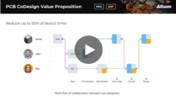
Expand your collaboration skills and stay ahead of the curve with PCB CoDesign. Design teams often grapple with prolonged design cycles and coordination issues, leading to delays and inefficiencies. In the current landscape, design processes are hindered by fragmented collaboration, resulting in increased layout times and difficulties in synchronizing design updates.