Welcome, Guest

Sign in to learn, create, and do more with the product you love.

News & Updates

Filters:
Tag
Length Tuning Impedance
Blog
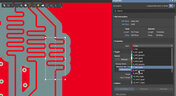
What is the Impedance of Length-Tuning Structures?

Do length-tuning structures create an impedance discontinuity? The answer is an unequivocal “yes”, but it might not matter in your design depending on several factors. Applying a length-tuning structure is equivalent to changing the distance between the traces while meandering. Therefore, you will have a change in the odd-mode impedance of a single trace. The question then becomes: does this deviation in trace impedance in a length tuning structure matter?

Embedded thumbnail for Creating a Schematic Symbol - Placing Designators and Comments
How to create a Schematic Symbol
Creating a Schematic Symbol - Placing Designators and Comments

Placing your designator or comments can be done automatically, but that doesn’t mean they’re visible. We’ll walk you through how to make them visible and position them correctly no matter what orientation your symbol is with automatic positioning.

Embedded thumbnail for Creating a Schematic Symbol: Adding Additional Parts
How to create a Schematic Symbol
Creating a Schematic Symbol: Adding Additional Parts

Altium Designer makes it easy to add additional parts to your schematic library. We’ll show you how through copying and configuring your new components through the Pin Editor and the properties panel.

Designing the Next-Generation Electronics
Blog
A-SAP™ – What do you need to know?

The continued miniaturization of both packaging and component size in next-generation electronics is becoming harder and harder to work around and presents a significant challenge for both PCB designers and PCB fabricators. To effectively navigate the constraints of the traditional subtractive-etch PCB fabrication processes, PCB designs require advanced PCB fabrication capabilities while pushing the limits of finer feature size, higher layer counts, multiple levels of stacked micro vias and increased lamination cycles.

Embedded thumbnail for Component Placement Control Using Rooms
How to work with Rooms
Component Placement Control Using Rooms

Rooms give you more control over how and where your components are placed in your PCB. We’ll show you how to use room properties to limit what is allowed in and out of a room using the room definition and custom queries.

Pin-package and Via Delay Values
Blog
Pin-Package Delay and Via Delay in High Speed Length Tuning

Take a look at the inside of some integrated circuit packages, and you’ll find a number of wires bonded to the semiconductor die and the pads at the edge of the component's package. As a signal traverses makes its way along an interconnect and into a destination circuit, signals need to travel across these bond wires and pads before they are interpreted as a logic state. As you look around the edge of an IC, these bond wires can have different lengths, and they incur different levels of delay and contribute to total jitter.

Embedded thumbnail for How to work with Differential Pair Classes?
How to Work with Differential Pairs
How to work with Differential Pair Classes?

Modern boards can contain a large number of differential pairs. For convenience, they are combined into differential pairs classes. In this video, we'll walk you through how to create and apply a differential pair class. 

Embedded thumbnail for Adding Rooms from the Schematic
How to work with Rooms
Adding Rooms from the Schematic

Rooms can be added directly from the schematic sheet. From the schematic sheet they are pushed to the PCB. Here we'll look at the rooms and component classes generated by default in the schematic, how to add and configure rooms manually, and how to push them to the PCB.

6-Layer PCB Design
Blog
6-Layer PCB Design Guidelines

Once you’ve run out of room on your 4-layer PCB, it’s time to graduate to a 6-layer board. The additional layer can give you room for more signals, an additional plane pair, or a mix of conductors. How you use these extra layers is less important than how you arrange them in the PCB stackup, as well as how you route on a 6-layer PCB. If you’ve never used a 6-layer board before, or you’ve had EMI troubles with this stackup that are difficult to solve, keep reading to see some 6-layer PCB design guidelines and best practices.

Component Management
On-Demand Webinar
Help Ensure The Best Designs With Component Management

There are many aspects to designing a PCB. One of the larger aspects has to do with managing your components. We all need components for our designs, but are those components in our library and designs up-to-date or even purchasable? These questions need to be answered before we can safely use them. If not, we could just be wasting our time designing with invalid components. Altium Designer® has several tools to help you manage the components in your libraries and designs.

Altium Designer Interface
Blog
Altium Designer 22.5 Update

We are happy to announce that the Altium Designer 22.5 update is now available. Altium Designer 22.5 continues to focus on improving the user experience, as well as performance and stability of the software, based on feedback from our users. Check out the key new features in the What's New section on the left side of this window!

Are Hybrid PCB Stackups Reliable?
Blog
How Reliable is Your Hybrid PCB Stackup?

PCB stackups often incorporate slightly dissimilar materials that could pose a reliability problem. Hybrid PCBs are one case where the PCB stackup will include different materials, typically a standard FR4 laminate and a PTFE laminate for RF PCBs. Designers who want to take the lead on material selection when designing their hybrid stackups should consider these factors that affect reliability. As with any PCB stackup, make sure you get your fabricator involved in the manufacturing process early to ensure reliability problems do not arise during production.

Embedded thumbnail for How to Draw a Board Outline Using Coordinates
How-To's
How to Draw a Board Outline Using Coordinates

In this video, we cover how to draw a curve by using coordinates. This can be very helpful when creating a board outline.

Embedded thumbnail for Creating a Schematic Symbol: Mapping out the Component
How to create a Schematic Symbol
Creating a Schematic Symbol: Mapping out the Component

When creating a schematic symbol, one of your first tasks will be creating a component symbol. We’ll show you how to map out a component in the Schematic Library Editor by creating and configuring the component, adding pins, and creating graphics.

Monte Carlo vs Sensitivity Analysis
Blog
Monte Carlo Simulation vs. Sensitivity Analysis: What’s the Difference?

In a previous article about circuit simulation and reliability, I looked at how Monte Carlo analysis is commonly used to evaluate circuits that are subject to random variations in component values. Sensitivity analysis is a bit different and it tells you how the operating characteristics of your circuit change in a specific direction. Compared to a Monte Carlo simulation, sensitivity analysis gives you a convenient way to predict exactly how the operating characteristics will change if you were to deliberately increase or decrease the value of a component.

Embedded thumbnail for How and When to Use Rooms
How to work with Rooms
How and When to Use Rooms

Rooms are an extremely valuable tool within the Altium Designer PCB environment, but how and when do you use rooms? If you need to control component placement and layout, assign a specific design rule to a group of items, or if you have repeated channels that need similar layouts in your multichannel design, rooms can make it much easier.

Simulation, Build and Test
Blog
Creating Continuous Integration Pipelines for FPGAs

Field Programmable Gate Arrays, or FPGAs, have become ubiquitous amongst high-speed, real-time digital systems. The speed at which FPGAs operate continues to increase at a dizzying pace but their adoption into Continuous Integration pipelines seems not to trail as closely. In this article we will review the concept of CI pipelines, their application to FPGAs, and look at examples on how to set this up.

Embedded thumbnail for MCAD CoDesigner Quick Start: Autodesk Fusion 360
Working with MCAD CoDesigner extension
MCAD CoDesigner Quick Start: Autodesk Fusion 360

MCAD CoDesigner is built to address the challenges of electronic product design by enabling seamless collaboration between your electrical and mechanical engineers. This video will show you how to start collaborate between Altium Designer and Autodesk Fusion 360. 

Embedded thumbnail for Component Placement Control for DFM
DFM and Fabrication Cost/Time Constraints
Component Placement Control for DFM

Component placement is a crucial part of making sure your design is manufacturable, so you need to be able to control placement. We’ll show you how, through rules and courtyard layers to maintain accessibility and manufacturability in your entire design through component placement control.

Collaborators Visualization
Blog
Soft Locks [Conflict Prevention] in Altium 365

Conflicts can occur when multiple people work on the same project simultaneously. The user might not realize that they are not looking at the latest version of the documentation, leading to problems later. To address this issue, Altium features an intuitive graphical user interface that allows you to examine conflicts quickly and carefully

Tag
Properties Panel Tuning
Blog
Properties Panel Tuning

High-speed PCBs often require tuning groups of tracks, both single and differential. Altium Designer includes powerful tools that allow you to solve such tasks quickly and with high quality. Study this document and achieve the desired result even faster.

Reflectionless Matching vs. Conjugate Matching: An Apparent Contradiction
Blog
Reflectionless Matching vs. Conjugate Matching: An Apparent Contradiction

There is one confusion related to impedance matching that comes up again and again, and it appears to be a fundamental confusion between reflection and power delivery. This leads to an apparent contradiction that arises when we try to generalize power delivery to wave reflection, despite the fact that the two were not meant to be related.

Properties Panel Routing
Blog
Properties Panel Routing

Routing is one of the most time-consuming stages of PCB design. Altium Designer has a large set of tools that allow you to do it as accurately and quickly as possible. This document will help you to learn how to manage your routing effectively and use it to its fullest extent.

Quarter-Wave Transformer Design For Real and Reactive Loads
Blog
Quarter-Wave Transformer Design For Real and Reactive Loads

RF systems operate with specific impedance values across entire interconnects, including on PCBs. Not all RF components are packaged in integrated circuits with defined impedances, so impedance matching circuits and line sections are needed to ensure signal transmission between different sections of an interconnect. One of these impedance matching techniques is the quarter-wave impedance transformer, which can be implemented as a printed trace with specific impedance.

Schematic
Blog
Altium Designer 22.10 Update

We are happy to announce that the Altium Designer 22.10 update is now available. Altium Designer 22.10 continues to focus on improving the user experience, as well as performance and stability of the software, based on feedback from our users. Check out the key new features in the What's New section on the left side of this window!

Component Warpage Causes in a PCB
Blog
Component Warpage Causes in a PCB

A staff member at a PCB manufacturer once explained to me that they thought we were having an issue with a package warping. Unfortunately, component warping can occur both in a PCB and in components. In this article, we'll give an overview of warpage in a PCB, specifically in the circuit board and in the components.

Link Budget Calculator
Blog
RF Signal Chain and Link Budget Basics

If you're designing a wireless IoT device, and you know how to calculate the link budget, you can reasonably estimate whether your signal will reach its destination and be read by the receiver. To calculate the link budget, the designer needs to know something about all other sources of gain and loss in the system. Once link budget is determined, the designer can judge whether some modification is needed in their RF signal chain. 

How to Calculate SMD Pad Sizes?
Blog
Best Methods for Calculating SMD Pad Size in PCB Design

SMD components require precisely sized pads for soldering during assembly. The designer is responsible for ensuring pad sizes are correct, either by calculating them and comparing with footprint data, looking through datasheets, or by memorizing SMD pad size standards. If you have a component and you don't have access to the footprint, and you decide to biuld the footprint yourself, what resources are available to ensure you have the correct pad size?

Can You Fix a Warped PCB?
Blog
Can You Fix a Warped PCB?

Before we get too deep into this article, I’ll give you the simple answer. You probably can’t fix warping in your PCB after it’s already been fabricated. You can prevent an unwarped board from becoming warped during assembly, but only as long as materials were selected properly and the board is put into reflow correctly. We’ll run over some of these points in this article, and I’ll examine some points that might help you recover a warped board.

What is an Eye Diagram?
Blog
What is an Eye Diagram?

The eye diagram is a useful measurement or simulation as part of channel compliance. The measurement shows many different factors that can affect signal behavior simultaneously, ultimately allowing for qualification of errors and losses in a channel. In this article, I’ll run over some of the fundamental measurements that you could manually extract from an eye diagram and how they reveal some strategies for improving channel designs.

Skills for Today's PCB Designers
Blog
What Skills Are Needed to be a PCB Layout Designer?

To readers who have been working in the PCB industry for most of your career, you have probably seen a very diverse group of professionals with varied skill sets and backgrounds. Designers might get started as engineers or as technicians, and some designers learn how to create beautiful PCB layouts in university. No matter how you got into PCB design, there are some important skills to know that will take you a long way towards advancing your career.

How to Fix the Top PCB Design Mistakes
Blog
Beginner PCB Design Mistakes and How To Avoid Them

When starting out with PCB design, it’s common to treat the process as simply ‘connecting the dots’: as long as connections are made, it’s not particularly important how these connections are made. Having reviewed quite a number of PCBs of other PCB design engineers over the last few years, there are common, unfortunately erroneous, occurrences between a lot of them. This article aims to illustrate the top five beginner PCB design mistakes and what we can do to avoid making them. Let’s get started!

Top 5 Questions Regarding Stack Up
Blog
SAP (Semi-Additive PCB Process) – Top 5 Questions Regarding Stack Up

As the PCB design community embraces the benefits of this new printed circuit board fabrication technique, there are of course many questions to be answered.  Today’s blog will address some of the most commonly asked questions related to circuit layer stack up as people are introduced to this new technology.

Design Reuse Blocks Update
Blog
Altium Designer 22.9 Update

We are happy to announce that the Altium Designer 22.9 update is now available. Altium Designer 22.9 continues to focus on improving the user experience, as well as performance and stability of the software, based on feedback from our users. Check out the key new features in the What's New section on the left side of this window!

Dual Rail Voltage Supply
Blog
Dual Rail Voltage Supply

The highest performing operational amplifiers often need a split supply with positive and negative voltages connected to the op amps supply rails. In this project, we’re going to be building a positive/negative dual rail power supply for a differential oscilloscope probe I’m designing. I’m making the power supply a separate project, as a dual rail supply is quite useful to have, and I’m sure I’ll find multiple uses for it in the future.

Library Importer Interface
Blog
Library Importer Improvements (former Library Migrator)

Importing file-based libraries from your local computer or network drive to your Altium 365 workspace can be done using the Library Importer. Altium’s Library Migrator was renamed Library Importer—the feature’s name was changed to conform more closely to the tool’s purpose. Not only is its name new, but our team has also made several user experience improvements. We have updated the documentation to reflect this change.

Tag
NEW
Embedded thumbnail for Create IPC-Aligned Footprints with Less Effort
New in Altium's Software
Create IPC-Aligned Footprints with Less Effort

The default value for the Solder Mask Expansion rule has been updated to improve consistency across design environments. In both PCB documents and rule-driven solder mask expansion within PCB library documents, the default setting is now 0 mil, replacing the previous default of 4 mil.

NEW
Embedded thumbnail for Via Dispersion: Why Propagation Delay Changes with Frequency
How-To's
Via Dispersion: Why Propagation Delay Changes with Frequency

Explore the concept of via dispersion and how it impacts propagation delay across frequencies. This tutorial walks through the math behind extracting delay from insertion loss and return loss S-parameters and explains why results can vary depending on your operating range.

Embedded thumbnail for Make Via Rule Configuration More Intuitive
New in Altium's Software
Make Via Rule Configuration More Intuitive

Set precise control over your routing via styles with new rule settings in the Physical View. Define minimum, maximum, and preferred values for both diameter and hole size, and easily switch between constraint ranges or template-based definitions for faster, more flexible design.

Embedded thumbnail for Coplanar Ground Done Right: PCB Design Best Practices
How-To's
Coplanar Ground Done Right: PCB Design Best Practices

When is coplanar ground actually useful and when does it provide no benefit at all? If you’ve ever wondered about this, check out our brand-new video where we tackle one of the most common questions in PCB design.

Embedded thumbnail for Import and Export with Modern Mechanical Models
New in Altium's Software
Import and Export with Modern Mechanical Models

We have expanded mechanical integration by adding support for SOLIDWORKS 2024 and SOLIDWORKS 2025 part models when importing 3D bodies into the design environment. This enhancement allows designers to work with the latest mechanical models created in SOLIDWORKS without the need for additional conversions or workarounds.

Embedded thumbnail for How to Input Via Delay in Altium for DDR Routing
How-To's
How to Input Via Delay in Altium for DDR Routing

In this video, we tackle a real viewer question about DDR3 routing across multiple PCB layers and show how via delay can silently eat into your skew margin before you’ve even finished routing, using Altium’s default 10-layer stackup as a reference.

Embedded thumbnail for Clearly Show Jumper Wires in Your Harness Designs
New in Altium's Software
Clearly Show Jumper Wires in Your Harness Designs

Support has been improved so that jumper wires connecting two cavities within the same connector are now properly shown in Layout Drawings, making the connector wiring easier to understand during documentation and review.

Embedded thumbnail for Why Datasheet PCB Guidelines Are Often Wrong
How-To's
Why Datasheet PCB Guidelines Are Often Wrong

Watch our brand-new video where we tackle the persistent issue of outdated PCB design guidelines still found in datasheets and application notes from major semiconductor manufacturers. Drawing on viewer comments, real-world datasheet examples, and insights from industry experts, we examine why recommendations such as splitting analog and digital ground planes (an approach rooted in the 1980s) continue to circulate despite their potential to cause EMC failures, signal integrity problems, and costly redesigns.

Embedded thumbnail for Keep Your Harness Designs in Sync with Library Updates
New in Altium's Software
Keep Your Harness Designs in Sync with Library Updates

The "Update From Libraries" feature has been enhanced to provide broader support for harness-related objects across both Wiring Diagrams and Layout Drawings. With this expansion, a wider range of harness components such as connectors, wires, splices, and associated attributes can now be synchronized directly with their corresponding library definitions.

Embedded thumbnail for How to Set Up Flex PCB Materials in Altium
How-To's
How to Set Up Flex PCB Materials in Altium

Discover how to set up flex and rigid-flex PCB materials in Altium with the Layer Stack Manager. In this tutorial, you’ll follow the key steps for defining polyimide cores, adhesive layers, coverlay, and stiffeners helping you build accurate, production-ready rigid-flex PCB designs.

Embedded thumbnail for How Benchmark Unifies Hardware Development with the Altium Platform
Altium Stories
How Benchmark Unifies Hardware Development with the Altium Platform

Discover our latest customer success story and see how Benchmark streamlined hardware development using the Altium Platform. By leveraging a unified environment with real-time data, synchronized ECAD-MCAD workflows, and built-in collaboration tools, their engineering teams eliminated manual handoffs, improved cross-domain visibility, and accelerated project delivery while staying perfectly aligned.

Embedded thumbnail for ESP32-S3 Design Deep Dive: Power, RF, and Layout Best Practices
How-To's
ESP32-S3 Design Deep Dive: Power, RF, and Layout Best Practices

Explore our detailed design review of a custom ESP32-S3 PCB. This four-layer board is built around the ESP32-S3 microcontroller chip (not the standard module) and includes an integrated LiPo charging circuit, USB-C with data line protection, NCP voltage regulators, and a ceramic chip antenna with a properly tuned impedance matching network.

Embedded thumbnail for Working as One for What Matters Most | How Benchmark Unifies Engineering Teams
Altium Stories
Working as One for What Matters Most | How Benchmark Unifies Engineering Teams

See how Benchmark Electronics uses Altium’s collaborative hardware development platform to unify its electrical, mechanical, and software engineering teams. By replacing manual processes, disconnected tools, and siloed workflows with a shared workspace, Benchmark unlocked a new way of working.

Embedded thumbnail for PCB Design Tips to Improve RF Power Amplifier Layout
How-To's
PCB Design Tips to Improve RF Power Amplifier Layout

Take a deeper look at RF power amplifier PCB design as we expand on our original 6 GHz RF signal generator tutorial with an in-depth design review. Discover essential layout optimization techniques such as switching regulator routing, feedback loop placement, stitching via implementation, and effective copper balancing.

Embedded thumbnail for How Altium's Assembly Assistant unifies Quantum Systems' Dev Process
Altium Stories
How Altium's Assembly Assistant unifies Quantum Systems' Dev Process

Quantum Systems develops unmanned drone systems for aerial intelligence and rapid, field-ready innovation. With the Assembly Assistant, their team streamlined a once tedious prototype build process, eliminating manual exports, file conversions, and unnecessary guesswork.

Embedded thumbnail for Creating Stacking Stripes for PCB Fabrication: Altium Tutorial
How-To's
Creating Stacking Stripes for PCB Fabrication: Altium Tutorial

Watch our new tutorial where we demonstrate how to place stacking stripes along the edge of a PCB and configure design rules to control clearances. In this video, you’ll learn how to create a dummy net, use the query system to apply rules specifically to stacking stripes, and leverage split planes on internal layers.

Tag
Your search returns no results.