Welcome, Guest

Sign in to learn, create, and do more with the product you love.

News & Updates

Filters:
Tag
Embedded thumbnail for Kickstart Your Rigid-Flex Journey: Part II - Altium Designer Setup for Rigid-Flex
Kickstart Your Rigid-Flex Journey
Kickstart Your Rigid-Flex Journey: Part II - Altium Designer Setup for Rigid-Flex

Learn how to set up Altium Designer for Rigid-Flex PCB projects with step-by-step guidance from Piet Callemeyn. Master both manual and automatic layer stack configuration in just a few minutes!

Embedded thumbnail for Subterranean Robots Secure Our Global Food Future
Altium Stories
Subterranean Robots Secure Our Global Food Future

After discovering the Crover effect, Lorenzo Conti developed a groundbreaking grain-swimming robot to monitor and protect stored cereals. Using Altium-powered design, this innovative technology gathers critical data beneath bulk storage surfaces, reducing waste and enhancing food security. Join us as we explore how these robots are shaping a sustainable future and safeguarding our global food supply.

Embedded thumbnail for Signal Analyzer by Keysight Tutorials - Initial Setup
Signal Analyzer by Keysight Tutorials
Signal Analyzer by Keysight Tutorials - Initial Setup

In our new tutorial series, we will explore how the upcoming Signal Analyzer by Keysight enhances signal analysis in your PCB designs. In this first part, we'll guide you through a step-by-step installation process, ensuring the extension is properly set up in your Altium Designer environment.

Blog
Favorite Tools for BOM Review

Check out our article, where Lawrence Romine shares his top tools for conducting efficient Bill of Materials (BOM) reviews in PCB design. It highlights key features in Altium 365, Octopart, and ActiveBOM that help engineers avoid unsourceable components and streamline procurement.

Embedded thumbnail for EMI Solutions for Six-Layer PCB Stackups: A PCB Designer's Guide
How-To's
EMI Solutions for Six-Layer PCB Stackups: A PCB Designer's Guide

In our brand new video, our host Zach Peterson explores essential EMI solutions for six-layer PCB stackups, ensuring your designs achieve peak performance and reliability. Stay tuned as he delves into common issues, practical tips, and a detailed Altium Designer example to help you optimize your PCB designs.

Embedded thumbnail for Elevate Your Design Skills: Tips & Tricks for Success - Recording Preview
New in Altium Designer 24
Elevate Your Design Skills: Tips & Tricks for Success - Recording Preview

Unlock essential PCB design tips and tricks in our latest webinar recording. Learn how to streamline your workflow, tackle common challenges, and boost your productivity with Altium Designer. Check the recording here: COM August Webinar.

Embedded thumbnail for Finding Alternate Microcontroller Units (MCUs): Alternate Parts Series: Pt. 4
Octopart
Finding Alternate Microcontroller Units (MCUs): Alternate Parts Series: Pt. 4

Join Phil Salmony in the next part of our series dedicated to navigating the complexities of component substitutions. In this chapter, we'll demonstrate how to use Octopart to find suitable alternate microcontroller units (MCUs). Octopart will guide you in narrowing down critical parameters, helping you select the right component for your specific application.

Embedded thumbnail for Kickstart Your Rigid-Flex Journey: Part I - Introduction to Our Walkthrough Project
Kickstart Your Rigid-Flex Journey
Kickstart Your Rigid-Flex Journey: Part I - Introduction to Our Walkthrough Project

Join Piet Callemeyn in our new 4-part series on Rigid-Flex technology! Discover the full design process, from theory to final integration—perfect for all tech enthusiasts! Catch the premiere episode where our host breaks down the theory, use cases, and stackups of Rigid-Flex technology.

Embedded thumbnail for Achieve Perfect Signal Integrity: Introducing SI Analyzer by Keysight
New in Altium Designer 24
Achieve Perfect Signal Integrity: Introducing SI Analyzer by Keysight

The new SI Analyzer by Keysight lets you run signal integrity simulations directly in Altium Designer. Designed for speed and simplicity, it features an intuitive interface and provides helpful tips for a seamless experience. Learn more in our new introduction video about this feature.

Embedded thumbnail for Altium's Role in Accelerating Muddy Machines' Farming Robots
Altium Stories
Altium's Role in Accelerating Muddy Machines' Farming Robots

Is Altium Designer and Altium 365 can help in a food production industry? The answer is YES! Check how our software helps Muddy Machines be more efficient in a farming robots development process.

Blog
Simple Strategies to Reach 10% PCB Cost Reduction

Our new article outlines strategies to achieve a 10% reduction in PCB costs by optimizing design and material choices, such as adjusting stack-up materials and hole sizes, using lower-cost parts, and considering single-sided assembly. These techniques help reduce expenses without sacrificing quality.


Embedded thumbnail for LDO Regulator Essentials: From Basics to Advanced. Part III: Stability Analysis
LDO Regulator Essentials
LDO Regulator Essentials: From Basics to Advanced. Part III: Stability Analysis

Join us for the third installment of our LDO Regulator Essentials series with Rafał Stępień. In this session, we'll dive into stability analysis using AC sweep simulations and explore how to address instabilities or phase and frequency response.

Blog
Say Goodbye to EDA Software Vendor Lock

Check how Altium 365 helps eliminate EDA software vendor lock by enabling multi-CAD support in the cloud. This allows users to work with different CAD file formats within a single platform, enhancing collaboration and reducing the need for additional licenses. This approach offers greater flexibility and is set to transform the industry.


Embedded thumbnail for Import Component Footprints Faster with Altium Designer. Part III: Supply Chain Intelligence
Import Component Footprints Faster with Altium Designer
Import Component Footprints Faster with Altium Designer. Part III: Supply Chain Intelligence

Discover how to leverage supply chain intelligence in Altium Designer! Piet Callemeyn demonstrates enhancing Manufacturer Part Search with real-time data on component availability and pricing in the last chapter of the series about component creation.

Blog
The Ultimate Introduction to High-Speed Signal Integrity for PCB Designers

High-speed signal integrity is essential in PCB design to ensure data accuracy and system reliability. Key issues like impedance mismatches, crosstalk, and signal reflections need to be addressed through strategies such as controlled impedance traces, differential pairs, and suitable material choices. Check out our first article of the series about this topic.

Embedded thumbnail for Robotic Harvest: Securing Our Food Future
Altium Stories
Robotic Harvest: Securing Our Food Future

See how Altium's PCB design software, including Multi-board System Design and Harness Design capabilities, supports Muddy Machines, a company building autonomous robots for use in the agriculture industry. This video demonstrates the vital role of technology in creating resilient and efficient agricultural practices for the future.

Blog
Multi-Board PCB Signal Integrity: A Complete Guide

Our new article on signal integrity in multi-board PCBs covers essential aspects like connector pinouts, cable designs, and interconnect strategies. These factors ensure reliable performance in high-speed applications across industries such as military, aerospace, and AI.
Tag
Article preview
Blog
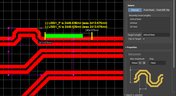
How to Perform Differential Pair Tuning in Altium Designer 20

In order to properly suppress common-mode noise, differential pairs must be routed in parallel, with perfect symmetry, and with matched lengths. In real PCBs, meeting these three objectives isn’t always possible. Instead of eyeing out your different pair lengths, the interactive routing tools in Altium Designer make differential pair length matching easy. You can encode permissible length mismatches as design rules as part of controlled impedance routing, or you can manually perform differential pair tuning using a variety of meandering styles. Here’s how this works in Altium Designer.

Blog
Driving Haptic Vibration and Feedback in Wearables

Augmented reality, virtual surgery, limb replacements, medical devices, and other new technologies need to incorporate haptic vibration motors and feedback to give the wearer a full sense of how they are interacting with their environment. Unless these cutting-edge applications include haptic vibration and feedback, users are forced to rely on their other four senses to understand the real or virtual environment.

Article preview
Blog
Back Drilling Example in Altium Designer: One of the Easiest Ways to Improve Signal Integrity

Over the last 20 years, electronic devices have become increasingly sophisticated. Less than two decades ago, just having a mobile phone to make calls was rare; today, our phones power our lives. To meet the growing demand for smartphone technology, technology has become faster, more functional, and intuitive. Improvements to the component base have streamlined processes while reducing manufacturing costs.

Article preview
Blog
Is it Simultaneous Switching Noise or Crosstalk?

Going deeper into crosstalk, there is always the issue of verifying EMI/EMC compliance through test and measurement. With the multitude of signal integrity problems that can arise in real PCBs, how can the astute designer distinguish them all? Some problems are clearer than others, with specific signal integrity measurements being developed for testing and measuring particular aspects of signal behavior. The fact is, multiple signal integrity problems could be present on a single interconnect simultaneously.

Article preview
Blog
Sharing PCB Data with Manufacturers in the Cloud

Once you’ve finished your new project and you’re ready to push it to your manufacturer, you’ll normally be stuck in an endless email chain with an engineer, or you’ll have to share cloud links with each other. The cloud sharing and design release tools in Altium Designer and Altium Concord Pro are a huge help in this area. In this post, I’m going to take an existing project I’ve worked with in a number of recent blogs, create some fabrication and assembly documentation, and finally push this data to a manufacturer using Altium Concord Pro.

Article preview
Blog
The Great PCB Layout "Rules of Thumb" Debate Rages On

To this day, I still see many PCB layout “rules of thumb” that first became common nearly 20 years ago. Do these rules still universally apply? The answer is a firm “maybe.” The discussion around PCB layout rules of thumb is not that these rules are correct or incorrect. The problem is that the discussion around these rules often lacks context, leading to the always/never type of discussion seen in some popular forums. My goal in this article is to communicate the context behind the common PCB design rules.

Article preview
Blog
How to Design Your PCB Test Coupon and What You Can Test

As the operating speed of components has increased, controlled impedance is becoming more common in digital, analog, and mixed-signal systems. If the controlled impedance value for an interconnect is incorrect, it can be very difficult to identify this problem during an in-circuit test. However, testing is normally performed on a PCB test coupon, which is manufactured on the same panel as the PCB. If you want to get through board spins quickly and aid future designs, you might consider designing a test coupon and keeping it handy for future designs.

Article preview
Blog
Altium DbLibs and Electronic Components in the Cloud with Altium Designer 20.1

Altium’s DbLib support is one of the oldest and most loved features of Altium Designer for managing electronic components and their data. They’ve been present in the software world since before I could fathom the existence of Ohm’s law. Altium 20.1’s new Component Sync feature allows you to synchronize virtually any database or database Library with Altium 365, taking advantage of both approaches strengths.
Article preview
Blog
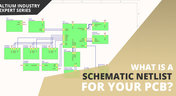
What is a Schematic Netlist for Your PCB?

If you’ve created your next great schematic, there is a lot going on behind the scenes in your design software. A schematic netlist is one of the central pieces of information that will be used in multiple features in your design software to create a real PCB. Your schematic netlist provides both electrical connectivity information, and reflects the functional structure of your design data in a single set of data.
Article preview
Blog
How to Select an Inductor for a Buck Converter

An SMPS is one of those quiet (yet electrically noisy) devices that makes your favorite electronics run smoothly. Among the numerous DC-DC converter topologies, a buck converter finds plenty of uses for stepping down the input voltage to a lower level while providing high efficiency power conversion. A common question around component selection for these power converters is how to select an inductor for a buck converter. The goal in working with an inductor and other components in a buck converter is to limit power loss to heat and while minimizing current ripple.

Article preview
Blog
US Department of Transportation Seeking Alternatives to GPS

GPS-capable devices range from your phone to your smartwatch; simply type in your destination and follow the directions. Simple, right? According to the Washington Post, we should all stop using GPS as it’s ruining the navigation centers of our brains. Despite the neurological effects on perception and judgment, the U.S. Department of Transportation (DOT) aims to find alternatives to GPS to provide redundancy.

Article preview
Blog
Bluetooth 5.1 SoC vs. Module: Which is Best for Your Design?

The list of features available in Bluetooth just got a little longer since the release of Bluetooth 5.1. If you want to incorporate a Bluetooth 5.1 SoC into your new product, you have two primary options for bringing this component into your board. The first is as an SoC that mounts to your board just like any other component. The other option is to bring a module into your new board—directly onto the surface layer. Here’s what you need to know about a Bluetooth 5.1 SoC or module in your next IoT product.
Article preview
Blog
USB Power Delivery for Your Next Project

Since its introduction in the late 90s, the USB standard has never ceased to grow in popularity. There has been a growing trend toward USB being a power delivery interface with data, rather than a data interface that can supply power, as the 1.0 specification originally intended. To supply the increasing thirst for power over USB, the USB 3.0 Spec with Type-C began implementing the Power Delivery standard, which you should consider using for your next electronics project.
Article preview
Blog
Circuit Board Design for In-Circuit Testing

There are many types of circuit board tests available in electronics manufacturing today, each having unique goals and characteristics. This article presents guidelines at the design level (schematic and layout) to enable the use of in-circuit testing (ICT) fixtures to verify proper component assembly. These simple test fixtures allow your board to be tested as its assembled, which helps identify and remove failed boards from your production run.

Article preview
Blog
Planning for the Future with Cirris Systems and Altium

Technological advancements have been a hallmark of the past few decades, from the widespread adoption of internet technology to the smartphones and wireless devices we rely on every day to stay connected. Orlan Thatcher, Board Layout Specialist at Cirris Systems, could never have predicted the demand their services would generate. The company struggled with six different software platforms before switching to Altium Designer.
Tag
NEW
Embedded thumbnail for Coming Soon: Advanced Via Fencing
New in Altium's Software
Coming Soon: Advanced Via Fencing

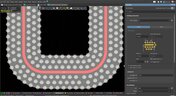
Coming soon to Altium software: Advanced Via Fencing gives you greater control over creating and managing shielding and stitching vias for RF and high-speed designs. Configure via fences directly from the Properties panel, follow traces or geometry edges, use stacked vias, define spacing and patterns, and preview the results before generating them.

NEW
Embedded thumbnail for 5 DC Power Integrity Myths That Ruin Your PCB Design
How-To's
5 DC Power Integrity Myths That Ruin Your PCB Design

DC power integrity plays a critical role in the reliability of nearly every power electronics board, yet common misconceptions can lead to costly design decisions. In this video, we break down five of the most common DC power integrity myths and explain what you really need to know for reliable power electronics design.

Embedded thumbnail for A fraction of a millimeter is the difference between a robot that fits and one that doesn't
Collaborative Engineering with Team Ribbot
A fraction of a millimeter is the difference between a robot that fits and one that doesn't

Check out the latest episode about Team Ribbot and see how they move design data between their electrical and mechanical tools without losing accuracy. Discover how Altium Designer and MCAD CoDesign help bring the boards, housings, and custom motors together right the first time with no surprises.

Embedded thumbnail for  HDI PCB Stackup Breakdown - Etching Weight Via Spacing, & More
How-To's
HDI PCB Stackup Breakdown - Etching Weight Via Spacing, & More

HDI PCB design depends on getting the stackup and manufacturing constraints right. In this deep dive, we examine a real HDI audio-interface board and explore common pitfalls, from how copper weight and etching affect minimum clearances to why solder mask slivers below 1 mil can cause manufacturing issues. You’ll also learn how proper board-edge clearance and copper pullback help protect SMD pads during routing.

Embedded thumbnail for  How do you review a robot design when your team is never in the same room?
Collaborative Engineering with Team Ribbot
How do you review a robot design when your team is never in the same room?

Team Ribbot’s engineers are spread across five states and juggle full-time jobs while building a 250-pound combat robot in their spare time. Discover how Altium Designer and Altium 365 keep the team connected, letting engineers open the live design from a laptop or phone, inspect the board in 3D, and leave comments directly on the design.

Embedded thumbnail for  Improve Visual Accuracy with True Arcs
New in Altium's Software
Improve Visual Accuracy with True Arcs

Discover how True Arc Rendering improves arc visualization in the PCB Editor and PCB Library Editor by displaying true arcs across 2D, 3D, and Board Planning modes. This provides a more accurate representation of board geometry and helps you work with curved features with greater precision throughout the design process.

Embedded thumbnail for Two engineers, one board, nobody's work gets wiped out
Collaborative Engineering with Team Ribbot
Two engineers, one board, nobody's work gets wiped out

When Team Ribbot’s electrical and mechanical engineers work on the same combat-robot design, unwanted changes can mean hours of lost work. See how Altium Designer and MCAD CoDesign let the team review and selectively accept changes, enabling seamless parallel collaboration across different locations and schedules.

Embedded thumbnail for Visualize and Refine Your Harness Designs
New in Altium's Software
Visualize and Refine Your Harness Designs

Create detailed views of bundle contents, control wire and cable paths, and rotate physical models to accurately represent the final harness assembly. These capabilities give you greater control over harness design and help ensure your digital model reflects the physical result.

Embedded thumbnail for Introducing Agentic Requirements Engineering
New in Altium's Software
Introducing Agentic Requirements Engineering

Discover a new way to work with Requirements Portal through Agentic Requirements Engineering. AI agents analyze your project data and surface proposals for your approval, reducing friction in requirements management and helping align your team's shared model with your design intent.

Embedded thumbnail for Simplify Rule Set Updates and Replacement
New in Altium's Software
Simplify Rule Set Updates and Replacement

Learn how to import rule sets with greater flexibility in Altium. When importing rules, you can add new rules to your existing set, replace only rules that match, or completely replace the current rule set giving you full control over how design rules are updated.

Embedded thumbnail for  How Team Ribbot fits 40 kW of power into a 250-pound combat robot
Collaborative Engineering with Team Ribbot
How Team Ribbot fits 40 kW of power into a 250-pound combat robot

What do you get when you pack the power of a small electric car into a combat robot with virtually no room to spare? In the first episode of our collaboration with Team Ribbot and Altium, explore how seamless ECAD-MCAD collaboration helps the team tackle complex design challenges, optimize high-performance designs, reduce errors, and bring products to life faster.

Embedded thumbnail for Just Released: Supplier Data Merging
New in Altium's Software
Just Released: Supplier Data Merging

Discover how the Supplier Data Merging feature brings together supplier information from your custom parts database and the Altium Parts Provider into a single, unified view. Access consolidated supplier data wherever supplier part numbers appear, including in ActiveBOM and during component selection.

Embedded thumbnail for How Altium’s Layer Stack Manager Actually Works
How-To's
How Altium’s Layer Stack Manager Actually Works

Take a look inside Altium's Layer Stack Manager and discover how its impedance calculator determines the ideal trace width for your target impedance. In this video, we break down the "black box" behind the calculation and show how the Simbeor-based field solver provides accurate results while eliminating the need for advanced field solver expertise.

Embedded thumbnail for Connect Requirements Directly to Your PCB Design
New in Altium's Software
Connect Requirements Directly to Your PCB Design

See how the Requirements Portal integration in Altium Designer simplifies requirements management by bringing system requirements directly into your PCB design workflow. Connect requirements to design documents, assign tasks, track verification in real time, and keep your entire team aligned with seamless synchronization in Altium 365.

Embedded thumbnail for SFP Connector Routing: High-Speed Differential Pair Design Tips
How-To's
SFP Connector Routing: High-Speed Differential Pair Design Tips

Discover practical SFP and SFP+ routing tips in our latest video, inspired by a real question from the Altium subreddit. We cover how aggressive serpentine length tuning can be, how to reduce impedance discontinuities in tight meanders, and how meandering influences mode conversion at 10G and higher data rates.

Embedded thumbnail for Handle High-Density PCB Layouts with Ease
New in Altium's Software
Handle High-Density PCB Layouts with Ease

Push the limits of PCB design with support for up to 128 signal layers, empowering the development of even the most complex, high-density boards.

Tag
Your search returns no results.