Welcome, Guest

Sign in to learn, create, and do more with the product you love.

News & Updates

Filters:
Tag
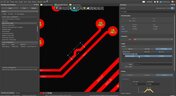
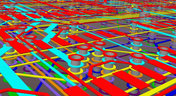
Routed tracks
Blog Mai 5, 2020
Helpful Tips for Interactive Routing in Altium Designer

Before you jump into the software, you should know the types of things you’re going to want to look out for. Traces, connection lines, differential pair routing, and route paths can all affect the routing process of your board. Make sure that you’re equipped knowing, ultimately, what you want your board design to accomplish and furthermore, where you anticipate potential problem areas to be.

Embedded thumbnail for Improved Impedance Calculator
New in Altium Designer 20 Apr. 29, 2020
Improved Impedance Calculator

The impedance calculator in the Layer Stack Manager now supports single and differential coplanar structures. This video shows how the impedance calculator has been improved with new coplanar transmission line structures, greater control over the dimensional properties of the physical structure, and modeling of Conductor Surface Roughness using Surface Roughness and Roughness Factor values. 

Embedded thumbnail for Propagation Delay Support
New in Altium Designer 20 Apr. 27, 2020
Propagation Delay Support

In Altium Designer 20.0, you can now selectively monitor propagation delay along the whole connection or selected objects, such as tracks, pads, and vias.

Embedded thumbnail for New Routing Capabilities
New in Altium Designer 20 Apr. 23, 2020
New Routing Capabilities

Advanced routing capabilities help you complete the most basic, as well as the most difficult, routing challenges. In Altium Designer 20.0, we’ve added intelligent control over pad entries that are capable of working with any combination of pad geometry as well as a new any angle routing mode that allows you to make beautiful traces that smoothly contours around obstacles.

Blog Apr. 22, 2020
Any Angle Routing: When Should You Use It?

EDA tools have come a long way since the advent of personal computing. Now advanced routing features like auto-routers, interactive routing, length tuning, and pin-swapping are helping designers stay productive, especially as device and trace densities increase. Read full article in our blog:

Embedded thumbnail for New Length Tuning Engine
New in Altium Designer 20 Apr. 21, 2020
New Length Tuning Engine

The tuning engine in Altium Designer has been redesigned and is now better than ever. Tuning sections can be picked up and moved to new locations on the track. What is truly remarkable is that the tunings are completely dynamic and change shape and fill patterns depending on the boundaries and surroundings.

Embedded thumbnail for How to Assign Names to Polygons
Working with Polygons Apr. 3, 2020
How to Assign Names to Polygons

For some polygons, it is not always reasonable to use an automatically generated name so a custom name is needed. With a proper polygon name, you can quickly find the desired polygon in a list and correctly set the pour priority in relation to other polygons. By using unique names, you can create design rules that apply only to specified polygons.

Blog März 20, 2020
A Message from Altium on COVID-19

We understand that many of you, like ourselves, have transitioned to working remotely. This process comes with its challenges and we would like to offer all and any help we can to minimize disruptions for your teams and business.

Embedded thumbnail for How to Use View Mode in Altium Designer Without a License
How-To's März 16, 2020
How to Use View Mode in Altium Designer Without a License

In Altium Designer 20.0, you can use Altium Designer in Viewer mode when signed into your AltiumLive account and no active license is being used. The Altium Designer Viewer license can be used by anyone with an AltiumLive account and no other licenses or subscription is needed. The license can be activated from the License Management page. 

Blog März 2, 2020
About Altium Designer Home Page

With the new Altium Designer Home page, we are aiming to help users stay up to date with the latest features and productivity tricks available in Altium Designer. Learn more about the Home page in this documentation article.

Embedded thumbnail for Any Angle Routing
New in Altium Designer 20 Febr. 26, 2020
Any Angle Routing

With any angle routing in Altium Designer, you're able to expertly maneuver around obstacles on a densely populated board, routing deep into your BGA, eliminating the need for extra signal layers. With an intelligent obstacle avoidance algorithm, you're able to avoid obstancles using tangential arcs, making the most efficient use of your board real estate.

Embedded thumbnail for Schematic Dynamic Data Model
New in Altium Designer 20 Febr. 26, 2020
Schematic Dynamic Data Model

Recompiling large schematics can take up a lot of time. This is why Altium Designer uses a new dynamic data model, which incrementally and continuously compiles in the background eliminating the need to perform a full design compile.

Embedded thumbnail for Time Based Matched Lengths
New in Altium Designer 20 Febr. 26, 2020
Time Based Matched Lengths

High-speed digital circuits depend on signals and data arriving on time. If traces are improperly tuned, flight times vary and data errors can be abundant. Altium Designer 20 introduces the calculation of the propagation time on traces and provides synchronized flight time for high-speed digital signals.

altium-community-forum
Blog Febr. 25, 2020
Getting Connected: Altium’s User Community Forums

The Altium design environment is a complex and sophisticated set of software tools. Not surprisingly, becoming proficient with these tools will take some time, and you’ll need to practice every step of the design process from beginning to end. So what happens if you get stuck along the way?

Embedded thumbnail for Schematic Rendering
New in Altium Designer 20 Febr. 25, 2020
Schematic Rendering

A smooth and fast schematic experience awaits thanks to DirectX in Altium Designer. This new implementation smoothes out zooming and panning, and also dramatically speeds up copy and paste functionality.

Embedded thumbnail for Properties Panel for Schematics
New in Altium Designer 20 Febr. 24, 2020
Properties Panel for Schematics

In Altium Designer version 20.0, the Interactive Properties panel for schematics includes several functional improvements as well as productivity enhancements. The entire layout has been refined to optimize efficiency, icons and graphical previews have been improved, and there is now a smart parameters filter both for schematic lists and components. Dialogs for schematic properties, so beloved by our seasoned users, have returned stronger and better than ever.

Embedded thumbnail for Return Path Design Rule
New in Altium Designer 20 Febr. 24, 2020
Return Path Design Rule

High-speed signals create electromagnetic fields that can cause cross-talk or data errors unless proper return paths are provided. Proper return paths allow noise currents to return to ground through a very low impedance, eliminating any problems. The new Return Path design rule monitors return paths and checks for a continuous signal return path on the designated reference layer above or below the signals targeted by the rule.

Embedded thumbnail for Sliding
New in Altium Designer 20 Febr. 24, 2020
Sliding

Editing traces to improve signal integrity can be time consuming, especially when you have to edit individual arcs and serpentine tunings. Altium Designer 20 incorporates a new gloss engine and advanced push and shove capabilities to help speed up this process. which improves your productivity.

Tag
Blog
Simple Strategies to Reach 10% PCB Cost Reduction

Our new article outlines strategies to achieve a 10% reduction in PCB costs by optimizing design and material choices, such as adjusting stack-up materials and hole sizes, using lower-cost parts, and considering single-sided assembly. These techniques help reduce expenses without sacrificing quality.

Blog
Say Goodbye to EDA Software Vendor Lock

Check how Altium 365 helps eliminate EDA software vendor lock by enabling multi-CAD support in the cloud. This allows users to work with different CAD file formats within a single platform, enhancing collaboration and reducing the need for additional licenses. This approach offers greater flexibility and is set to transform the industry.

Blog
The Ultimate Introduction to High-Speed Signal Integrity for PCB Designers

High-speed signal integrity is essential in PCB design to ensure data accuracy and system reliability. Key issues like impedance mismatches, crosstalk, and signal reflections need to be addressed through strategies such as controlled impedance traces, differential pairs, and suitable material choices. Check out our first article of the series about this topic.
Blog
Multi-Board PCB Signal Integrity: A Complete Guide

Our new article on signal integrity in multi-board PCBs covers essential aspects like connector pinouts, cable designs, and interconnect strategies. These factors ensure reliable performance in high-speed applications across industries such as military, aerospace, and AI.

Blog
Multi-CAD Support Will Be a Game Changer for Electronics Design Teams

Discover how multi-CAD support is transforming electronics design with Altium 365 by enabling seamless integration of diverse CAD file formats. This innovation addresses vendor lock-in issues, boosting collaboration, version control, and project management across different CAD tools.
Blog
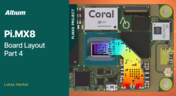
Pi.MX8 Project - Board Layout Part 4

We invite you to explore a new chapter in the PiMX8 Project, focusing on the final stages of PCB layout design for the Pi.MX8 compute module. This installment covers critical topics such as routing power planes and signal delay tuning, essential for ensuring proper functionality and performance.
Blog
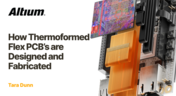
How Thermoformed Flex PCB’s are Designed and Fabricated

Thermoformed flexible PCBs are specially designed and fabricated by heating and molding them into specific shapes, making them suitable for compact and complex applications like automotive dashboards and wearable devices. This process involves precise temperature control and careful handling to ensure durability and quality. Discover more from Tara Dunn's new article.
Blog
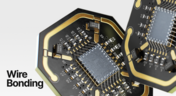
Boost Connection Integrity and Design Efficiency with Wire Bonding

Altium Designer's wire bonding feature enhances PCB design by supporting chip-up configurations for Chip on Board (CoB) designs. It offers easy validation of bond wiring in 3D views, ensuring accurate and efficient design processes. Check more about this feature on Altium's new feature page.
Blog
How High Frequency SMD Passives Work in a PCB Layout

High-frequency surface-mount device (SMD) passives like resistors and capacitors play a crucial role in PCB layouts, particularly in circuits operating above 1 GHz. Our article explores how these components function at high frequencies, their operational limits, and the importance of considering parasitic elements in design.

Blog
Essential DFM Tips for Aerospace Projects

Design for Manufacturing (DFM) is a crucial aspect of aerospace projects. This process ensures high-quality designs that meet the unique challenges of the aerospace industry, such as extreme conditions and stringent reliability standards. Learn more about essential DFM tips in our brand-new article.

Altium 365 New Website
Blog
Altium 365 now has its own website!

Discover everything you need to know about Altium 365 and experience our suite of applications for secure, seamless, and streamlined collaboration. Visit now to explore how to streamline your electronic product development.
 

Blog
Altium Designer: Leading the Charge in PCB Design Innovation

In the dynamic field of electronics design, Altium Designer stands out as a pioneer, continuously advancing the boundaries of PCB (Printed Circuit Board) design. Discover the latest innovations in 3D-MID design, high-speed design, and interactive routing in this new article by David Marrakchi.
Blog
What Is Solder Mask Expansion and Which Value Should You Use?

Check out our new article explaining how to ensure sufficient pad area for soldering, manage misregistration tolerance, and maintain proper solder dams between components. It also highlights the role of collaboration with fabrication houses and the use of CAD tools in defining land patterns for advanced electronics designs.


Tag
NEW
Embedded thumbnail for Create Clearance Rules Faster and with Less Effort
New in Altium's Software
Create Clearance Rules Faster and with Less Effort

Setting up clearance rules is now more intuitive in the Constraint Manager. Choose the Simple view for faster configuration with grouped object types, or the Advanced view when you need detailed, matrix-based clearance control.

NEW
Embedded thumbnail for Mastering HDI Design Rules in Altium Designer
How-To's
Mastering HDI Design Rules in Altium Designer

In our latest Altium Academy tutorial, we guide you through configuring the essential HDI PCB design rules in Altium's software. You'll learn how to use your manufacturer's fabrication capabilities to create accurate design rules and constraints for your PCB.

Embedded thumbnail for Search, Filter, and Navigate PCB Designs Faster
New in Altium's Software
Search, Filter, and Navigate PCB Designs Faster

The Web Viewer now features a redesigned search experience for faster access to PCB design data across supported CAD formats. A lightweight, intuitive interface lets you begin with simple search terms and progressively refine results using contextual suggestions.

Embedded thumbnail for Gain Better Control Over Wire Bond Visibility
New in Altium's Software
Gain Better Control Over Wire Bond Visibility

New bond wire visibility controls give you greater flexibility when working with wire-bonded boards and footprints, making it easier to focus on the details that matter most.

Embedded thumbnail for Coming Soon: Selectable Harness Source Within Multi-board Design
New in Altium's Software
Coming Soon: Selectable Harness Source Within Multi-board Design

Selectable Harness Source Within Multi-board Design enables harness projects to drive system connectivity while maintaining bidirectional synchronization between multi-board schematics and harness wiring diagrams for improved accuracy and easier design management.

Embedded thumbnail for Choose the Simbeor Version for Your PCB Calculations
New in Altium's Software
Choose the Simbeor Version for Your PCB Calculations

The PCB Editor now lets you choose the Simbeor version used for delay and impedance calculations, giving you more flexibility and consistency across your design workflows.

Embedded thumbnail for Improve PCB Editor Performance with Via Instancing
New in Altium's Software
Improve PCB Editor Performance with Via Instancing

The PCB Editor now uses via instancing to generate geometry for each via individually, providing greater flexibility and a more advanced approach to managing vias in PCB designs.

Embedded thumbnail for GSSG Stackup Deep Dive: Routing, Impedance, and HDI
How-To's
GSSG Stackup Deep Dive: Routing, Impedance, and HDI

A ground-signal-signal-ground (GSSG) stackup rethinks the traditional four-layer PCB structure by moving the ground planes to the outer layers and routing signals on the two inner layers. In this Altium Academy deep dive, we review a real one-minute design review submission and demonstrate how to configure a GSSG stackup properly using the Layer Stack Manager.

Embedded thumbnail for Generate IPC-7351B Compliant Footprints with More Control
New in Altium's Software
Generate IPC-7351B Compliant Footprints with More Control

The IPC Compliant Footprint Wizard has been updated to improve IPC-7351B compliance across supported package types. Enhancements include footprint calculations, package outlines, silkscreen and courtyard generation, layer mapping, density table behavior, and new pad trimming controls for gullwing packages, with support added to the batch generator Excel template.

Embedded thumbnail for Add Unit-Aware Temperature Coefficient Parameters
New in Altium's Software
Add Unit-Aware Temperature Coefficient Parameters

Component templates in a connected Workspace on the Altium Platform now include support for Temperature Coefficient (ppm/°C) as a unit-aware user parameter type. This makes it possible to define temperature coefficient values directly within the template using the appropriate units.

Embedded thumbnail for When to Add Part Numbers to SMD Passives
How-To's
When to Add Part Numbers to SMD Passives

Check out our new video covering essential electronics fundamentals, with a focus on why including part numbers for SMD passive components, such as SMD resistors, directly on schematics is so important. We also explore whether relying only on the Bill of Materials (BOM) is enough for effective electronic component management.

Embedded thumbnail for Present Large Harness Tables More Clearly
New in Altium's Software
Present Large Harness Tables More Clearly

Harness Draftsman now supports splitting connection tables across multiple pages in *.HarDwf documents. With the new page height limit setting, you can easily control how much of the table appears on each page.

Embedded thumbnail for Innovate Beyond - The Future of Electronics Development in Automotive
How-To's
Innovate Beyond - The Future of Electronics Development in Automotive

Discover how the future of automotive electronics is being shaped by a more connected development approach that unifies teams, data, requirements, design, collaboration, and manufacturing. Recorded at BMW Welt and the BMW Museum during Altium’s "The Future of Electronics Development in Automotive" event, this video explores the key challenges and innovations driving the next generation of automotive design.

Embedded thumbnail for Coming Soon: Design Rule Sets
New in Altium's Software
Coming Soon: Design Rule Sets

Soon, PCB design rules in Altium will be organized into reusable Rule Sets within the PCB Rules and Constraints Editor. These rule sets can be created, duplicated, enabled or disabled, renamed, deleted, imported, and exported, making it easier to manage rules for specific interfaces, manufacturing requirements, or unique design constraints.

Embedded thumbnail for Decoupling Capacitor Routing: When to Use Vias vs Traces
How-To's
Decoupling Capacitor Routing: When to Use Vias vs Traces

Check out this video, a follow-up to the decoupling capacitor placement series, exploring the inductance tradeoffs between trace routing and via connections. Using real component examples from an Ethernet switch design in Altium, the video demonstrates how different routing choices can impact overall performance.

Embedded thumbnail for Coming Soon: Interactive Dynamic Phase Tuning
New in Altium's Software
Coming Soon: Interactive Dynamic Phase Tuning

The Interactive Length Tuning tool allows you to manually tune a single net in a differential pair while maintaining equal pair length and phase alignment across the entire route. This enables more efficient differential signal transmission, greater control during manual tuning, and faster pattern creation within defined phase tolerance limits.

Tag
Your search returns no results.