Welcome, Guest

Sign in to learn, create, and do more with the product you love.

News & Updates

Filters:
Tag
Article preview
Blog 5月 14, 2020
How to Highlight Nets in Altium Designer to Simplify Schematic and PCB Designs

Highlighting nets will help you simplify your schematic and PCB design. In Altium , there are multiple options that enable you to leverage this capability to simplify the verification of connections and circuit paths and make sure that the design you send to your manufacturer accurately reflects the printed circuit board you need built.

Embedded thumbnail for How to Transfer Libraries to Concord Pro
New in Altium Designer 20 5月 6, 2020
How to Transfer Libraries to Concord Pro

This video demonstrates how the Library Migrator can quickly move database and integrated libraries to the Concord Pro workspace. Your design can be organized and verified in the Library Migrator before pushing it to the cloud. After migration, the Messages panel will display any missing information.

Routed tracks
Blog 5月 5, 2020
Helpful Tips for Interactive Routing in Altium Designer

Before you jump into the software, you should know the types of things you’re going to want to look out for. Traces, connection lines, differential pair routing, and route paths can all affect the routing process of your board. Make sure that you’re equipped knowing, ultimately, what you want your board design to accomplish and furthermore, where you anticipate potential problem areas to be.

Embedded thumbnail for Improved Impedance Calculator
New in Altium Designer 20 4月 29, 2020
Improved Impedance Calculator

The impedance calculator in the Layer Stack Manager now supports single and differential coplanar structures. This video shows how the impedance calculator has been improved with new coplanar transmission line structures, greater control over the dimensional properties of the physical structure, and modeling of Conductor Surface Roughness using Surface Roughness and Roughness Factor values. 

Embedded thumbnail for Propagation Delay Support
New in Altium Designer 20 4月 27, 2020
Propagation Delay Support

In Altium Designer 20.0, you can now selectively monitor propagation delay along the whole connection or selected objects, such as tracks, pads, and vias.

Embedded thumbnail for New Routing Capabilities
New in Altium Designer 20 4月 23, 2020
New Routing Capabilities

Advanced routing capabilities help you complete the most basic, as well as the most difficult, routing challenges. In Altium Designer 20.0, we’ve added intelligent control over pad entries that are capable of working with any combination of pad geometry as well as a new any angle routing mode that allows you to make beautiful traces that smoothly contours around obstacles.

Blog 4月 22, 2020
Any Angle Routing: When Should You Use It?

EDA tools have come a long way since the advent of personal computing. Now advanced routing features like auto-routers, interactive routing, length tuning, and pin-swapping are helping designers stay productive, especially as device and trace densities increase. Read full article in our blog:

Embedded thumbnail for New Length Tuning Engine
New in Altium Designer 20 4月 21, 2020
New Length Tuning Engine

The tuning engine in Altium Designer has been redesigned and is now better than ever. Tuning sections can be picked up and moved to new locations on the track. What is truly remarkable is that the tunings are completely dynamic and change shape and fill patterns depending on the boundaries and surroundings.

Embedded thumbnail for How to Assign Names to Polygons
Working with Polygons 4月 3, 2020
How to Assign Names to Polygons

For some polygons, it is not always reasonable to use an automatically generated name so a custom name is needed. With a proper polygon name, you can quickly find the desired polygon in a list and correctly set the pour priority in relation to other polygons. By using unique names, you can create design rules that apply only to specified polygons.

Blog 3月 20, 2020
A Message from Altium on COVID-19

We understand that many of you, like ourselves, have transitioned to working remotely. This process comes with its challenges and we would like to offer all and any help we can to minimize disruptions for your teams and business.

Embedded thumbnail for How to Use View Mode in Altium Designer Without a License
How-To's 3月 16, 2020
How to Use View Mode in Altium Designer Without a License

In Altium Designer 20.0, you can use Altium Designer in Viewer mode when signed into your AltiumLive account and no active license is being used. The Altium Designer Viewer license can be used by anyone with an AltiumLive account and no other licenses or subscription is needed. The license can be activated from the License Management page. 

Blog 3月 2, 2020
About Altium Designer Home Page

With the new Altium Designer Home page, we are aiming to help users stay up to date with the latest features and productivity tricks available in Altium Designer. Learn more about the Home page in this documentation article.

Embedded thumbnail for Any Angle Routing
New in Altium Designer 20 2月 26, 2020
Any Angle Routing

With any angle routing in Altium Designer, you're able to expertly maneuver around obstacles on a densely populated board, routing deep into your BGA, eliminating the need for extra signal layers. With an intelligent obstacle avoidance algorithm, you're able to avoid obstancles using tangential arcs, making the most efficient use of your board real estate.

Embedded thumbnail for Schematic Dynamic Data Model
New in Altium Designer 20 2月 26, 2020
Schematic Dynamic Data Model

Recompiling large schematics can take up a lot of time. This is why Altium Designer uses a new dynamic data model, which incrementally and continuously compiles in the background eliminating the need to perform a full design compile.

Embedded thumbnail for Time Based Matched Lengths
New in Altium Designer 20 2月 26, 2020
Time Based Matched Lengths

High-speed digital circuits depend on signals and data arriving on time. If traces are improperly tuned, flight times vary and data errors can be abundant. Altium Designer 20 introduces the calculation of the propagation time on traces and provides synchronized flight time for high-speed digital signals.

altium-community-forum
Blog 2月 25, 2020
Getting Connected: Altium’s User Community Forums

The Altium design environment is a complex and sophisticated set of software tools. Not surprisingly, becoming proficient with these tools will take some time, and you’ll need to practice every step of the design process from beginning to end. So what happens if you get stuck along the way?
Tag
Blog
Concept Phase – Lid Assembly Design Part 1

In the exciting next phase of the open-source laptop project we're (finally) diving into design, and getting hands-on with the display panel. Discover how we're selecting the right panel, integrating it seamlessly, and creating a custom DisplayPort adapter to illuminate the screen. Plus, learn how our choices impact features like microphones, webcams, and touch sensors, and how Altium can help bring it all to life. It’s not too late to join as we continue on this innovative journey!
Blog
Unleashing the Power of Concurrent PCB Design

Concurrent PCB Design is essential to unlocking the full potential of engineering teams and delivering innovative products that meet the demands of the modern world. Learn more about the main capabilities and the numerous benefits of this upcoming feature in Altium Designer.
Blog
Crosstalk Reduction and Elimination Techniques in Altium Designer

Whether you're designing a digital board with a ton of traces, or an RF board operating at very high frequencies, any electronic device with propagating signals will experience crosstalk. Learn more about some sure-fire ways you can reduce crosstalk in your high-speed designs.

Blog
Baxandall Volume Control for Audio

The Baxandall volume control is an especially useful, flexible, and simple-to-implement circuit for numerous audio designs. In this article, we will demonstrate how to design this type of equipment.

Blog
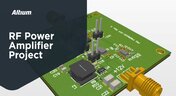
RF Power Amplifier Module PCB Design

RF power amplifiers can be found in many wireless products, often integrated into chipsets or modems. However, in certain specialized systems, you might require higher power output at a specific frequency. This necessitates a discrete amplifier circuit to deliver that power. In this article, we present an example project for a power amplifier that you can incorporate into your RF project.
Blog
Avoid GIGO in Your PCB Simulation Tools

Simulation tools are extremely useful for understanding electromagnetic behavior in a design. Learn more about how to avoid obtaining inaccurate results during your PCB simulation process.

Benefits of Ultra HDI
Blog
The Benefits of Ultra HDI

Learn more about the combination of using both flexible materials and ultra-HDI feature sizes in this article.

Blog
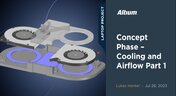
Concept Phase – Cooling and Airflow Part 1

Next step in our open-source laptop project is to explain how to design cooling and airflow. In this article, we can show you the first part of this process, such as airflow concept, fan measurement and clearance.
Harness Design
Blog
Create Connections with Harness Design

Many modern electronics have multiple boards, and connecting those different boards and systems together are harnesses. Learn more about how Altium Designer can help you create harnesses for your own multi-board designs here.
Blog
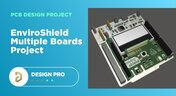
Nucleo Shields Multi-Board Design

Learn how easy it is to create multi-board projects. This practical project article covers the reasons for breaking larger boards into sub-assemblies and explores the various connection options available between sub-assembly boards.
Tag
Embedded thumbnail for Decoupling Capacitor Routing: When to Use Vias vs Traces
How-To's
Decoupling Capacitor Routing: When to Use Vias vs Traces

Check out this video, a follow-up to the decoupling capacitor placement series, exploring the inductance tradeoffs between trace routing and via connections. Using real component examples from an Ethernet switch design in Altium, the video demonstrates how different routing choices can impact overall performance.

Embedded thumbnail for Coming Soon: Interactive Dynamic Phase Tuning
New in Altium's Software
Coming Soon: Interactive Dynamic Phase Tuning

The Interactive Length Tuning tool allows you to manually tune a single net in a differential pair while maintaining equal pair length and phase alignment across the entire route. This enables more efficient differential signal transmission, greater control during manual tuning, and faster pattern creation within defined phase tolerance limits.

Embedded thumbnail for AI PCB Layout vs. Human Design: The Honest Truth
How-To's
AI PCB Layout vs. Human Design: The Honest Truth

The question is: Can AI really route a PCB as well as an experienced human designer? In this video, we set out to find the answer. Our expert, Zach Peterson, puts it to the test in a side-by-side layout review. The challenge is based on a LinkedIn post where viewers had to guess which board was AI-generated and which was designed by a human.

Embedded thumbnail for Improve Your 3D Wire Bonding Workflow
New in Altium's Software
Improve Your 3D Wire Bonding Workflow

Check out the video where we showcase enhanced wire bonding features, including precise bond wire shape definition, improved clearance checking, streamlined import and export workflows, and efficient management of wire bonding objects.

Embedded thumbnail for Customize Your ODB++ Output for Each Partner
New in Altium's Software
Customize Your ODB++ Output for Each Partner

You can now precisely control what design data is included in your ODB++ outputs for different manufacturing recipients. Choose which signal layers to export, decide how the netlist is handled (included, disabled, or neutralized), and control whether component data is removed or shared without properties.

Embedded thumbnail for Proper Voltage Built a Universal Battery Platform with Altium
Altium Stories
Proper Voltage Built a Universal Battery Platform with Altium

Watch our latest customer success story to see how Proper Voltage partnered with Altium to accelerate high-power battery development for next-generation robotics. With our software, they streamlined collaboration, sped up design reviews, improved sourcing visibility, and reduced risk.

Embedded thumbnail for Improve Readability with Custom Pin Spacing
New in Altium's Software
Improve Readability with Custom Pin Spacing

You can now control the vertical spacing of a pin’s designator and name with a custom margin. This setting can be applied globally via Schematic Preferences or adjusted individually in the Pin properties.

Embedded thumbnail for Does Decoupling Capacitor Placement Actually Matter?
How-To's
Does Decoupling Capacitor Placement Actually Matter?

Our new video tackles common questions about capacitor placement on a PCB. Expert Zach Peterson explains why placement is often less critical on multilayer boards with well-designed power and ground planes and shares the key insights most application notes leave out.

Embedded thumbnail for Teaching Power to Think - How Proper Voltage Accelerates Innovation with Altium
Altium Stories
Teaching Power to Think - How Proper Voltage Accelerates Innovation with Altium

Watch the video where you can find how Proper Voltage centralized communication, synchronized ECAD–MCAD development, and gained early insight into supply chain risks using Altium’s connected design platform.

Embedded thumbnail for  Detect Z-Axis Clearance Issues Earlier
New in Altium's Software
Detect Z-Axis Clearance Issues Earlier

The Z-axis clearance rule enables accurate verification of minimum interlayer copper spacing. It supports targeted constraints between net classes, differential pairs, and schematic parameter directives for advanced rule definition.

Embedded thumbnail for Fix Inconsistent Part Parameters in Your PCB Schematic
How-To's
Fix Inconsistent Part Parameters in Your PCB Schematic

Watch our latest video to learn what parameterization really means, why getting the manufacturer name and part number right is essential, and how to quickly identify inconsistencies across your schematic components using Altium’s Parameter Manager tool.

Embedded thumbnail for Create IPC-Aligned Footprints with Less Effort
New in Altium's Software
Create IPC-Aligned Footprints with Less Effort

The default value for the Solder Mask Expansion rule has been updated to improve consistency across design environments. In both PCB documents and rule-driven solder mask expansion within PCB library documents, the default setting is now 0 mil, replacing the previous default of 4 mil.

Embedded thumbnail for Via Dispersion: Why Propagation Delay Changes with Frequency
How-To's
Via Dispersion: Why Propagation Delay Changes with Frequency

Explore the concept of via dispersion and how it impacts propagation delay across frequencies. This tutorial walks through the math behind extracting delay from insertion loss and return loss S-parameters and explains why results can vary depending on your operating range.

Embedded thumbnail for Make Via Rule Configuration More Intuitive
New in Altium's Software
Make Via Rule Configuration More Intuitive

Set precise control over your routing via styles with new rule settings in the Physical View. Define minimum, maximum, and preferred values for both diameter and hole size, and easily switch between constraint ranges or template-based definitions for faster, more flexible design.

Embedded thumbnail for Coplanar Ground Done Right: PCB Design Best Practices
How-To's
Coplanar Ground Done Right: PCB Design Best Practices

When is coplanar ground actually useful and when does it provide no benefit at all? If you’ve ever wondered about this, check out our brand-new video where we tackle one of the most common questions in PCB design.

Embedded thumbnail for Import and Export with Modern Mechanical Models
New in Altium's Software
Import and Export with Modern Mechanical Models

We have expanded mechanical integration by adding support for SOLIDWORKS 2024 and SOLIDWORKS 2025 part models when importing 3D bodies into the design environment. This enhancement allows designers to work with the latest mechanical models created in SOLIDWORKS without the need for additional conversions or workarounds.

Tag
Your search returns no results.