News & Updates

Blog
•
Types of Wiring Harnesses for Electronics
In today's world, many products utilize multiple PCBs interconnected with each other, often leading to a complex network of cables within an enclosure. The most effective way to manage these wires and cables is by constructing a wiring harness. This article explores the various types of harnesses used in electronics.


Blog
•
5 Advantages of Z2Data Integration You Can't Ignore
Z2Data Integration in Altium 365 offers a practical way forward for engineering and procurement. Here are the top five advantages that can streamline your workflows.

Blog
•
Leveraging Altium Designer's Capabilities: Transforming PCB Design Data Management
Are you curious about how Altium Designer's PLM integration is revolutionizing electronics design? Bid farewell to inefficiencies and expensive revisions, and embark on discovering the cutting-edge approach to managing design data. Dive into our latest article to learn how to leverage this new standard in design data management.

Blog
•
Start Altium Designer 24 Training for Free
Level up your design skills with Altium Designer 24 training! Whether you're looking to brush up on the basics or delve into advanced techniques, our instructor-led or on-demand videos will help you master the latest features.

Blog
•
How Altium 365 Supports Agile Hardware Development
Discover how Altium 365 can be your ally in making agile hardware development a practical reality.
Blog
•
PCB Layout Replication Whitepaper
Experience seamless acceleration in your design workflow with Altium Designer® 24's PCB Layout Replication feature. Effortlessly duplicate layouts for recurring circuit blocks and component groups, amplifying efficiency and reducing expenses.


Blog
•
How Is Your Design Data Protected in Altium 365 GovCloud?
Here's how Altium 365 GovCloud protects your sensitive electronics design data. Learn more about our encryption technologies, access restrictions, and network security standards.

Blog
•
Balancing Budget and Data Security: Cost-Effective Strategies for IT Managers
Make decisions that balance cost-efficiency with uncompromised security. Find ways to ensure your data security measures are both strong and economically viable.


Blog
•
Custom Pad Stack Whitepaper
Explore our manual on the Custom Pad Stack enhanced feature. From thermal connections to pad shapes, every detail matters. Pads are no longer merely points; they demand unique, tailored solutions. With Altium Designer 24, you can customize pad shapes, fine-tune thermal relief, and master rounded/chamfered rectangle pads to meet manufacturing standards, conquer tight spaces, and elevate your design game significantly.


Blog
•
Pi.MX8 Project - Board Layout Part 2
We are continuing the exploration of board layout in our Pi.MX8 Project. In this chapter, we focus on defining the impedance profiles, establishing matching design rules for the correct trace width, and initiating the routing of the DRAM interface.

Blog
•
How Altium Designer Empowers Designers to Master Complex PCB Projects
Discover the power of Altium Designer for tackling modern PCB design challenges! From advanced constraint management to dynamic routing, it's tailored for success. In our brand new article, you'll find the ultimate solution for managing the varying complexities of PCB design.


Blog
•
How Data Integrations Improve Supply Chain Performance
Discover how data integrations can elevate your supply chain performance through real-time insights, enhanced transparency, and enriched component data.


Blog
•
Why Altium Designer Can Help Design PCBs Intuitively and Intelligently
Altium Designer sets the PCB design standard with its cohesive environment, cutting-edge tools, and 3D-MID support. Learn more about how to eliminate errors, accelerate cycles, and foster innovation with our software.

Blog
•
Thermal Management for Integrated Circuits
As anyone who designs and builds electronic devices knows, the device will generate heat when it’s switched on. Wherever current flows through an impedance, energy losses will manifest themselves as heat. Integrated circuit packaging is getting smaller to meet the trend for more compact devices but at the cost of poorer thermal properties. This article describes the basic thermal management approaches to consider in your next designs.

Blog
•
Anatomy of Latitude Part Two: "Thread with a Needle” in the context of energy
We continue to explore the magic of energy conversion in a PWM transducer. Why is it magic? Theoretically, in a PWM transducer this happens without losses, isn't that magic? A PWM transducer, like a tailor with scissors, cuts the “fabric of energy” into pieces, and then, like a sewing machine, stitches the pieces of energy into a dress - DC Magnitude. What is a constant component and how can we get it? Let's explore!

Blog
•
Anatomy of Latitude Part One: Pulse Width Modulation (PWM) as a Result of the Evolution of Linear Systems
There are different techniques in the world of technology to achieve various goals, both final and intermediate. Some techniques are so successful that they are commonly used with high efficiency. Electronics is no exception. The greatest example is the use of Pulse Width Modulation (PWM) signals (energy), which is applied in any modern electronic device. To apply PWM effectively, it is necessary to understand the engineering difficulties that engineers faced in the past, and the thoughts and ideas that subsequently were combined into effective, complete PWM power solutions.

Blog
•
What Influences Electrolytic Capacitor Lifespan?
If you speak with a bunch of design engineers, you might quickly form the opinion that the electrolytic capacitor has a particularly dubious reputation. A faulty electrolyte mix used in these types of capacitors led to premature device failures, and quite often, a “bit of a mess” was made to the PCBs on which they were soldered. However, despite the problem of the capacitor plague, this article is focusing on helping the designer understand how to get many more years of useful life from an electrolytic capacitor.

Blog
•
Creating Elegant and Readable Schematics
A schematic drawing will not only tell your PCB design software what needs to connect where, but it also communicates the purpose of a circuit to other people. It’s easy to create a schematic, but it can be harder to make a helpful schematic that can be quickly and easily read and comprehended by the reader. In this guide, based on years of industry experience, we will show you how to improve your schematic layout so that your designs are elegant and readable.
Blog
•
Must Have Rapid Prototyping Tools
Suppose your job involves rapidly iterating designs or creating a wide variety of products for clients. In that case, there are some essential tools available that can save you a tremendous amount of time, bringing high engineering risk devices to completion successfully. Whether you’re working on internal projects or developing high mix devices for clients as a consulting or freelance firm, these indispensable tools will help you ship a higher quality product in less time.

Blog
•
Best Practices for Sharing PCB Files vs. Sharing PCB Projects
Even though today’s cloud platforms are immaculately secure and they allow a range of files to be easily shared, there are times where you should limit the data you’re sharing to only the critical files required. For PCB designers, this means either sharing entire design projects or sharing individual files with your manufacturer, customers, contractors, or collaborators. If you want to eliminate liabilities and keep your team’s design data secure, consider these best practices for sharing PCB design data with Altium 365.

Blog
•
Best Practices for Using Reference Designs
Best component companies will release reference designs for their new and legacy products to show designers an example application for a component. If the reference design is good enough and it very nicely illustrates how to quickly engineer around a few main components, I’m likely to use them in the design and the component maker has just earned my business. If you’re a newer designer and you’re wondering whether reference designs are right for your next project, follow these best practices so that you don’t make any mistakes with your reference design.

Blog
•
Transmission Line Fundamentals And Electromagnetic Fields, Part 1
When we deal with “abstract” aspects of electromagnetic fields and how they function, it can be easy to get lost in the weeds regarding them. The first part of this article will address an important aspect of transmission line fundamentals, namely how electromagnetic fields and waves propagate on a transmission line. This article’s end goal is to create a core understanding of these concepts so that when it comes time to design a PDS, the proper design methodologies are followed and a properly working PDS is achieved appropriately, the first time and every time.
Blog
•
Your Complete Guide to Via Stub Analysis
Via stubs are sometimes viewed as an annoyance, especially when you only need to make a transition between adjacent layers. For low speed, less-dense boards with low layer count, via stubs are an afterthought, or they may not receive consideration at all. For faster edge rates/higher frequencies, the conventional wisdom is to remove all via stubs. The question is: what exactly counts as “high frequency,” and how do you figure out the relevant length?

Blog
•
Using a Thermal Camera for PCB Diagnostics
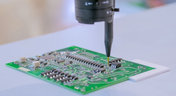
Unlike the clumsy human finger, a thermal camera can detect minute temperature differences across its view. This allows you to rapidly identify any components that are consuming current. Any parts or areas of your board that draw current will also generate heat that can easily be picked up by a thermal camera.
Blog
•
Complete Guide to DIY SMT Assembly In Your Office
I want to share a little secret with you in this article: Assembling SMT prototypes boards is not only easy, but it requires very little equipment. Using just a stencil, I can easily hand prototype down to 0.3 mm pitch ICs, and 0201 (imperial) sized passive components. If you’re currently hand assembling boards with a soldering station, you need to stop this immediately and start using a stencil instead!

Blog
•
State of the Electronics Industry 2021
With the challenges of 2020 behind us, what challenges and opportunities lie ahead for hardware designers in 2021? In this article Vince Mazur, Technical Product Marketing Engineer at Altium, looks ahead to three emerging trends and share steps to address each one successfully in the year ahead.

Blog
•
The Mysterious 50 Ohm Impedance: Where It Came From and Why We Use It
When we talk about S-parameters, impedance matching, transmission lines, and other fundamental concepts in RF/high-speed PCB design, the concept of 50 Ohm impedance comes up over and over. Look through signaling standards, component datasheets, application notes, and design guidelines on the internet; this is one impedance value that comes up repeatedly. So where did the 50 Ohm impedance standard come from and why is it important?

Blog
•
Keeping Your Circuits Dry
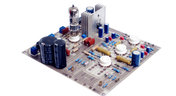
For the home hobbyist, protecting their electrical devices usually means keeping the coffee cup or soda can away from anything that carries a large voltage. Good practice indicates that electrical devices should be housed in an enclosure to protect expensive components and reduce the risk of electric shocks from exposed circuitry. However, what do you do if the fantastic new device you’ve designed needs to work in a humid, damp, or dripping wet environment?
Blog
•
Tips for Updating Old PCB Designs with New Parts
Have you ever opened up an old design and wondered how much of it was still usable? Maybe you were contacted by an old client, and they want you to provide some updates on an old design. No matter what the situation is, there are times where updating old PCB designs with new parts makes sense. If done correctly and when armed with all the right information up front, you can cut down the total design time while preserving the best parts of your design in a new iteration. Here’s what you can do to update your old designs successfully and how your PCB design features can help.
















Your search returns no results.


