Welcome, Guest

Sign in to learn, create, and do more with the product you love.

News & Updates

Filters:
Tag
Embedded thumbnail for Teaching Power to Think - How Proper Voltage Accelerates Innovation with Altium
Altium Stories
Teaching Power to Think - How Proper Voltage Accelerates Innovation with Altium

Watch the video where you can find how Proper Voltage centralized communication, synchronized ECAD–MCAD development, and gained early insight into supply chain risks using Altium’s connected design platform.

Blog
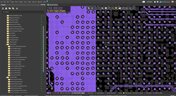
Types of Simulation Tools For PCBs

PCB simulation isn’t one-size-fits-all and that’s where it gets interesting! Discover the wide range of tools available, from quick circuit checks to advanced multiphysics simulations, and how they help you design with confidence.

Embedded thumbnail for  Detect Z-Axis Clearance Issues Earlier
New in Altium's Software
Detect Z-Axis Clearance Issues Earlier

The Z-axis clearance rule enables accurate verification of minimum interlayer copper spacing. It supports targeted constraints between net classes, differential pairs, and schematic parameter directives for advanced rule definition.

Blog
Wiring the Future: The Shift to Unified Electromechanical Design

This article explores the shift from PCB-centric design to complex, system-level development where wiring and harnesses play a critical role in product performance. It highlights how unified electromechanical workflows and bi-directional ECAD–MCAD integration improve accuracy, reduce delays, and ensure reliable, production-ready designs.

Embedded thumbnail for Fix Inconsistent Part Parameters in Your PCB Schematic
How-To's
Fix Inconsistent Part Parameters in Your PCB Schematic

Watch our latest video to learn what parameterization really means, why getting the manufacturer name and part number right is essential, and how to quickly identify inconsistencies across your schematic components using Altium’s Parameter Manager tool.

Blog
Best Tools For PCB DFM Checks

Want to catch manufacturability issues before they turn into expensive delays? Discover the essential DFM tools from real-time checks to post-layout analysis that help you get your PCB right the first time.

Embedded thumbnail for Create IPC-Aligned Footprints with Less Effort
New in Altium's Software
Create IPC-Aligned Footprints with Less Effort

The default value for the Solder Mask Expansion rule has been updated to improve consistency across design environments. In both PCB documents and rule-driven solder mask expansion within PCB library documents, the default setting is now 0 mil, replacing the previous default of 4 mil.

Blog
Eliminate Your Design Friction with Agile Teams

Design friction from scattered data and disconnected tools slows down PCB development and leads to rework. This webinar shows how Agile Teams streamlines collaboration, aligns domains, and helps teams deliver faster with fewer errors.

Embedded thumbnail for Via Dispersion: Why Propagation Delay Changes with Frequency
How-To's
Via Dispersion: Why Propagation Delay Changes with Frequency

Explore the concept of via dispersion and how it impacts propagation delay across frequencies. This tutorial walks through the math behind extracting delay from insertion loss and return loss S-parameters and explains why results can vary depending on your operating range.

Embedded thumbnail for Make Via Rule Configuration More Intuitive
New in Altium's Software
Make Via Rule Configuration More Intuitive

Set precise control over your routing via styles with new rule settings in the Physical View. Define minimum, maximum, and preferred values for both diameter and hole size, and easily switch between constraint ranges or template-based definitions for faster, more flexible design.

Blog
What is the Best Cloud PCB Design Software?

Not all cloud PCB tools are created equal, especially when design complexity increases. This article breaks down key differences between cloud-native and hybrid solutions, helping engineers choose the right approach for performance and scalability.

Blog
From Rework to Revenue: Digital PCB DFMA

This article explores how traditional, manual DFMA workflows lead to costly rework, delays, and poor collaboration across engineering teams. It shows how a connected, digital approach enables better data integrity, faster design cycles, and improved manufacturing outcomes.

Embedded thumbnail for Coplanar Ground Done Right: PCB Design Best Practices
How-To's
Coplanar Ground Done Right: PCB Design Best Practices

When is coplanar ground actually useful and when does it provide no benefit at all? If you’ve ever wondered about this, check out our brand-new video where we tackle one of the most common questions in PCB design.

Embedded thumbnail for Import and Export with Modern Mechanical Models
New in Altium's Software
Import and Export with Modern Mechanical Models

We have expanded mechanical integration by adding support for SOLIDWORKS 2024 and SOLIDWORKS 2025 part models when importing 3D bodies into the design environment. This enhancement allows designers to work with the latest mechanical models created in SOLIDWORKS without the need for additional conversions or workarounds.

Embedded thumbnail for How to Input Via Delay in Altium for DDR Routing
How-To's
How to Input Via Delay in Altium for DDR Routing

In this video, we tackle a real viewer question about DDR3 routing across multiple PCB layers and show how via delay can silently eat into your skew margin before you’ve even finished routing, using Altium’s default 10-layer stackup as a reference.

Blog
How to Choose the Right Components for Your BOM

A strong BOM can make the difference between smooth production and costly delays. Discover a practical approach to choosing components that stay available, meet compliance requirements, and keep your project on schedule.

Embedded thumbnail for Clearly Show Jumper Wires in Your Harness Designs
New in Altium's Software
Clearly Show Jumper Wires in Your Harness Designs

Support has been improved so that jumper wires connecting two cavities within the same connector are now properly shown in Layout Drawings, making the connector wiring easier to understand during documentation and review.

Blog
From Scattered Requirements to Confident Product Development

See how the Requirements Portal transforms disconnected requirements into a single, live source of truth that engineers can trust at every stage of a project! Real customer stories in the article prove it’s already helping teams cut down on rework and bring products to market faster.

Tag
Blog
3D-MID in Focus: Principles, Processes, and Practical Use

This article introduces 3D-MID (Mechatronic Integrated Devices), a technology that integrates circuitry into 3D plastic structures to reduce size, weight, and complexity. It explains the production process, use cases, and benefits of 3D-MID in sectors like automotive, medical, and consumer electronics.

Blog
Eliminate EMI and Signal Integrity Issues in Multi-Board PCB Designs

Ensure signal integrity and minimize EMI in complex electronics. Our new article explains how to address electromagnetic interference and signal integrity challenges in multi-board PCB designs, offering practical strategies and layout considerations for reliable system performance.

Blog
Mastering Component Templates in Altium Designer 25

Our new article by Dario Fresu explains how Component Templates in Altium Designer 25 Pro improve design consistency, reduce errors, and streamline collaboration. It highlights practical benefits like standardized naming, faster component creation, and scalability across projects. Includes examples of using templates with Altium 365™ to simplify complex component setup.

Blog
Wire Harness Design Guide for Development and Manufacturing

Designing a wire harness goes far beyond just connecting components—it’s about ensuring manufacturability, reliability, and compliance. This article walks you through the entire process, from initial design to production, helping you streamline development and avoid common pitfalls.

Blog
Preparing for Medical Device Cybersecurity Assessments

Explore the key considerations and best practices for conducting cybersecurity assessments in medical device development. This article outlines how to identify potential threats, evaluate risks, and ensure compliance with evolving industry standards.

Blog
Harness Complexity, Design with Simplicity

Harness Design in Altium Designer simplifies managing PCB interconnections, ensuring reliable performance and streamlined manufacturing. With logical connectivity tools, harness layout drawing, and manufacturing-ready documentation, it keeps your designs efficient and organized—all within a unified design environment. Perfect for automotive, aerospace, and industrial applications.

Blog
Getting Started with NVMe and the Raspberry Pi 5

Our new article guides you through enhancing your Raspberry Pi 5's performance by setting up NVMe SSD storage using an expansion HAT. It covers the benefits over traditional MicroSD cards, including improved speed and reliability, and provides step-by-step instructions for installation and configuration.

Blog
From Concept to Production: A Modern Approach to Wire Harness Engineering

Discover how modern wire harness engineering is evolving to meet the growing complexity of electrified systems. This whitepaper explores best practices, intelligent automation, and ECAD-MCAD collaboration to improve efficiency and reduce errors. Download now to stay ahead in an increasingly connected world.

Blog
Transforming RF Design with Ultra HDI

Ultra-HDI technology is transforming RF design by enabling finer line widths, improved signal integrity, and more compact, high-performance boards. Our brand-new article explores its advantages over traditional methods and the benefits of integrating flexible circuits.

Blog
Boost Your PCB Testing Efficiency with Testpoint Manager

Testpoints are essential for efficient PCBA testing and debugging. Our latest whitepaper dives into testpoint optimization, fault detection, and automated testing strategies, along with a full tutorial on using Testpoint Manager in Altium Designer. Discover how to streamline your testpoint assignments and improve measurement accuracy!

Blog
Ultra HDI: It’s Not Just Buzzword

Ultra-HDI technology is transforming PCB design, enabling unprecedented miniaturization and performance. In this article, explore what sets Ultra-HDI apart from traditional HDI and how it’s shaping the future of electronics.

Blog
Cloud PCB Design: 5 Cloud Security Myths Debunked

This article addresses common misconceptions about cloud security in PCB design. It explains how modern cloud platforms, such as Altium 365, often provide superior security compared to traditional on-premises solutions. Key features like advanced infrastructure, granular access controls, and compliance with stringent regulations ensure the protection of valuable design data.

Blog
Renesas and Altium Announce Introduction of Renesas 365, Powered by Altium

Last week, Renesas Electronics and Altium proudly announced the introduction of Renesas 365, Powered by Altium—a first-of-its-kind industry solution designed to streamline electronic system development, from silicon selection to system lifecycle management. Renesas 365 will be demonstrated at Embedded World, Booth 5-371, from March 11-13 in Nuremberg, Germany.

Tag
Embedded thumbnail for Teaching Power to Think - How Proper Voltage Accelerates Innovation with Altium
Altium Stories
Teaching Power to Think - How Proper Voltage Accelerates Innovation with Altium

Watch the video where you can find how Proper Voltage centralized communication, synchronized ECAD–MCAD development, and gained early insight into supply chain risks using Altium’s connected design platform.

Embedded thumbnail for  Detect Z-Axis Clearance Issues Earlier
New in Altium's Software
Detect Z-Axis Clearance Issues Earlier

The Z-axis clearance rule enables accurate verification of minimum interlayer copper spacing. It supports targeted constraints between net classes, differential pairs, and schematic parameter directives for advanced rule definition.

Embedded thumbnail for Fix Inconsistent Part Parameters in Your PCB Schematic
How-To's
Fix Inconsistent Part Parameters in Your PCB Schematic

Watch our latest video to learn what parameterization really means, why getting the manufacturer name and part number right is essential, and how to quickly identify inconsistencies across your schematic components using Altium’s Parameter Manager tool.

Embedded thumbnail for Create IPC-Aligned Footprints with Less Effort
New in Altium's Software
Create IPC-Aligned Footprints with Less Effort

The default value for the Solder Mask Expansion rule has been updated to improve consistency across design environments. In both PCB documents and rule-driven solder mask expansion within PCB library documents, the default setting is now 0 mil, replacing the previous default of 4 mil.

Embedded thumbnail for Via Dispersion: Why Propagation Delay Changes with Frequency
How-To's
Via Dispersion: Why Propagation Delay Changes with Frequency

Explore the concept of via dispersion and how it impacts propagation delay across frequencies. This tutorial walks through the math behind extracting delay from insertion loss and return loss S-parameters and explains why results can vary depending on your operating range.

Embedded thumbnail for Make Via Rule Configuration More Intuitive
New in Altium's Software
Make Via Rule Configuration More Intuitive

Set precise control over your routing via styles with new rule settings in the Physical View. Define minimum, maximum, and preferred values for both diameter and hole size, and easily switch between constraint ranges or template-based definitions for faster, more flexible design.

Embedded thumbnail for Coplanar Ground Done Right: PCB Design Best Practices
How-To's
Coplanar Ground Done Right: PCB Design Best Practices

When is coplanar ground actually useful and when does it provide no benefit at all? If you’ve ever wondered about this, check out our brand-new video where we tackle one of the most common questions in PCB design.

Embedded thumbnail for Import and Export with Modern Mechanical Models
New in Altium's Software
Import and Export with Modern Mechanical Models

We have expanded mechanical integration by adding support for SOLIDWORKS 2024 and SOLIDWORKS 2025 part models when importing 3D bodies into the design environment. This enhancement allows designers to work with the latest mechanical models created in SOLIDWORKS without the need for additional conversions or workarounds.

Embedded thumbnail for How to Input Via Delay in Altium for DDR Routing
How-To's
How to Input Via Delay in Altium for DDR Routing

In this video, we tackle a real viewer question about DDR3 routing across multiple PCB layers and show how via delay can silently eat into your skew margin before you’ve even finished routing, using Altium’s default 10-layer stackup as a reference.

Embedded thumbnail for Clearly Show Jumper Wires in Your Harness Designs
New in Altium's Software
Clearly Show Jumper Wires in Your Harness Designs

Support has been improved so that jumper wires connecting two cavities within the same connector are now properly shown in Layout Drawings, making the connector wiring easier to understand during documentation and review.

Embedded thumbnail for Why Datasheet PCB Guidelines Are Often Wrong
How-To's
Why Datasheet PCB Guidelines Are Often Wrong

Watch our brand-new video where we tackle the persistent issue of outdated PCB design guidelines still found in datasheets and application notes from major semiconductor manufacturers. Drawing on viewer comments, real-world datasheet examples, and insights from industry experts, we examine why recommendations such as splitting analog and digital ground planes (an approach rooted in the 1980s) continue to circulate despite their potential to cause EMC failures, signal integrity problems, and costly redesigns.

Embedded thumbnail for Keep Your Harness Designs in Sync with Library Updates
New in Altium's Software
Keep Your Harness Designs in Sync with Library Updates

The "Update From Libraries" feature has been enhanced to provide broader support for harness-related objects across both Wiring Diagrams and Layout Drawings. With this expansion, a wider range of harness components such as connectors, wires, splices, and associated attributes can now be synchronized directly with their corresponding library definitions.

Embedded thumbnail for How to Set Up Flex PCB Materials in Altium
How-To's
How to Set Up Flex PCB Materials in Altium

Discover how to set up flex and rigid-flex PCB materials in Altium with the Layer Stack Manager. In this tutorial, you’ll follow the key steps for defining polyimide cores, adhesive layers, coverlay, and stiffeners helping you build accurate, production-ready rigid-flex PCB designs.

Embedded thumbnail for How Benchmark Unifies Hardware Development with the Altium Platform
Altium Stories
How Benchmark Unifies Hardware Development with the Altium Platform

Discover our latest customer success story and see how Benchmark streamlined hardware development using the Altium Platform. By leveraging a unified environment with real-time data, synchronized ECAD-MCAD workflows, and built-in collaboration tools, their engineering teams eliminated manual handoffs, improved cross-domain visibility, and accelerated project delivery while staying perfectly aligned.

Embedded thumbnail for ESP32-S3 Design Deep Dive: Power, RF, and Layout Best Practices
How-To's
ESP32-S3 Design Deep Dive: Power, RF, and Layout Best Practices

Explore our detailed design review of a custom ESP32-S3 PCB. This four-layer board is built around the ESP32-S3 microcontroller chip (not the standard module) and includes an integrated LiPo charging circuit, USB-C with data line protection, NCP voltage regulators, and a ceramic chip antenna with a properly tuned impedance matching network.

Embedded thumbnail for Working as One for What Matters Most | How Benchmark Unifies Engineering Teams
Altium Stories
Working as One for What Matters Most | How Benchmark Unifies Engineering Teams

See how Benchmark Electronics uses Altium’s collaborative hardware development platform to unify its electrical, mechanical, and software engineering teams. By replacing manual processes, disconnected tools, and siloed workflows with a shared workspace, Benchmark unlocked a new way of working.

Tag
Your search returns no results.