News & Updates

Blog
•
How to Design a PCB: From Schematic Capture to Manufacturing
This article walks through the complete PCB design workflow, from schematic capture and component selection to layout, design reviews, and manufacturing documentation. It highlights the key decisions at each stage that help engineering teams produce reliable, manufacturable products.


Blog
•
5 Power Integrity Myths: AC Edition
The biggest threat to your power integrity might be outdated design advice. This article challenges five common AC power integrity myths and shows what really matters when designing today's high-speed PCBs.


Blog
•
Your Design Data Has Zero Defense
Your design data may be more exposed than you think. This webinar shows how to identify common security gaps and secure engineering workflows with centralized access control and governance.


Blog
•
Flex Circuit Coverlay: Design with Lamination Processes In Mind
Your flex PCB may look perfect in CAD but coverlay doesn't stay perfectly still during manufacturing. This article reveals why designing for lamination behavior is one of the most important steps in building reliable flex circuits.


Blog
•
Integrated PCB Design vs. Legacy Point Tools: What’s the Real Cost?
As hardware development grows more collaborative, disconnected point tools can introduce data inconsistencies, traceability gaps, and costly coordination challenges. This article examines how integrated PCB design environments connect design, mechanical, supply chain, and review workflows to improve efficiency throughout the product lifecycle.

Blog
•
Make Better Design Decisions with Signal and Power Integrity Insight
Signal integrity and power integrity are closely connected, with problems in one often affecting the other as designs become faster and more complex. This webinar explains how integrated analysis workflows help engineers evaluate PDN performance, identify potential issues early, and improve overall design quality.

Blog
•
Optimizing Your Electronics Product Design Workflow and Eliminating Bottlenecks
Every manual handoff adds time and risk to the product development process. This article shows how modern design workflows automate routine tasks, improve data visibility, and help engineering teams focus on innovation instead of administration.


Blog
•
Avoid Cross-Board Signal Integrity Issues in High-Performance Multiboard PCB Designs
Your signal may be perfect on the PCB and fail the moment it crosses a connector. This article explores the hidden SI challenges in multi-board systems and how engineers can eliminate them before they become costly debugging sessions.


Blog
•
Proto-BOM in Minutes: How BOM Portal Accelerates Component Selection
Still building BOMs the hard way? Discover how modern workflows can help you create a prototype-ready BOM faster while improving visibility into pricing, availability, and risk.


Blog
•
How to Manage Power Integrity and EMI in Complex Multiboard Systems
This article examines the challenges of maintaining power integrity and controlling EMI in complex multiboard systems. It provides practical strategies for managing return paths, connector transitions, and power distribution across interconnected assemblies.

Blog
•
Agile Teams: From Design Tool to Product Development Platform
Learn how Agile Teams evolves beyond traditional PCB design workflows to support connected product development. This webinar explores how centralized data, collaboration tools, and governance capabilities help teams accelerate delivery while maintaining control.

Blog
•
Benefits of Using an Integrated Design Environment for PCB Development
Using separate tools often creates inefficiencies and increases the risk of mistakes. This article explains how integrated design environments streamline workflows by keeping design data connected and accessible.


Blog
•
Setting Up Concord Pro Revisions and Lifecycle
Before anything else, some advice. The revisions and lifecycle are an area that takes some planning. It used to be that Concord Pro was primarily for components, but now it has gone far beyond that. With the ability to store and manage many other items, including your various templates, projects, even PDF documents, not everything will have the same revision scheme. Concord Pro is so powerful that it can handle any revision scheme you’d want to set up.

Blog
•
How to Successfully Design a BGA
Whether the board will be placed in a high pressure vessel or underwater, your design will need to withstand pressure to avoid failure. On the enclosure side, your vessel should be rated up to a certain pressure and may require frequent cycling to prevent implosion. On the electronics side, component selection and layout (especially at high voltage) become critical to preventing failure and ensuring reliability.

Blog
•
Altium Designer 20.2 Update 1 is now available
The first update of Altium Designer 20.2 and Altium NEXUS Client 3.2 is now available. You can update through the Altium Designer update system ("Extensions and Updates") or download fresh builds from the Downloads section of the Altium website. Click on "Read More" to see a list of all changes in this update.

Blog
•
How Copper Foil Roughness Affects Your Signals and Impedance
The history of engineering, both electrical and mechanical, is littered with approximations that have fallen by the wayside. These approximations worked well for a time and helped advance technology significantly over the decades. However, any model has limits on its applicability, and the typical RLCG transmission line model and frequency-independent impedance equations are no different. Copper foil roughness modeling and related transmission line impedance simulations are just one of many areas in which standard models cannot correctly treat signal behavior.

Blog
•
What is Burn-in Testing for Electronics?
Once you’re planning for production of any new board, you’ll likely be planning a battery of tests for your new product. These tests often focus on functionality and, for high speed/high frequency boards, signal/power integrity. However, you may intend for your product to operate for an extreme period of time, and you’ll need some data to reliably place a lower limit on your product’s lifetime. In addition to in-circuit tests, functional tests, and possibly mechanical tests, the components and boards themselves can benefit from burn-in testing.
Blog
•
PCB Design for Testability to Ensure High Yield and Quality
If you remember your days in school, then you probably remember the feeling of happiness and celebration when you pass a big exam. You’ll feel the same sense of adulation when your board spin passes a barrage of pre and post assembly tests, but a complex design might not reach that stage unless you implement the right design for testability methods. There are some simple steps that can help your manufacturer identify and quickly implement important bare-board and in-circuit testing (ICT), especially on critical circuit blocks.

Blog
•
Top Tips from Experienced Flex Designers
This article describes the best hints and tips for designers of rigid-flex circuits. These tips include choosing the most appropriate material, suggestions for coordinating the PCB with the manufacturer, and a set of rules to be followed while PCB design.

Blog
•
How Do Capacitor Mounting Structures And Footprints Impact Total Inductance?
There are a number of factors at play when it comes to the impact of inductance on high-frequency power distribution systems. This article will focus on the inductance of the capacitor footprint along with the inductance of vias from the capacitor footprint to the PCB power planes. Included are the various types and sizes of footprints for ceramic capacitors as well as a footprint for a tantalum capacitor; how changing the footprint impacts inductance and test results obtained for different capacitors.
Blog
•
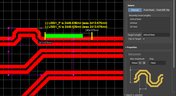
How to Perform Differential Pair Tuning in Altium Designer 20
In order to properly suppress common-mode noise, differential pairs must be routed in parallel, with perfect symmetry, and with matched lengths. In real PCBs, meeting these three objectives isn’t always possible. Instead of eyeing out your different pair lengths, the interactive routing tools in Altium Designer make differential pair length matching easy. You can encode permissible length mismatches as design rules as part of controlled impedance routing, or you can manually perform differential pair tuning using a variety of meandering styles. Here’s how this works in Altium Designer.

Blog
•
Driving Haptic Vibration and Feedback in Wearables
Augmented reality, virtual surgery, limb replacements, medical devices, and other new technologies need to incorporate haptic vibration motors and feedback to give the wearer a full sense of how they are interacting with their environment. Unless these cutting-edge applications include haptic vibration and feedback, users are forced to rely on their other four senses to understand the real or virtual environment.

Blog
•
Back Drilling Example in Altium Designer: One of the Easiest Ways to Improve Signal Integrity
Over the last 20 years, electronic devices have become increasingly sophisticated. Less than two decades ago, just having a mobile phone to make calls was rare; today, our phones power our lives. To meet the growing demand for smartphone technology, technology has become faster, more functional, and intuitive. Improvements to the component base have streamlined processes while reducing manufacturing costs.

Blog
•
Is it Simultaneous Switching Noise or Crosstalk?
Going deeper into crosstalk, there is always the issue of verifying EMI/EMC compliance through test and measurement. With the multitude of signal integrity problems that can arise in real PCBs, how can the astute designer distinguish them all? Some problems are clearer than others, with specific signal integrity measurements being developed for testing and measuring particular aspects of signal behavior. The fact is, multiple signal integrity problems could be present on a single interconnect simultaneously.

Blog
•
Sharing PCB Data with Manufacturers in the Cloud
Once you’ve finished your new project and you’re ready to push it to your manufacturer, you’ll normally be stuck in an endless email chain with an engineer, or you’ll have to share cloud links with each other. The cloud sharing and design release tools in Altium Designer and Altium Concord Pro are a huge help in this area. In this post, I’m going to take an existing project I’ve worked with in a number of recent blogs, create some fabrication and assembly documentation, and finally push this data to a manufacturer using Altium Concord Pro.

Blog
•
The Great PCB Layout "Rules of Thumb" Debate Rages On
To this day, I still see many PCB layout “rules of thumb” that first became common nearly 20 years ago. Do these rules still universally apply? The answer is a firm “maybe.” The discussion around PCB layout rules of thumb is not that these rules are correct or incorrect. The problem is that the discussion around these rules often lacks context, leading to the always/never type of discussion seen in some popular forums. My goal in this article is to communicate the context behind the common PCB design rules.

Blog
•
How to Design Your PCB Test Coupon and What You Can Test
As the operating speed of components has increased, controlled impedance is becoming more common in digital, analog, and mixed-signal systems. If the controlled impedance value for an interconnect is incorrect, it can be very difficult to identify this problem during an in-circuit test. However, testing is normally performed on a PCB test coupon, which is manufactured on the same panel as the PCB. If you want to get through board spins quickly and aid future designs, you might consider designing a test coupon and keeping it handy for future designs.

Blog
•
Altium DbLibs and Electronic Components in the Cloud with Altium Designer 20.1
Altium’s DbLib support is one of the oldest and most loved features of Altium Designer for managing electronic components and their data. They’ve been present in the software world since before I could fathom the existence of Ohm’s law. Altium 20.1’s new Component Sync feature allows you to synchronize virtually any database or database Library with Altium 365, taking advantage of both approaches strengths.
















Your search returns no results.


